Keeping your WordPress site on the right side of international privacy laws can feel like a full-time job, especially with regulations shifting and browsers phasing out third-party tracking. You need a reliable way to manage visitor choices, and the big question is: do you actually need to pay for a premium subscription, or can a free tool get the job done? Don’t worry, this part’s easier than it looks, and we’ll break it down together. Let’s compare free and paid cookie consent options so you can find the right fit for your site.
Key Takeaways
- Native integration matters: built-in capabilities keep your dashboard clean and avoid the need for external platforms.
- Google Consent Mode v2 is essential: if you use Google ads or analytics in the EU, meeting this standard is non-negotiable.
- Geo-targeting saves conversions: showing banners only to visitors who legally require them keeps your site clean for everyone else.
- Consent logs are your safety net: keeping clear audit trails protects you if a regulator ever reviews your privacy practices.
- Free options have limits: free tools work well for simple blogs, but growing businesses usually need automated scanning and localized compliance.
Why Cookie Consent Matters More Than Ever in 2026
The privacy landscape has shifted dramatically over the past few years. It’s no longer enough to display a generic banner that says “We use cookies.” Today, data protection authorities around the world require real, active consent before any non-essential trackers can load on a visitor’s device. If you’re serving visitors from Europe, California, Canada, or dozens of other jurisdictions, you’re legally obligated to respect their privacy choices.
For WordPress site owners, that means your chosen consent solution needs to be genuinely smart. It needs to know where your visitors are coming from, block scripts dynamically, and keep records of their choices. Regulatory bodies have ramped up enforcement, and major search engines have updated their tracking requirements. Meeting these standards is now a fundamental part of running a professional website.
And the risks go beyond fines. Modern browsers are actively blocking third-party tracking, and advertising platforms now require verified consent signals. Operating without a proper consent mechanism can hurt your analytics, disrupt your ad campaigns, and damage the trust you’ve worked hard to earn. Getting this right from the start is absolutely worth your time.
Free vs. Paid Cookie Consent: The Core Differences
When you start shopping for a solution, you’ll find everything from completely free open-source scripts to premium enterprise platforms. Choosing between them really comes down to your budget, your technical comfort level, and how complex your site’s tracking setup is.
What Free Tools Do Well
Free consent solutions are a great match for smaller projects, personal blogs, and informational websites that use minimal tracking. If your site only runs basic Google Analytics and you’re not running display ads or retargeting campaigns, a free tool is often more than enough. These tools generally give you a standard banner, let visitors accept or reject all cookies, and offer some basic styling options. They cover the baseline requirements without adding anything to your monthly bills.
Where Free Tools Fall Short
As your site grows, the limitations of free tools become harder to ignore. Many free options don’t include automatic cookie scanning, so you’d have to manually identify and categorize every single script your site runs (and that list can get long). They also rarely include advanced features like geo-targeting, multilingual support, or automatic compatibility with standards like Google Consent Mode v2. And if you want to customize the design to perfectly match your brand, free options often restrict your styling choices or show third-party watermarks that look unprofessional.
The Value of Premium and Built-In Solutions
Paid or built-in premium consent tools focus on automation and peace of mind. They handle the heavy lifting for you, scanning your site regularly, categorizing new cookies automatically, and keeping your consent banners current as laws evolve. For e-commerce stores, membership sites, and agency portfolios, a professional tool is a genuinely smart investment that saves hours of manual work and keeps your site running legally.
Feature Comparison: Free vs. Paid Capabilities
To help you visualize the differences, here’s how free and paid cookie consent features typically compare across the areas that matter most for your website.
| Feature Group | Typical Free Solutions | Premium / Built-In Capabilities |
|---|---|---|
| Setup & Integration | Manual setup, external scripts, separate dashboards | Native WordPress integration, 5-minute configuration |
| Cookie Scanning | Manual entry or very limited monthly scans | Automatic, recurring cloud-based scanning |
| Google Consent Mode v2 | Rarely supported or requires manual coding | Full native support out of the box |
| Geo-Targeting | No geo-targeting (same banner shown to all) | Banners adapt based on visitor location |
| Consent Logging | Rarely included, or stored locally in browser | Secure, searchable consent logs for audits |
| Design Customization | Basic templates, often with third-party watermarks | Complete brand matching, cloud templates |
The Best Cookie Consent Solutions for WordPress
Let’s walk through the top consent management solutions available for WordPress today, covering what makes each one unique, its core capabilities, and how it helps you keep your site compliant.
1. Cookie Consent
If you want a modern, native solution that works right inside your WordPress dashboard without forcing you to log into an external platform, Cookie Consent is the ideal choice. This built-in capability from Elementor lets you set up, manage, and monitor your cookie consent banners directly from WordPress. It’s especially helpful for creators who use Elementor to build and manage their websites, since it fits naturally into your existing design and administrative workflow.
You don’t need to worry about complex API connections or third-party cloud interfaces. The 3-step setup takes less than five minutes, getting you from install to active compliance quickly. It’s a great fit for site owners who want a straightforward, reliable tool that just works.
- Manages cookie categories automatically through regular, deep scans of your site’s active scripts.
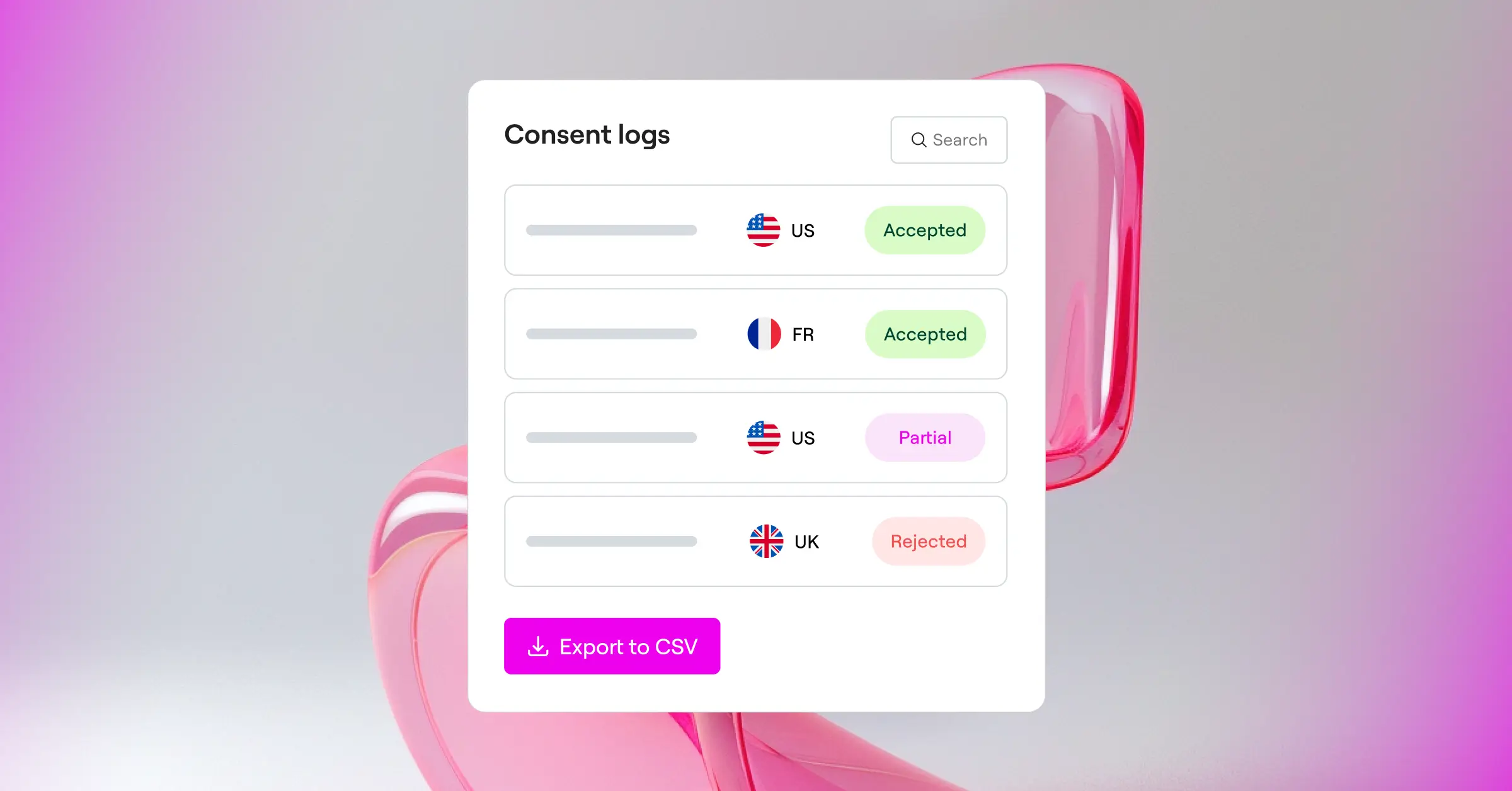
- Saves consent logs securely to give you an audit-ready trail if regulators ever ask for proof of compliance.
- Adapts your banners to show the right layout to visitors based on their location using geo-targeting.
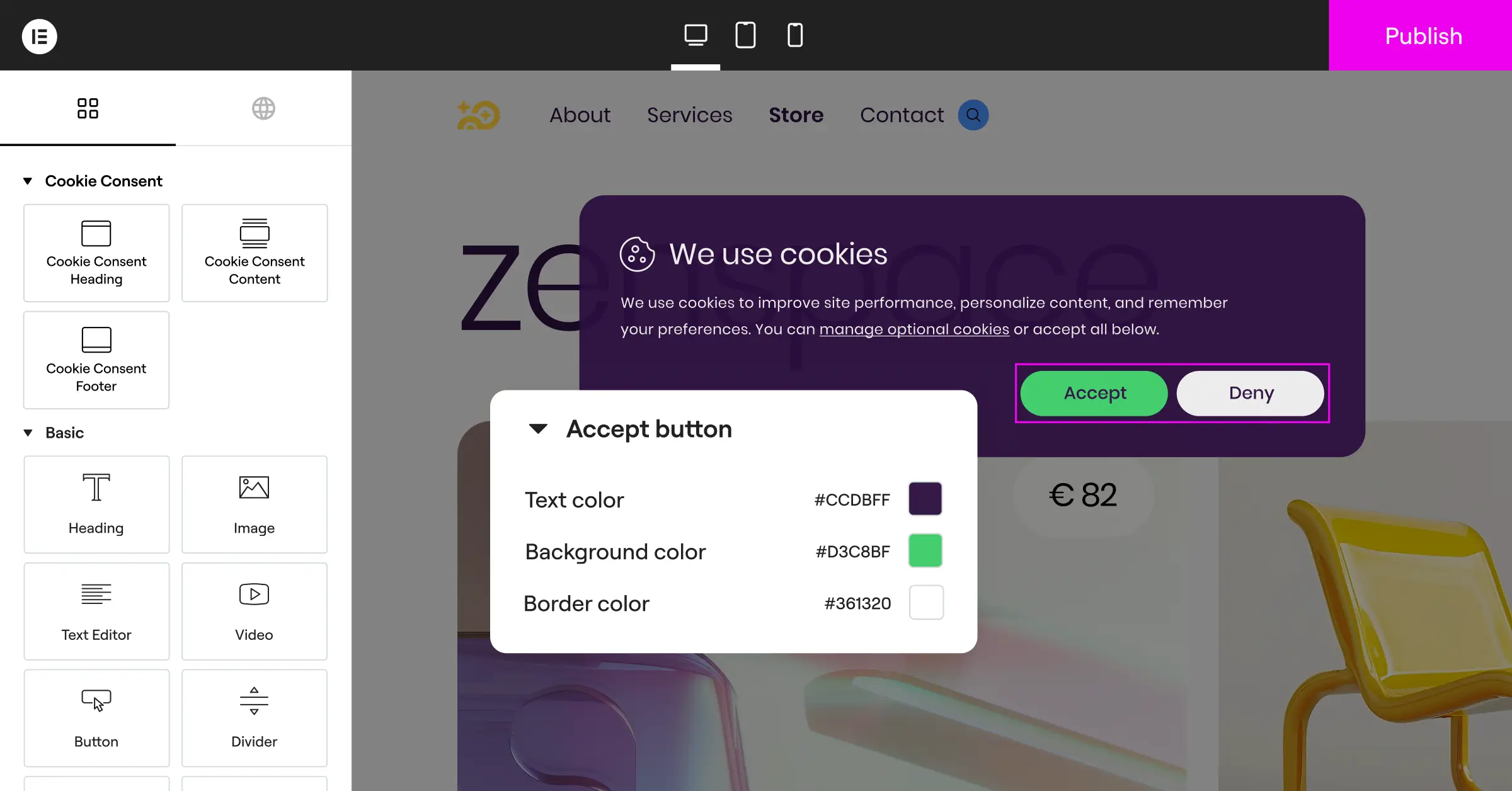
- Matches your site’s exact design with cloud-based templates and complete visual customization controls.
- Supports Google Consent Mode v2, keeping your analytics and ad platforms running correctly.
- Respects Global Privacy Control (GPC) signals, automatically honoring automated browser privacy preferences.
Because Cookie Consent is built directly into WordPress, it avoids the speed delays that come with loading heavy external compliance scripts. It’s available on a free tier to get you started, and it’s also included as part of Elementor One, giving you a complete compliance toolkit alongside capabilities like Web Accessibility.

2. Cookiebot
Cookiebot is a well-known name in the privacy compliance space. It operates as an external software-as-a-service cloud platform that connects to your WordPress site using a helper integration. If you manage a large network of websites across different platforms, Cookiebot offers a centralized cloud portal where you can handle them all from one login.

- Scans your website automatically every month to find and categorize new trackers.
- Draws on a global database of known cookies to explain tracking functions to your visitors.
- Blocks scripts dynamically until a user gives explicit consent to be tracked.
- Generates a clear, organized cookie declaration page you can embed in your privacy policy.
Cookiebot is highly reliable, though setup requires you to work across your WordPress site and their external cloud dashboard. Their free plan covers a single domain with fewer than 50 pages, so most growing business websites would need a paid plan.
3. CookieYes
CookieYes is a popular consent management platform offering both a free plan and premium options. It’s known for its user-friendly interface and quick setup. Like Cookiebot, it uses a hybrid approach that connects your WordPress site to a cloud-based dashboard where you manage most compliance settings and view your logs.

- Supports major global privacy regulations, including GDPR, CCPA, and LGPD, from one panel.
- Includes an intuitive design customizer for modifying your banner’s layout and appearance.
- Provides multilingual support to translate your cookie message for international audiences.
- Maintains consent logs to help you keep accurate records for compliance checks.
CookieYes is a solid choice for users who want a cloud-managed compliance tool. Keep in mind that managing consent settings outside of WordPress means working with another set of login credentials and dashboard menus.
4. Complianz
Complianz is a compliance suite built specifically for the WordPress ecosystem. Rather than relying on an external cloud portal, it runs entirely on your own server. It takes a wizard-style approach, walking you through a series of questions about your website and data practices to generate your banner and policies.

- Generates customized legal documents, including cookie policies and privacy statements, based on your inputs.
- Integrates with popular WordPress caching and optimization tools to minimize performance impact.
- Detects when you’re using specific integrations like Google Analytics or Facebook Pixel automatically.
- Fits cleanly into the native WordPress admin interface.
Complianz is very thorough, which is great for technical users but can feel like a lot to absorb for beginners. The step-by-step wizard is detailed, and configuration can take a while if you’re not already familiar with privacy terminology.
5. iubenda
iubenda takes a broad approach to compliance, offering tools for privacy policies, terms and conditions, and cookie consent banners all in one place. It’s designed for businesses that want to handle their full range of legal compliance needs under one roof. It’s a cloud-hosted platform that integrates with WordPress using dynamic tracking scripts.

- Updates your privacy policies automatically whenever local data laws change.
- Includes highly customizable banners that can meet complex legal requirements.
- Coordinates consent preferences across multiple platforms, including mobile apps and websites.
- Provides legal-grade documentation reviewed by professional lawyers.
Because iubenda is a complete legal suite, different features are often sold as separate licenses or add-ons, which can add up for smaller agencies and independent creators.
6. OneTrust
OneTrust is an enterprise-grade trust and compliance platform designed for large corporations, global brands, and high-traffic sites. It offers a detailed suite of privacy, risk, and security tools. For standard WordPress sites, OneTrust is usually more than you need, but it remains a market leader for enterprise compliance requirements.

- Scales to manage millions of visitors across hundreds of global domains.
- Offers deep reporting, risk analysis, and advanced vendor management tools.
- Integrates with enterprise tag managers and customer relationship management systems.
- Supports extreme customization of consent workflows based on complex organizational rules.
OneTrust is built for large legal and compliance teams. Configuration is highly involved, often requiring professional integration services, and pricing is structured for enterprise budgets rather than small-to-medium businesses.
Deep-Dive Feature Breakdown: What to Look For
Here are the essential technical capabilities to look for when choosing a cookie consent solution for your WordPress site, especially if you’re deciding between the options above.
Is Google Consent Mode v2 Support Included?
If you use Google Ads, Google Analytics, or Google Tag Manager to reach audiences in the European Economic Area (EEA), Google Consent Mode v2 is mandatory. This technology lets your website communicate your visitors’ consent choices directly to Google’s tracking systems. When a visitor declines cookies, Google’s tags adapt dynamically, using privacy-safe pings to measure conversions without storing personal data. Premium solutions support this natively, saving you from complex custom coding.
How Does Geo-Targeting Help Your Site?
Privacy laws vary quite a bit depending on where your visitors live. GDPR in Europe requires strict opt-in consent before cookies can load, while CCPA in California gives users the right to opt-out of having their personal information sold. Showing a strict European-style opt-in banner to a visitor in a region with no cookie laws can hurt your user experience and lower your analytics conversion rates. Geo-targeting detects your visitor’s location and shows exactly the banner their local laws require, keeping your site compliant without creating unnecessary friction for everyone else.
Why Are Consent Logs Crucial for Audits?
Under regulations like GDPR, the burden of proof sits with you as the website owner. If a regulatory authority reviews your site, you need to show that visitors actually gave active consent before you tracked them. Secure, searchable consent logs store anonymized records of those choices, including the time, date, and consent state. Having these logs readily available in your WordPress dashboard gives you real peace of mind and keeps your business audit-ready.
“True privacy compliance isn’t just about showing a banner. It’s about maintaining clean consent logs and respecting local laws dynamically without slowing down your site speed.”
– Itamar Haim, Web Compliance Specialist
What is Global Privacy Control (GPC)?
Global Privacy Control is a modern browser setting that lets users set their privacy preferences at the browser level, once, for all sites they visit. When someone with GPC enabled lands on your site, their browser automatically sends a signal indicating they don’t want their data shared or sold. Modern cookie consent capabilities recognize this signal right away, honoring the visitor’s choice without them needing to click anything on your banner. That kind of automated respect builds genuine trust and keeps you ahead of where privacy standards are heading.
How to Implement a Privacy-First Strategy on WordPress
Setting up your consent management doesn’t have to be complicated. These steps will help you build a solid compliance foundation on your WordPress site.
- Identify your tracking scripts: run a complete audit to see which tools (analytics, ad pixels, social media widgets) are dropping cookies on visitors’ devices.
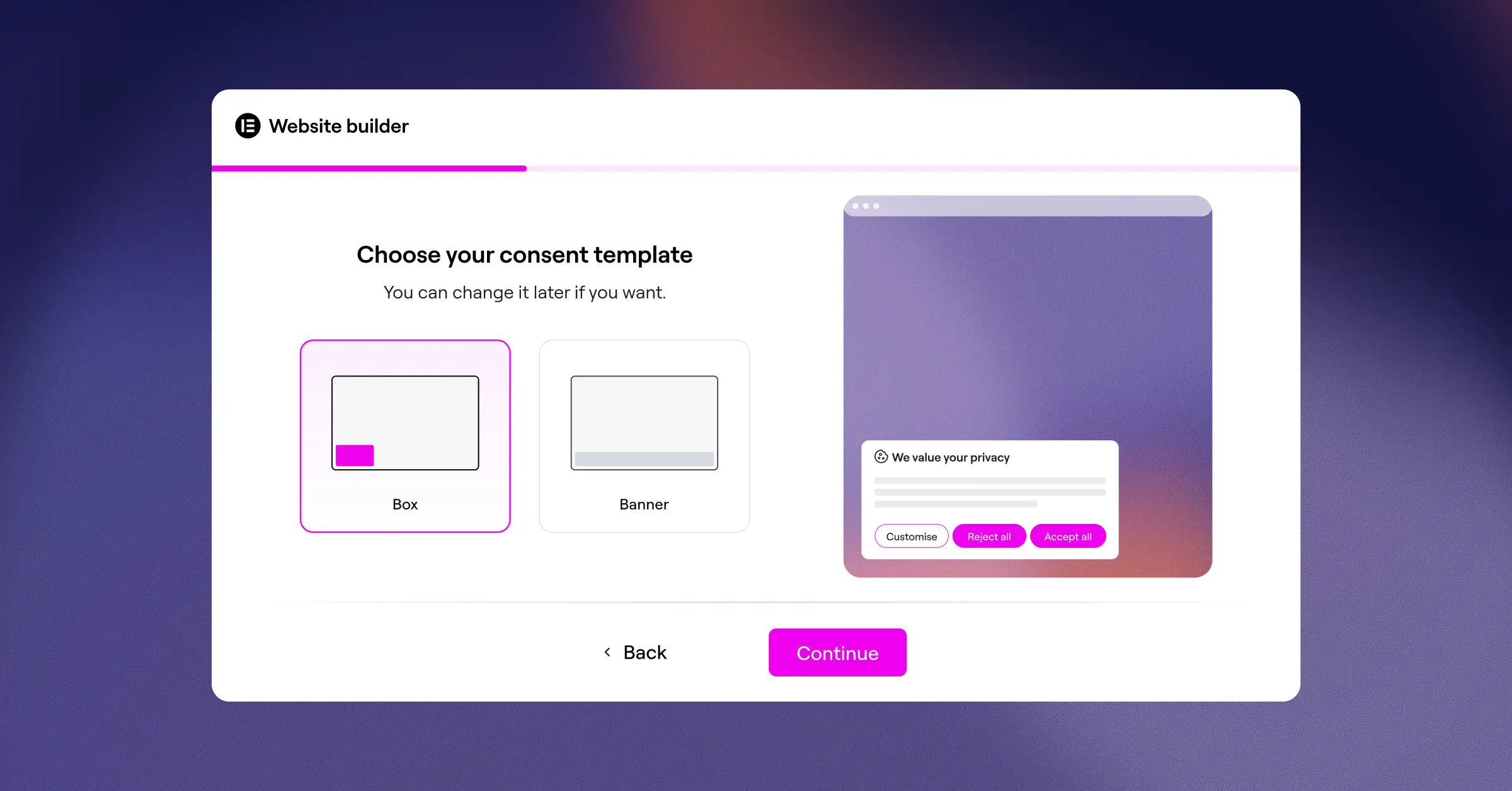
- Set up your consent capability: choose a native tool like Cookie Consent to handle your banners without adding bulk to your site’s code.
- Configure local compliance rules: turn on geo-targeting so your banners automatically match the laws of Europe, California, and other regions.
- Verify Google Consent Mode: make sure your analytics and advertising systems are communicating correctly with your consent banner to protect your tracking accuracy.
- Design for your brand: customize the layout, fonts, and colors so your cookie banner looks like a natural part of your site rather than an afterthought.
- Test your setup: open your site in an incognito window and confirm that no non-essential scripts load until you click accept on the banner.
Choosing Your Tool: A 3-Step Selection Process
If you’re still working out which route is best for your situation, this simple three-step process can help you clarify your requirements.
- Analyze your traffic: if all of your visitors are local and you don’t run ads or advanced analytics, a basic free banner will serve you well. If you have an international audience, you need geo-targeting and automated compliance.
- Evaluate your tech stack: if you built your site with Elementor’s Cookie Consent capability, keeping everything inside WordPress keeps your site light and fast. If you manage websites across multiple non-WordPress platforms, a cloud platform might fit your workflow better.
- Check your administrative budget: think about how much time you want to spend maintaining your setup. Paying for a built-in, automated tool that updates itself is often much more cost-effective than spending hours each month manually updating scripts and verifying compliance by hand.
Frequently Asked Questions
Do I really need a cookie consent banner if my site is small?
Yes. Global privacy laws like GDPR apply to any website that collects data from visitors in protected regions, regardless of where your business is located or how small your traffic is. If you use basic web statistics, analytics, or social sharing buttons, you’re likely tracking visitors and need to give them a clear way to opt in or opt out.
Can I use a free cookie consent tool for my online store?
While you can use a free tool, it’s rarely a good fit for active e-commerce stores. Online stores rely heavily on tracking scripts to monitor shopping carts, run retargeting ads, and measure marketing performance. A free tool without automated cookie categorization or Google Consent Mode v2 support can easily break your tracking or leave you exposed to compliance issues.
Does running a cookie banner slow down my WordPress site?
It depends on how the banner is built. Many third-party tools require your site to load heavy external scripts from cloud servers, which can add to your page load times. Using a native WordPress capability like Cookie Consent keeps everything on your own server, so your banner loads quickly without hurting your search engine rankings or user experience.
What is the difference between a privacy policy and a cookie consent banner?
A privacy policy is a complete legal document that explains how your website collects, uses, shares, and protects visitors’ personal information. A cookie consent banner is an interactive tool that dynamically blocks tracking scripts and asks visitors for permission before those scripts run. You need both to be fully compliant.
What happens if I don’t comply with GDPR or CCPA rules?
Failing to comply can result in financial penalties from regulatory bodies, and the amounts can be significant depending on the nature of the violation. Beyond legal action, not respecting visitor privacy can lead to ad networks suspending your accounts, analytics tools restricting your data access, and a real loss of credibility with your audience.
Do I have to manually find every cookie my WordPress site uses?
If you use a basic free tool, you may need to manually research and classify your site’s cookies. But professional and built-in options include automated cloud scanners that review your site, identify new scripts, and sort them into categories like necessary, analytical, or marketing automatically.
Can I customize my cookie banner to match my website design?
Yes, premium and native tools offer full design customization. You can adjust colors, fonts, layouts, and button styles to match your brand. If you use Elementor, you can manage this naturally, making sure your compliance banner looks polished and consistent with your site’s overall aesthetic.
Is Google Consent Mode v2 required for all WordPress sites?
It’s not required for sites that don’t use Google analytics, conversion tracking, or advertising tools. But if you use any Google marketing services and have visitors from the European Economic Area, you need to implement Consent Mode v2 to keep collecting accurate marketing data and tracking campaign success.
How often should I scan my website for new cookies?
Best practice is at least once a month, or whenever you install a new feature, update an existing system, or add a marketing pixel. Automated consent capabilities handle this in the background, keeping your cookie list accurate and up to date without you needing to schedule it manually.






