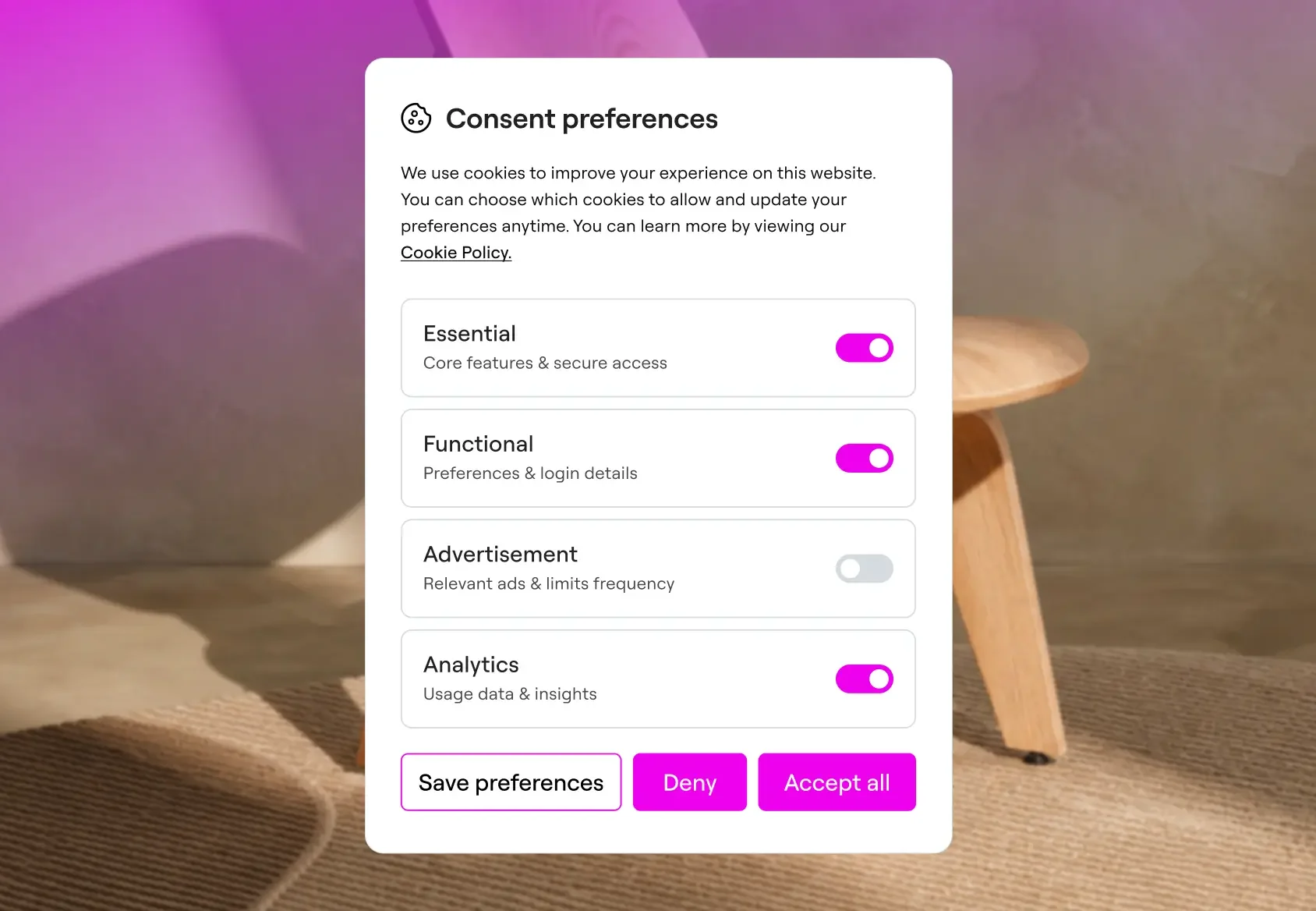
Cookie Consent for WordPress
Not just a banner.
A consent mechanism.
Move beyond a basic cookie notice. Create a consent experience that gives visitors clear choices, helps you manage GDPR and CCPA requirements, and stays aligned with your design.
View plans Try free
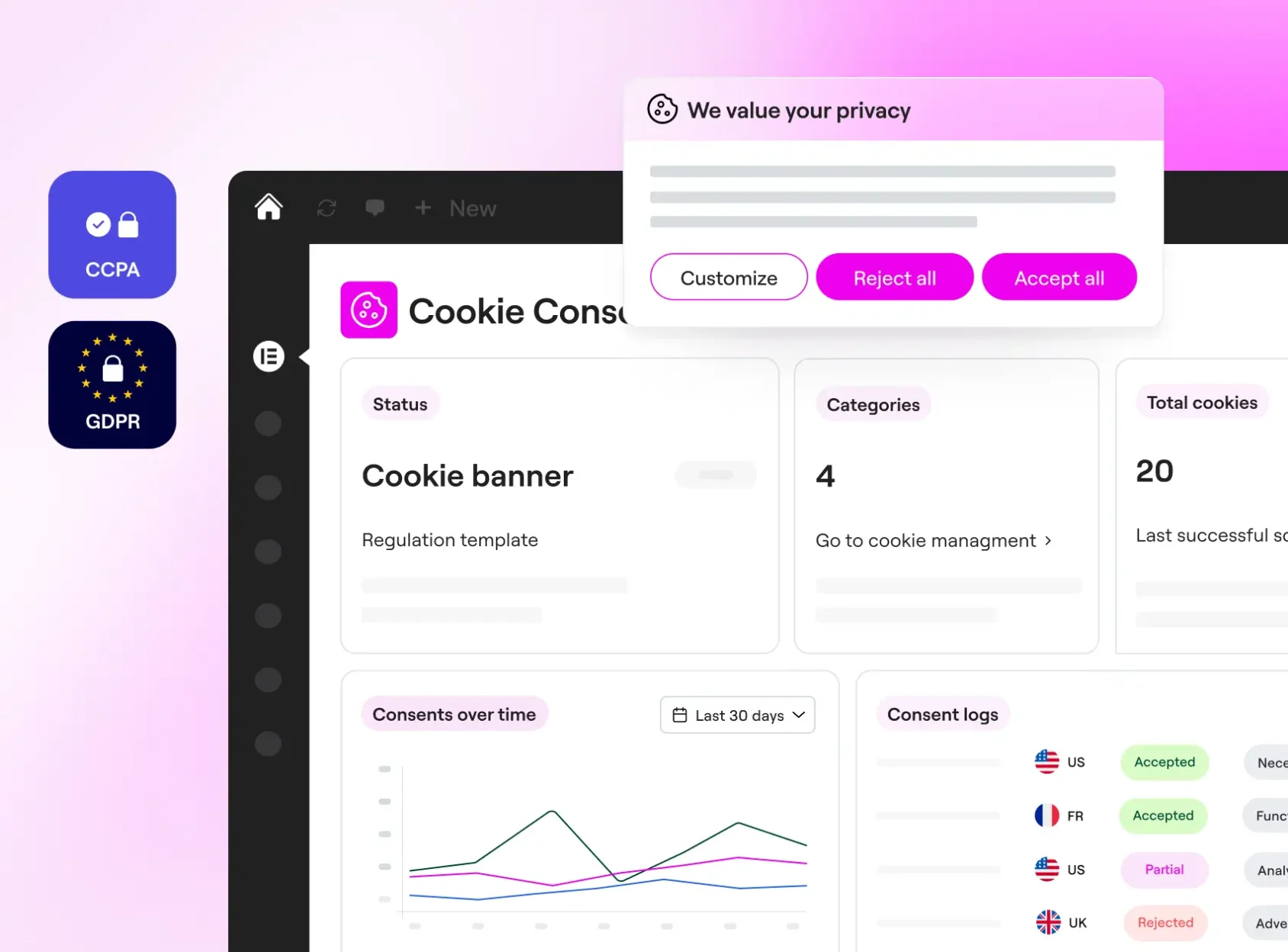
No fuss cookie consent
Simplify cookie compliance and turn a complex project into an easy checklist item.
Privacy-first by design
Loads from your site with no CDNs or third-party scripts. A privacy tool that's actually private.
One ecosystem, one experience
Cookie Consent works alongside the rest of your Elementor tools. Made to fit, not just integrate.
Stay ahead of privacy standards
Privacy regulations keep evolving, and enforcement is ramping up. Cookie Consent helps WordPress creators stay current without adding complexity to their workflow.
Trusted by web creators worldwide
Your cookie banner,
designed in the Elementor Editor
Pixel-perfect banners that match your site down to the last detail.
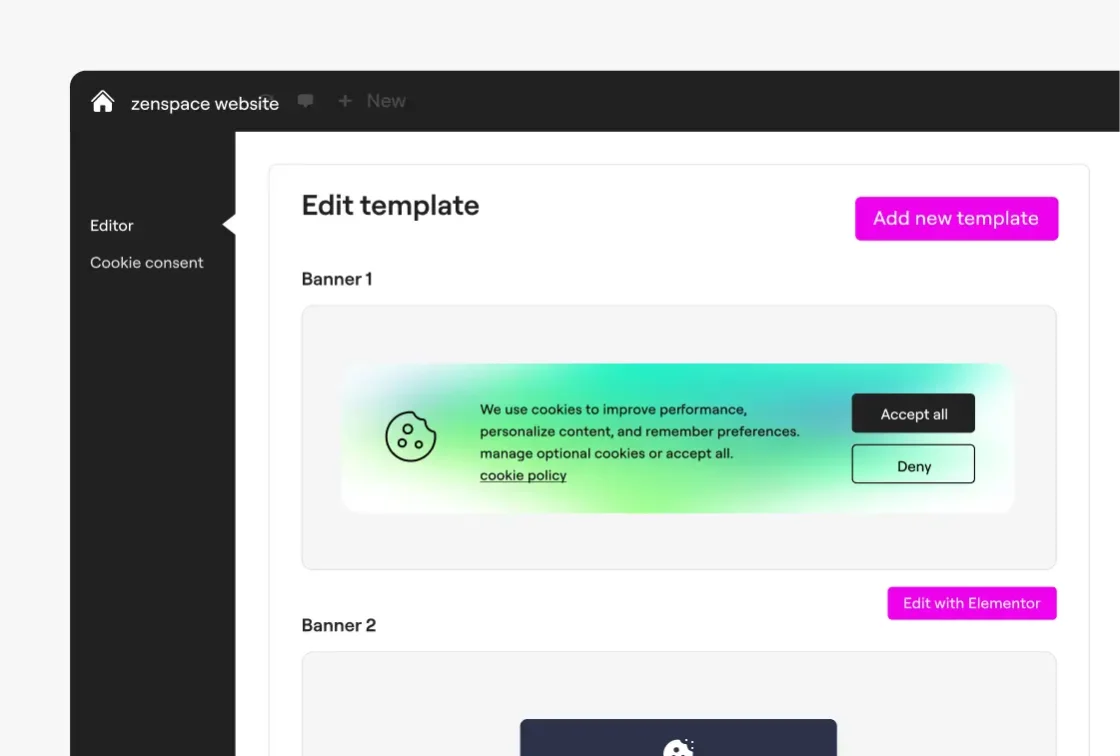
Start with a template
Start fresh or reuse a banner you've already designed. Templates save the design work, so you can apply the same style across every site you manage.
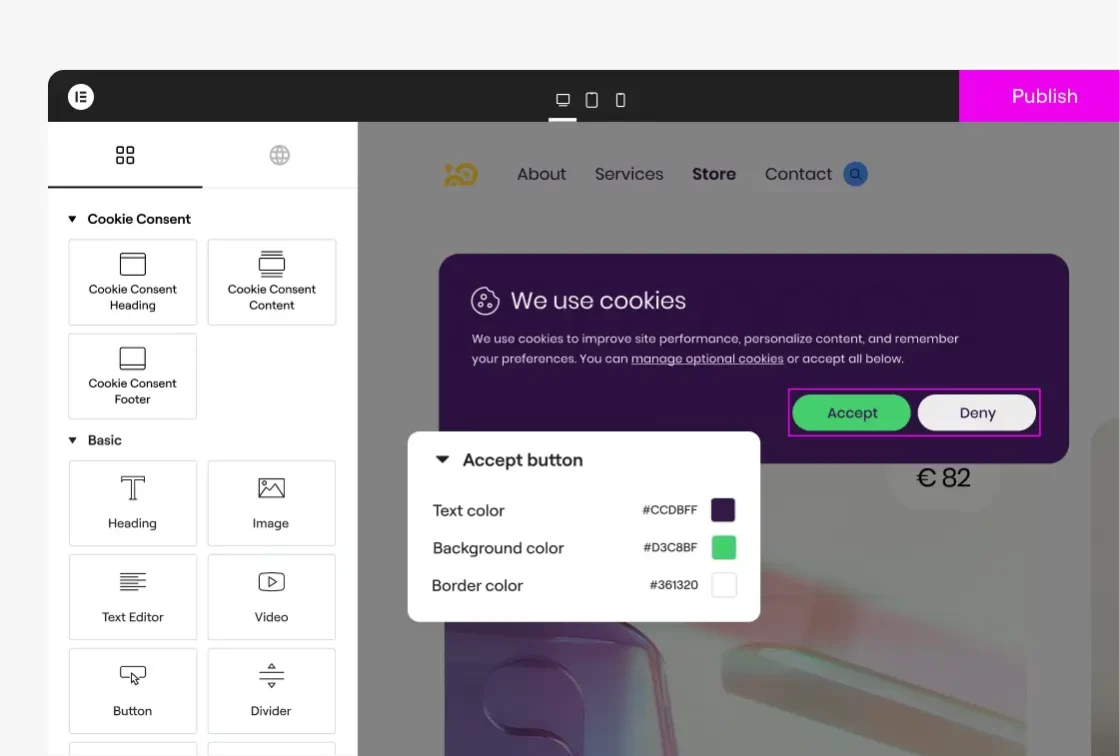
Design in Elementor
Open the banner in Elementor and design it like anything else on your site. Drag and drop, adjust layouts, match your brand, and get full creative control.
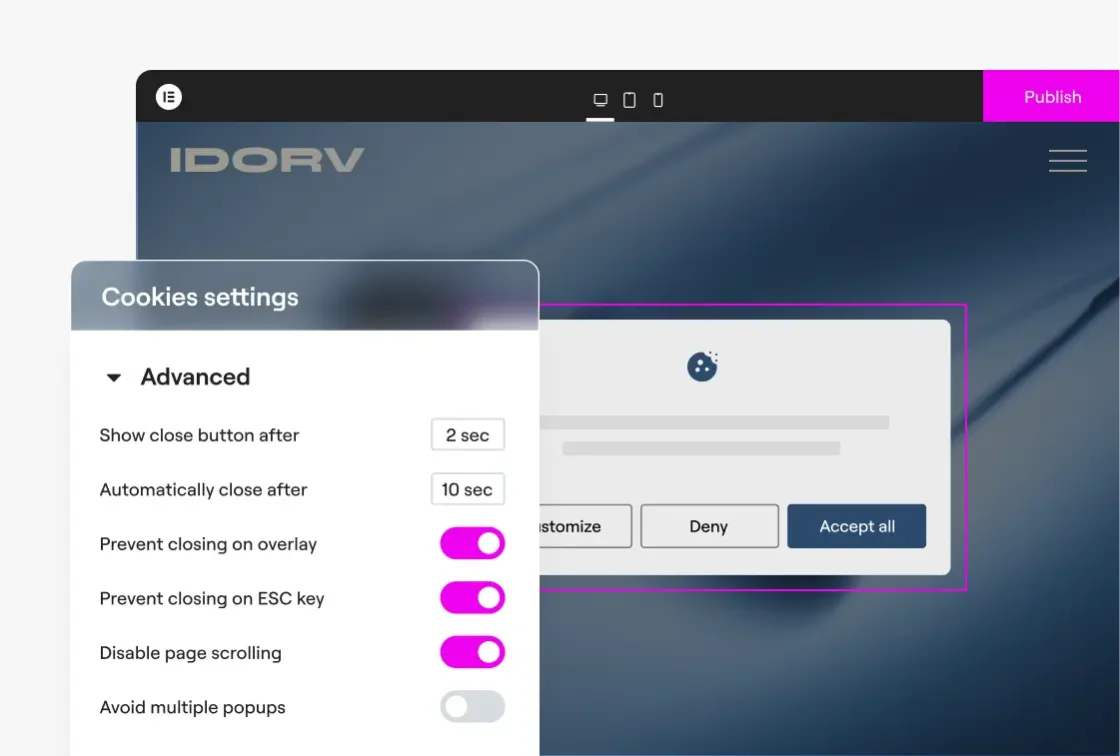
Control where it shows
Set display conditions, choose which pages show it, and define how the banner appears and behaves. Design freedom that doesn't get in the way of compliance.
Cookie consent done.
And done right.
You design the experience. Cookie Consent takes care of the compliance logic, so consent actually means something.
Start freeConsent-based script behavior
Apply visitor choices to non-essential scripts while keeping essential site functionality working as expected.
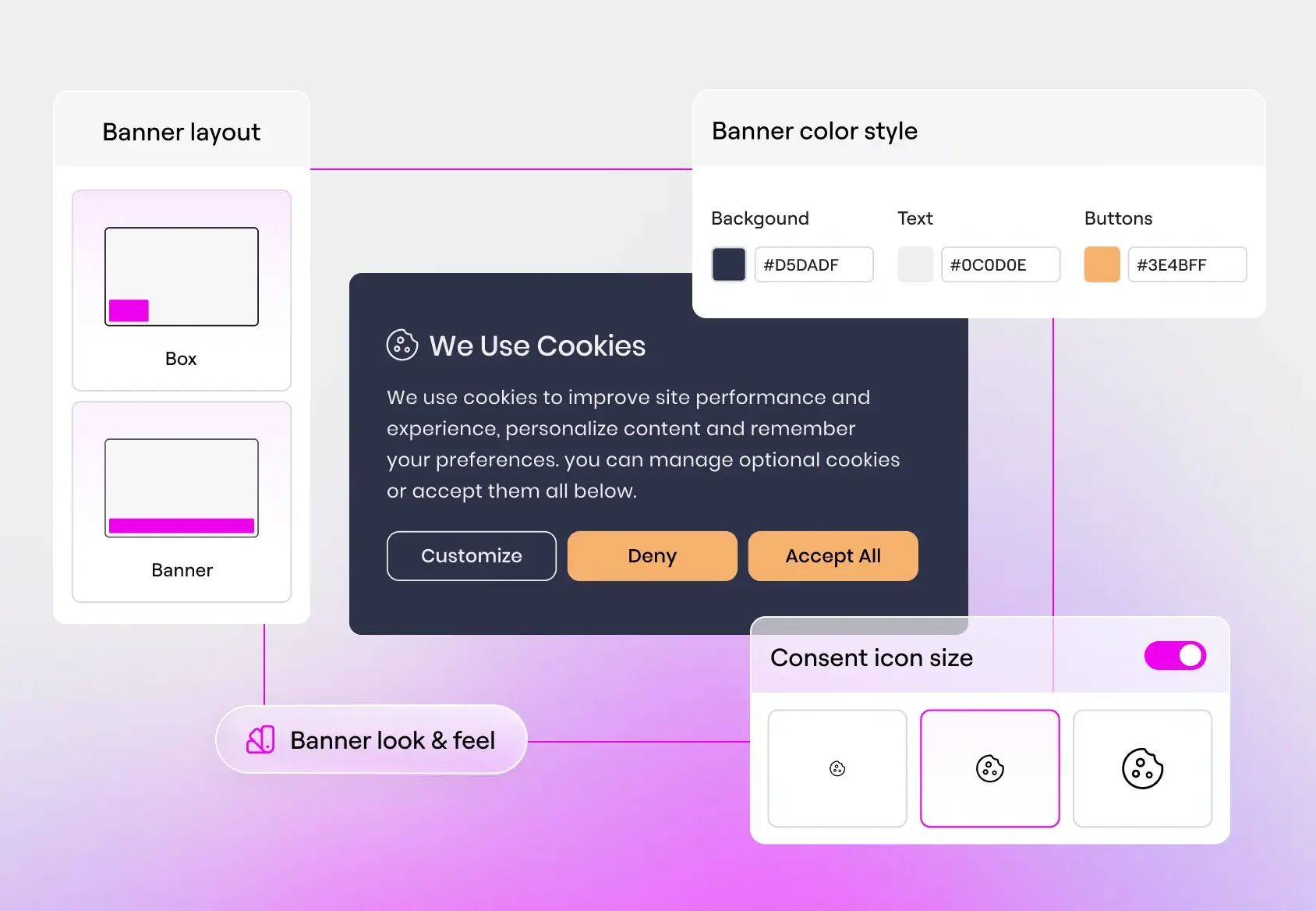
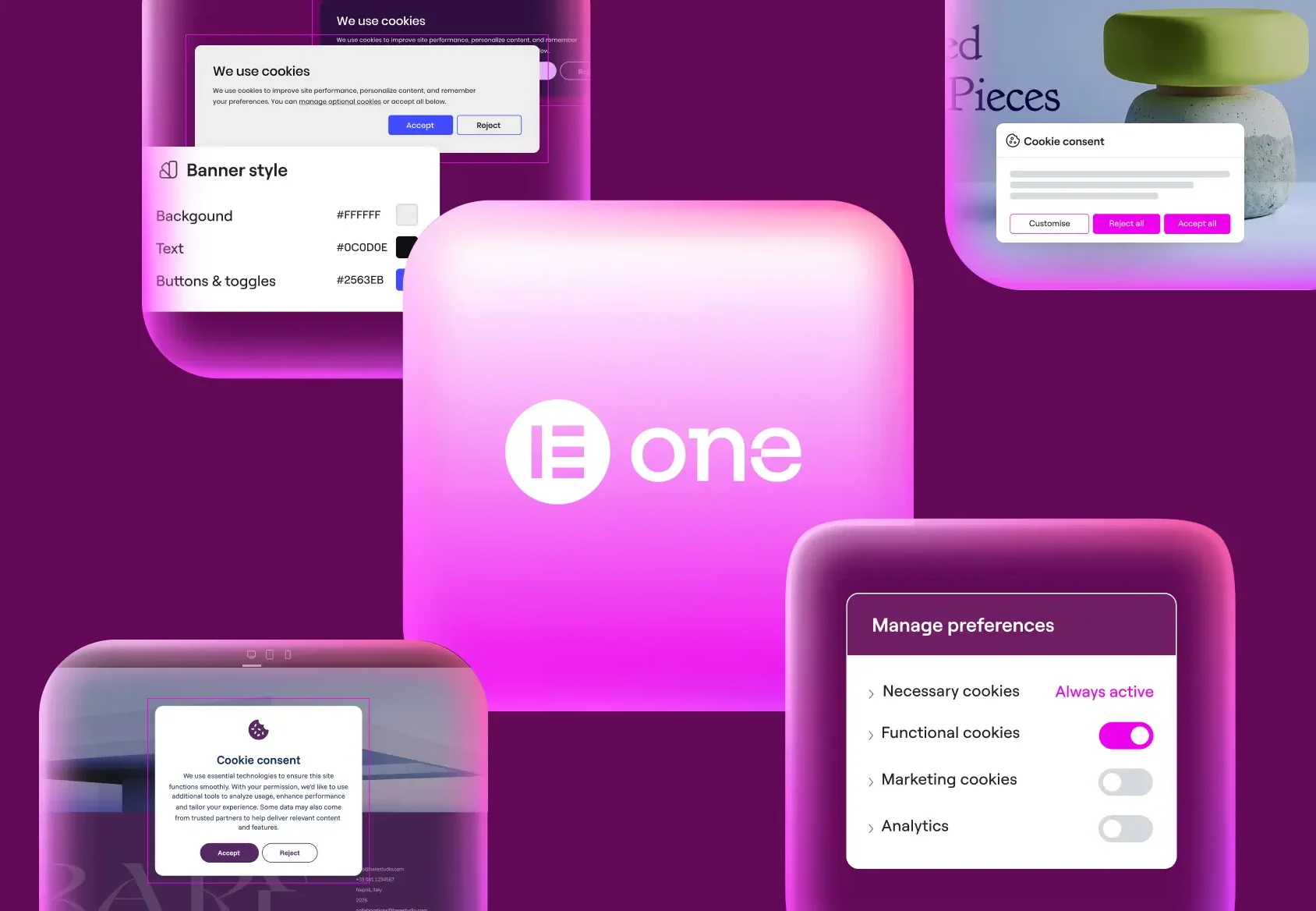
Built-in design controls
Your layout, your colors, your buttons, your copy. Smart defaults and full control when you need it.
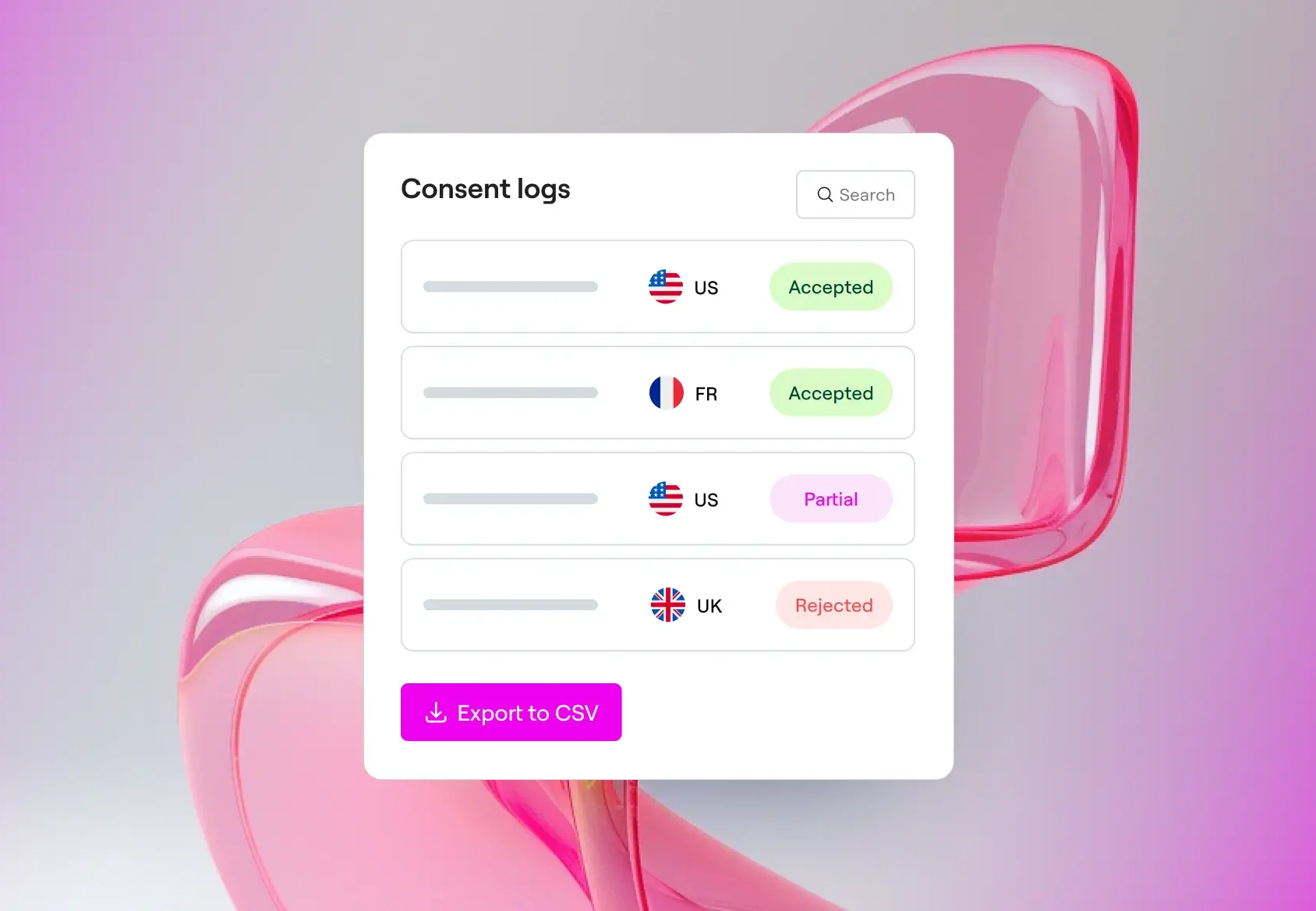
Audit-ready logs
Every consent choice is recorded and exportable as CSV files. If anyone asks for proof, you have it.
Built for out-of-the-box coverage
GDPR (Opt-in)
Non-essential scripts are blocked by default. Visitors choose what to allow before anything runs.
CCPA (Opt-out)
Scripts load by default. Visitors who opt out trigger blocking of marketing-category cookies.
Cookie scanning & categorization
Scan your site to detect all cookies, then let Cookie Consent sort them into Necessary, Functional, Analytics, and Advertising categories automatically.
GPC/DNT signal support
Automatically honor your visitors' browser-level privacy signals. No extra configuration needed.
Accessibility-ready
Built with accessibility best practices so your consent banner works for every visitor, including those using screen readers or keyboard navigation.
Cookie policy generator
Auto-generate a cookie policy page that lists every cookie on your site, what it does, and which category it belongs to.
Coming soonGoogle Consent Mode v2
Let your Google tags adjust automatically based on visitor consent. Full data when they opt in, modeled conversions when they don't.
Coming soonGeo-targeting
Display different consent banners based on visitor location. Apply the right rules for each region automatically.
Coming soonIAB TCF support
Share consent signals with ad networks and vendors using the industry standard framework. Required for running ads in the EU.
Coming soon
A perfect fit with Elementor One
Deliver a professional, compliant experience without extra subscriptions. Cookie Consent is built into Elementor One, alongside other essential capabilities, so every site you create is polished and professional from day one.
Elementor One is a single subscription that includes
AI capabilities and multiple tools for creating, optimizing,
and managing your websites.
Get it free
Design your site’s cookie consent banner like the rest of your site, powered by a trusted consent mechanism.
Get Cookie Consent for free, or unlock the full Elementor One experience with premium tools and capabilities designed to help you do more with every website.
Start freeOne
/Mo
/Mo
- Full feature set of , plus:
- 25,000 monthly One credits Editor Pro requires 0 credits. A shared credit pool is available for flexible use across AI features, image optimization, accessibility fixes, emails, and additional features as they're added.
- 1 site
- Create
- 85 Editor Pro widgets(included)
- Theme Builder(included)
- Dynamic Content (included)Connect your design to your WordPress content. Use custom fields and post types to display dynamic data anywhere on your site.
- Form Builder (included)Collect leads with professional forms you can integrate with your favorite marketing tools. Then manage and analyze from one central dashboard in WordPress.
- Popup Builder(included)
- Custom code & CSS(included)
- eCommerce features(included)
- AI generated code, copy, images, & layouts (included)Boost your workflow with powerful AI tools including custom code generation, layout building, image creation, and content writing.
- Optimize
- Image optimization (Valued at /yr)(included) Optimize site performance with bulk image processing for WebP & AVIF conversion.
- Site accessibility (Valued at /yr)(included) Enhance your site’s accessibility with scans, AI-powered fixes, and site-wide improvements, plus a customizable usability widget featuring 15+ tools, screen-reader support, language options, white-labeling, and usage analytics.
- Cookie consent (New)Add a cookie consent banner to your site with cookie scanning, script blocking, consent records, and support for GDPR, CCPA, and other privacy regulations, plus full control over banner design and styling.
- Manage
- Priority Support (included)Access high-priority support from dedicated Elementor experts.
- 30 Cloud Templates (included)Store sections, containers, and other design elements in the cloud, making them accessible across all your connected sites for a more flexible and scalable workflow.
- Collaborative Notes(included)
- Email deliverability (Valued at /yr)(included) Send reliable, transactional emails with built-in tracking, troubleshooting tools, and advanced authentication, no SMTP plugin required. Enjoy custom domains, detailed logs, resend/testing options, and smart suppression management for smoother, more professional email performance.
- Site management (New) A dedicated management dashboard for your site. Perform plugin and theme updates, track performance, detect security risks, and optimize your site's database from a single interface.(included)
One Agency
/Mo
/Mo
/Mo
- Full feature set of , plus:
- 350,000 monthly One credits Editor Pro requires 0 credits. A shared credit pool is available for flexible use across AI features, image optimization, accessibility fixes, emails, and additional features as they're added.
- Unlimited sites
- Create
- 85 Editor Pro widgets(included)
- Theme Builder(included)
- Dynamic Content (included)Connect your design to your WordPress content. Use custom fields and post types to display dynamic data anywhere on your site.
- Form Builder (included)Collect leads with professional forms you can integrate with your favorite marketing tools. Then manage and analyze from one central dashboard in WordPress.
- Popup Builder(included)
- Custom code & CSS(included)
- eCommerce features(included)
- AI generated code, copy, images, & layouts(included) Boost your workflow with powerful AI tools including custom code generation, layout building, image creation, and content writing.
- Optimize
- Image optimization (Valued at /yr)(included) Optimize site performance with bulk image processing for WebP & AVIF conversion.
- Site accessibility (Valued at /yr)(included) Enhance your site’s accessibility with scans, AI-powered fixes, and site-wide improvements, plus a customizable usability widget featuring 15+ tools, screen-reader support, language options, white-labeling, and usage analytics.
- Cookie consent (New) Add a cookie consent banner to your site with cookie scanning, script blocking, consent records, and support for GDPR, CCPA, and other privacy regulations, plus full control over banner design and styling.
- Manage
- Priority Support (included)Access high-priority support from dedicated Elementor experts.
- 50,000 Cloud Templates(included) Store sections, containers, and other design elements in the cloud, making them accessible across all your connected sites for a more flexible and scalable workflow.
- Collaborative Notes(included)
- Email deliverability (Valued at /yr)(included) Send reliable, transactional emails with built-in tracking, troubleshooting tools, and advanced authentication, no SMTP plugin required. Enjoy custom domains, detailed logs, resend/testing options, and smart suppression management for smoother, more professional email performance.
- Site management (New) A centralized dashboard to manage your entire WordPress portfolio. Monitor performance, detect security risks and perform bulk updates and database optimizations from one place.(included)
/mo
/mo
Prices are rounded for display. Your final price at checkout may be slightly lower.
All subscriptions renew based on your billing cycle at list price.
30-day money-back guarantee applies only for annual plans.
Widget List
Free
Essential Pro
Advanced / Advances Solo / Expert / One / One Agency Pro
Here is the breakdown of credit usage per action
| Capability | Action | One credits* required per action |
|---|---|---|
| Editor Pro | No credits needed | 0 |
| Accessibility scans | No credits needed | 0 |
| Site management | No credits needed | 0 |
| Accessibility fixes | 1 AI accessibility fix | 20 |
| Image optimization | 1 image optimized | 10 |
| Email deliverability | 1 email delivery | 10 |
| Cookie consent | 1 consent | 1 |
| Cookie consent scans | 1 scan | 1 |
| AI Actions (text, code, image &, container generation and more) | 1 AI action | 1-40** |
*Required One credits per action may change from time to time, applying to all plans regardless of purchase date.
** AI Actions measure the usage of generative AI features like text, code, image, and container creation. The exact number of credits for each AI Action varies based on the use case and prompt.
Cookie Consent Free
Check-off cookie consent from your to-do list.
What you get for free:
- Features
- 1 Site(included)
- 800 monthly consents (included)Each visitor who interacts with your banner counts as one consent. Resets at the start of every month.
- 25 total scanned pages (included)Scans up to 25 pages of your site to detect cookies and scripts. Upgrade for unlimited page scans.
- 30 day consent log retention (included)Consent records are stored for 30 days. Export anytime as CSV before they expire.
- GDPR & CCPA compliant cookie banner (included)A fully functional consent banner that meets GDPR (opt-in) and CCPA (opt-out) requirements out of the box.
- Cookie scanning and categorization (included)Detect cookies on your site and automatically sort them into Necessary, Functional, Analytics, and Advertising categories.
- Exportable consent logs (included)Download your consent records as a CSV file anytime, ready for audits or compliance reviews.
- Banner customization (included)Customize your banner's layout, colors, buttons, and copy directly in the plugin.
- Design banner in Elementor Editor (included)Build your consent banner with Elementor's Popup Builder. Get the same drag-and-drop control you use to design the rest of your site. Requires Elementor Pro.
- Cookie Policy Generator (coming soon) (included)Auto-generate a cookie policy page that lists every cookie on your site, what it does, and which category it belongs to.
- Google Consent Mode v2 (coming soon) (included)Sync visitor consent choices with Google tags so your analytics and ads adjust automatically.
- Features available in Elementor One only
- White label (hide Elementor branding) (included in Elementor One only)Remove Elementor branding from your banner for a fully white-labeled experience.
- Multilingual translations (included in Elementor One only)Show your consent banner in multiple languages so every visitor sees it in their own language.
- Geotargeted banners (coming soon) (included in Elementor One only)Display different consent experiences based on visitor location. Apply the right rules for each region automatically.
- GTM Integration (coming soon) (included in Elementor One only)Connect to Google Tag Manager to control script firing based on visitor consent.
- Scheduled cookie scans (coming soon) (included in Elementor One only)Run cookie scans on a recurring schedule so your cookie list stays up to date as your site changes.
- IAB TCF support (coming soon) (included in Elementor One only)Share consent signals with ad networks and vendors using the industry standard framework. Required for running ads in the EU.
Get up and running in minutes
Try freeChoose your consent model
01
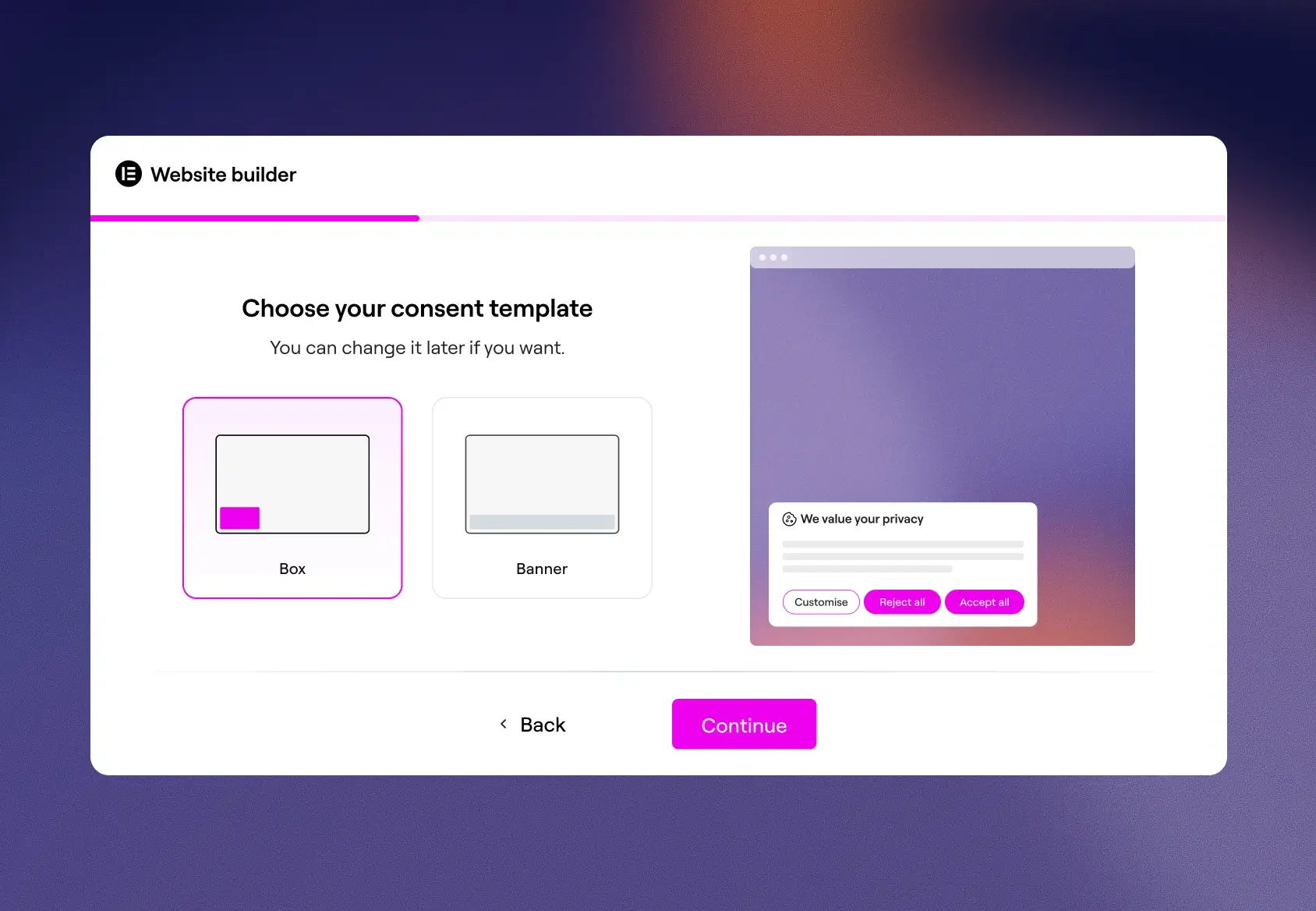
Pick the compliance standard that fits your site: opt-in for GDPR, opt-out for CCPA, and select your preferred banner layout.
Scan and review
02
Cookie Consent scans your site, detects cookies, and sorts them into categories. Review the results and adjust if needed.
Customize and publish
03
Customize your banner to match your site's look and feel. Publish with confidence knowing consent is properly handled.
Although Cookie Consent is designed to help support your compliance efforts with the GDPR, CCPA, and other applicable privacy regulations, it cannot, by itself, ensure or guarantee full legal compliance. Cookie Consent provides cookie consent tools, including banner display, consent collection, script blocking, cookie categorization, and consent records. Full compliance depends on additional factors specific to your site and operations. You are solely responsible for legal compliance.
You’ll receive notifications as you approach your limit so you have time to take action. For now, your cookie banner will continue to function normally even if you exceed your quota, as we are currently in a grace period. However, this will change. Going forward, exceeding your quota may result in your banner being paused or consent recording being stopped. To avoid any disruption, we recommend upgrading your plan well before you reach your limit.
Your monthly consent count resets at the beginning of each billing cycle. Every month, your usage starts fresh and consents recorded during the previous cycle won’t carry over or count against your new quota. You can check your renewal date in your subscription details within My Elementor.
The free plan gives you access to Cookie Consent’s core features at no cost, with no time limit. It includes a fully functional cookie banner, customizable styling, a cookie scanner, and up to 800 consents per month for one website. Your consent quota resets each billing cycle, but your scanned pages quota is a one-time total of 25 pages, so once they’re used, no additional pages can be scanned unless you upgrade. Consent logs are retained for 30 days.
If your site grows and you need more consents, additional scans, or access to premium features like multilingual support and white labeling, you can upgrade to Cookie Consent Pro or Elementor One at any time.
cConsent is a visitor’s response to your cookie banner. This is their choice to accept all cookies, reject non-essential ones, or customize their preferences by selecting specific categories such as Analytics or Marketing.
Cookie Consent automatically records each response as a secure, timestamped log entry, giving you proof of every visitor’s decision. This matters because privacy laws like GDPR and CCPA require you to respect those choices and demonstrate that you obtained permission before tracking anyone. You don’t need to manage any of this manually. Cookie Consent handles the recording, storage, and exporting of consent records directly from your WordPress dashboard.
Each interaction with your cookie banner counts as one consent. When a visitor clicks “Accept All,” “Reject,” or “Save Preferences,” that’s one consent. If the same visitor later reopens the banner and changes their choice, that counts as an additional consent.
The banner may also automatically reappear for returning visitors. For example, this can happen if new cookies have been added to your site, if cookies have been moved between categories, or if the consent expiration period has passed. Each time a visitor responds to the banner again, a new consent is recorded.
When you run a cookie scan, Cookie Consent visits pages on your site to detect active cookies and scripts. Each page scanned counts as one “scanned page.” For example, scanning your homepage, about page, and contact page uses 3 scanned pages from your quota.
On the Free plan, you get a one-time total of 25 scanned pages. Once they’re used, no additional pages can be scanned unless you upgrade. On Cookie Consent Pro, you get 800 scanned pages per month, and the quota refreshes at the start of each billing cycle.
If you’re on the Free plan, we recommend scanning specific URLs rather than your entire site to make the most of your quota.
Each website requires its own Cookie Consent subscription. The exception is Elementor One, which allows you to manage multiple websites (up to 1,000) under a single subscription. If you’re running multiple sites and want everything under one roof, Elementor One may be the best fit.
On the Free plan, consent logs are retained for 30 days. On Cookie Consent Pro, your logs are stored for 12 months. After the retention period ends, older logs are automatically removed and can no longer be accessed. If you need to keep records longer, we recommend exporting your logs regularly, especially if you’re on the Free plan.
Yes. You can export your consent logs as a CSV file directly from the Consent Logs section in your dashboard. The export respects any filters you’ve applied, so you can narrow results by date range, consent status, or country before exporting. This is especially useful for compliance audits or for retaining records beyond your plan’s retention period.
White labeling lets you remove Elementor’s branding from the cookie banner and preferences center. It’s ideal for client sites where you want the compliance tools to feel like a seamless, built-in part of the design.
No. The free plan supports your site’s default language only. Multi-language management, which automatically detects and matches the visitor’s browser language, is available on paid plans.
This is expected. In “Opt-in” mode, tracking scripts are blocked until a visitor gives consent. That means visits from users who haven’t accepted cookies won’t appear in your analytics. This behavior ensures you’re only tracking users who have given explicit permission, as required by law.
No. The banner loads directly from your own website, not from a third-party CDN. This local implementation prioritizes both privacy and performance, helping your pages load faster.
Yes. Cookie Consent includes full-width and box layouts out of the box, but if you have Elementor Pro, you can design fully custom banners and preference dialogs using Elementor Popups for complete creative control.
Opt-in (GDPR style): All non-essential cookies are blocked by default until the visitor clicks “Accept.”
Opt-out (CCPA/US style): Cookies run by default, and visitors see a “Do Not Sell” link to opt out of data sharing.
The template you choose determines the default script behavior and banner logic for your site.
Currently, the banner displays to all visitors worldwide based on your selected template. Advanced geo-targeting, which would automatically show different banners based on a visitor’s country, is coming soon.
Yes. All styling changes, including colors, typography, and layout, are reflected in a live preview within the admin dashboard. This allows you to perfect the look before publishing anything to visitors.
Yes. A master toggle in the settings lets you enable or disable the banner instantly. You can also define a list of specific URLs where the banner should never appear.
The banner appears on a visitor’s first visit, after their previous consent expires (configurable from 0 to 365 days), when new cookies are added to your site, or when existing cookie categories are modified.
It’s a floating icon or custom link that lets visitors reopen their preferences and update their consent choices at any time. Giving users ongoing access to their consent settings is a key requirement under GDPR.
The scanner crawls your site to detect active cookies and scripts, then automatically organizes them into categories: Necessary, Functional, Analytics, and Advertisement. You can run a full site scan or target specific pages.
Each log entry includes an anonymized Consent ID, the visitor’s country, their consent status, the categories they selected, and a timestamp. Logs can be filtered and exported as a CSV files for legal audits.
From the dashboard, you can add, edit, or delete cookies and move them between categories using a simple drag-and-drop interface.
This feature is coming soon. Once available, Cookie Consent will integrate directly with Google’s API to communicate consent states to Google tags, keeping your tracking compliant with Google’s latest requirements.
If GPC handling is enabled, Cookie Consent treats the browser signal as a “Deny” and automatically blocks non-essential cookies while hiding the banner. This ensures the visitor’s browser-level privacy preference is respected.
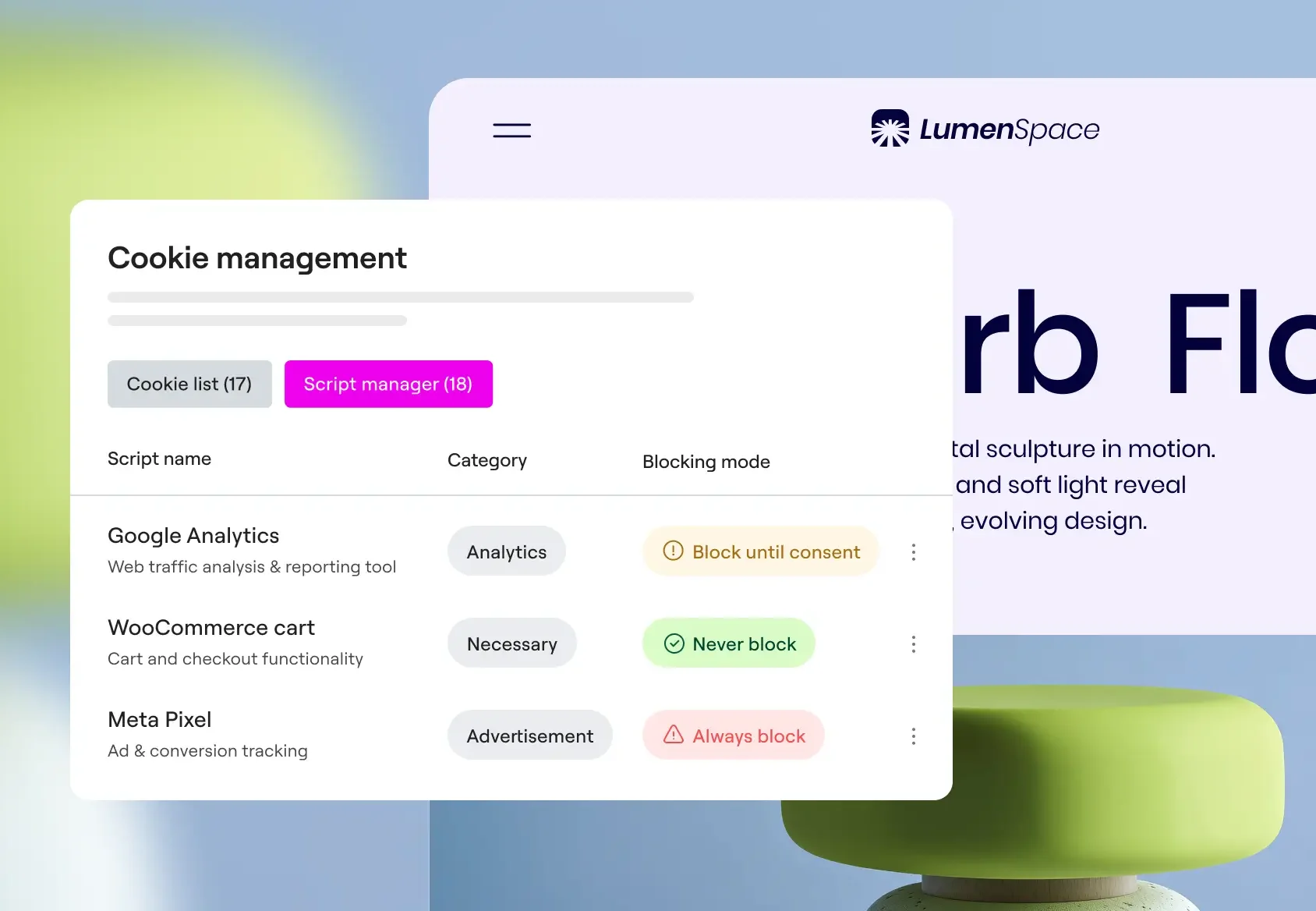
In the Script Manager, you can define individual scripts and set each one to Always Load, Block Until Consent, or Always Block. This gives you granular control over exactly when each tracking script fires.