Managing privacy laws can feel like trying to hit a moving target. Whether you’re running a web agency or overseeing compliance for a busy brand, a single privacy mistake can carry heavy penalties. But finding the right tool doesn’t have to be a headache. You don’t need to overpay for enterprise software if a nimble, WordPress-native option can do the job, and you shouldn’t cut corners on a basic script if your business demands global legal coverage.
Here’s a breakdown of the real differences between heavy-duty enterprise platforms and lightweight small-business alternatives. By the time you’re done reading, you’ll know exactly which tool fits your site architecture, your workflow, and your budget. Don’t worry, it’s simpler than it might look, and you’ve absolutely got this.
Key Takeaways
- Scale dictates your choice: enterprise tools focus on multi-domain management and deep legal mapping, while small business tools prioritize rapid setup and dashboard simplicity.
- WordPress integration matters: if you run your site on WordPress, using a native tool keeps your site speed high and removes the need for external accounts.
- Google Consent Mode v2 is essential: any tool you choose in 2026 must support this standard to keep your advertising analytics accurate for European traffic.
- Geo-targeting saves conversions: showing consent banners only to visitors from strict privacy regions preserves the user experience for everyone else.
- Audits require proof: your consent tool must maintain secure, organized consent logs to demonstrate compliance if a regulatory body ever requests them.
The Core Differences: Enterprise vs. Small Business Consent Tools
When you start searching for a consent solution, the options can look deceptively similar. Almost every tool promises a clean banner and automated scanning. But once you look beneath the surface, the technical differences between enterprise systems and small business tools become very clear.
Enterprise platforms are designed for organizations with complex security requirements, deep legal teams, and hundreds of web properties. They integrate with data privacy software to handle data subject access requests, manage consent across mobile apps, and coordinate with internal data warehouses. That level of control is valuable for massive operations, but often requires a dedicated developer to configure and maintain.
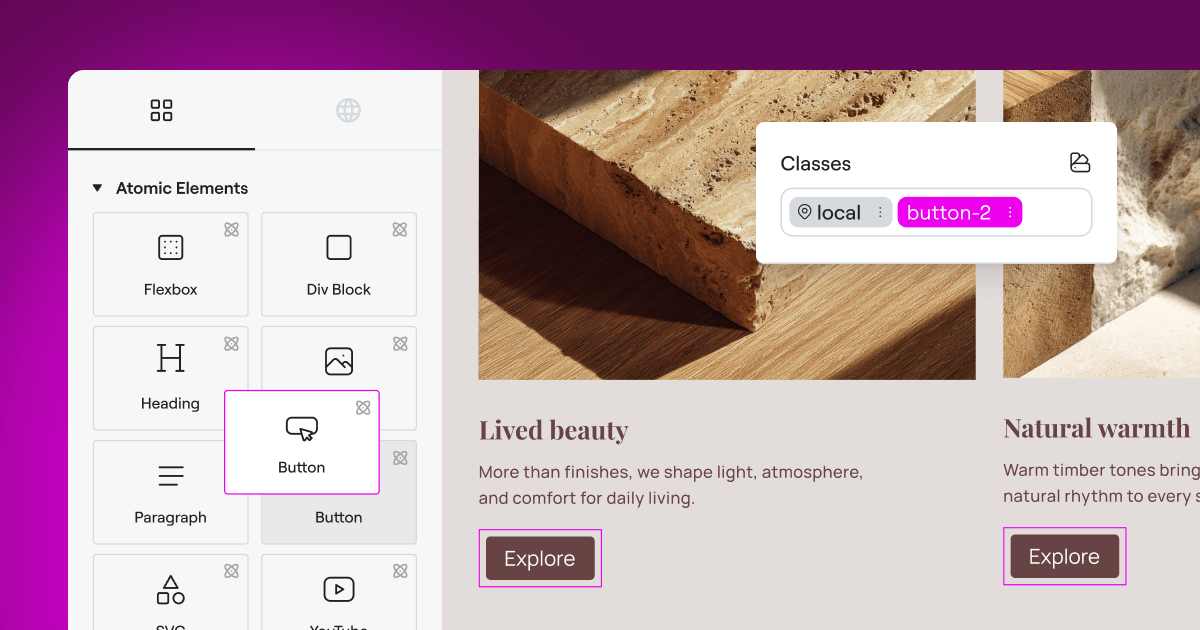
On the other side, small business solutions focus on speed, clarity, and ease of use. They’re built for teams that want to set up their compliance rules in under five minutes and then get back to running their business. These tools focus on the essentials: scanning your pages, categorizing trackers, and displaying a compliant banner that looks great. If you run your sites on a platform like Elementor, you can use native capabilities like the built-in Cookie Consent feature to manage everything directly from your familiar editor. This approach avoids the weight of external scripts and keeps your dashboard clean.
| Feature Category | Enterprise Solutions (e.g., OneTrust, Osano) | Small Business Solutions (e.g., Cookie Consent, Complianz) |
|---|---|---|
| Dashboard Setup | External, highly complex, requires training | Native to CMS or simple visual wizard |
| Multi-Domain Control | Centralized cross-domain and cross-app tracking | Domain-by-domain or simple group setups |
| Consent Mode v2 | Deep integration with enterprise ad managers | Simple toggle switch for standard analytics |
| Implementation Speed | Weeks to months of setup and testing | Under five minutes (it’s simpler than it sounds) |
| Data Localization | Global hosting options with strict residency | Standard secure cloud hosting or local storage |
Understanding these differences helps you avoid two common mistakes: buying a complex enterprise suite you’ll never fully use, or installing a basic script that falls short under modern privacy laws.
10 Best Cookie Consent Solutions for 2026
Here are the top ten systems on the market, organized by primary audience, starting with native tools and moving through dedicated mid-market and enterprise platforms.
1. Cookie Consent (by Elementor)
Built as a core compliance capability within the Elementor ecosystem, Cookie Consent is designed for WordPress users who want to manage privacy rules without leaving their website builder. It removes the need for external accounts and complicated tracking scripts, letting web agencies handle compliance from their familiar workspace.
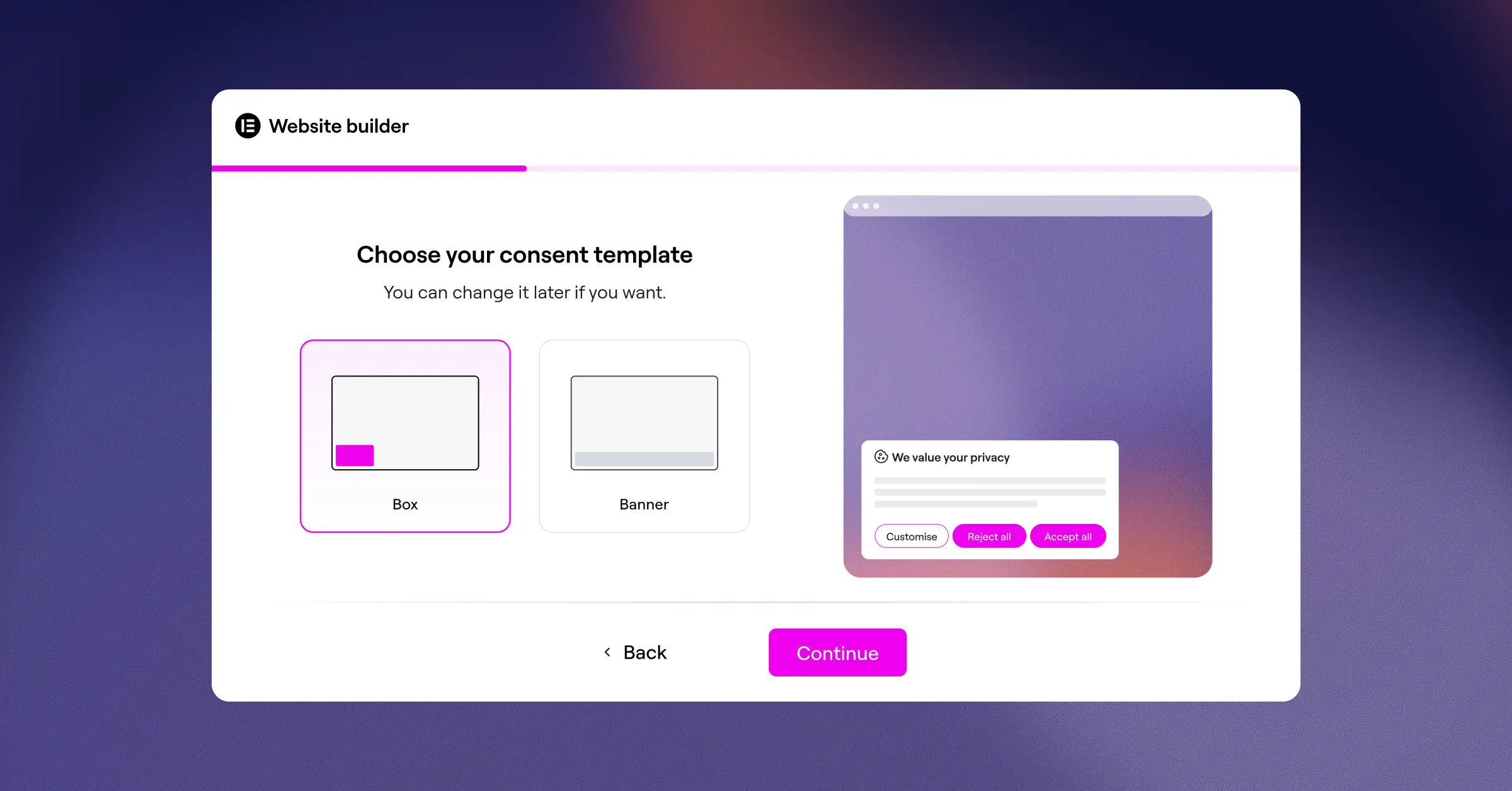
- Builds responsive, branded consent banners using native styling controls that match your site design.
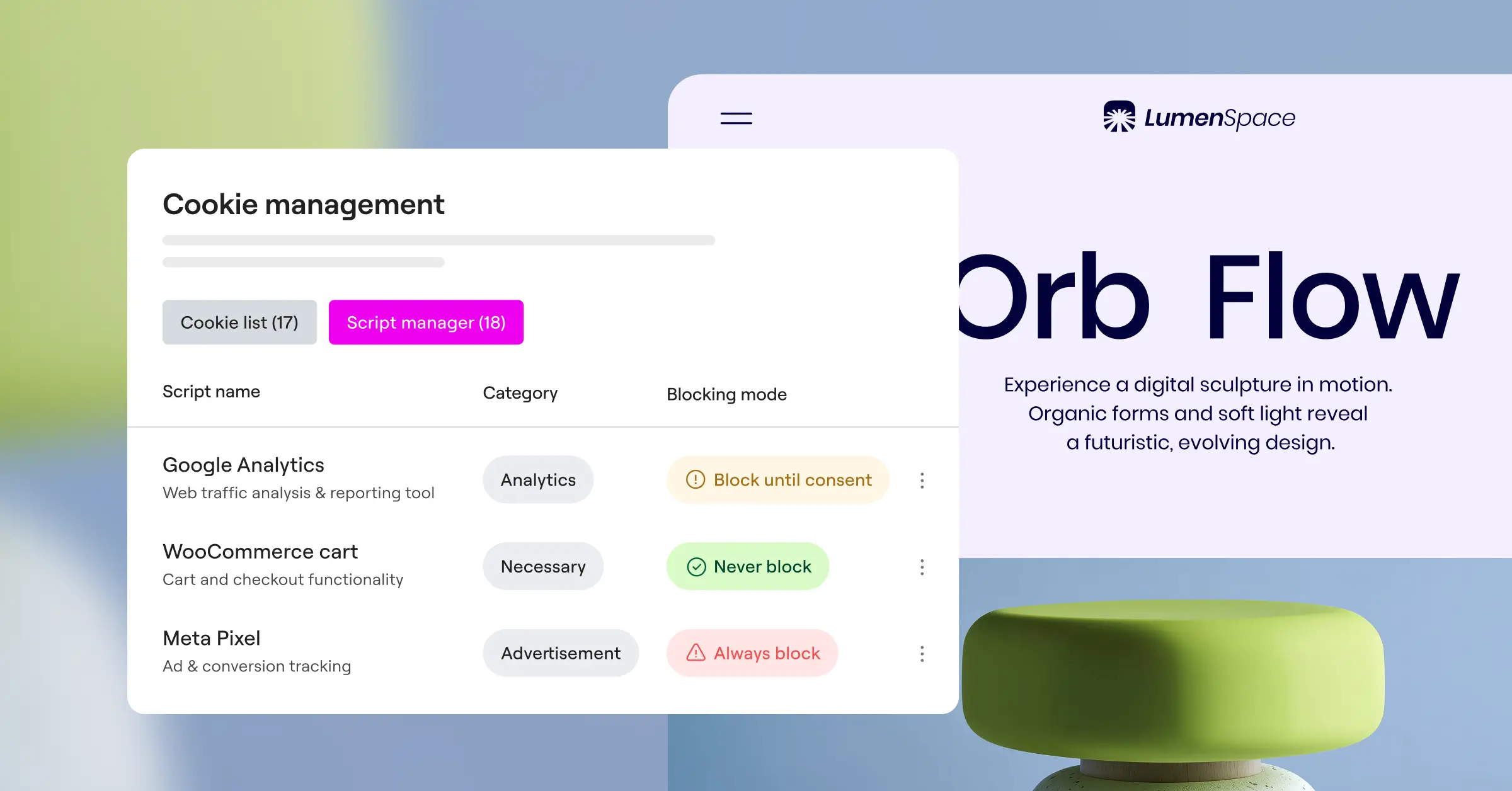
- Scans your website pages to discover active scripts and categorize trackers automatically.
- Supports Google Consent Mode v2 out of the box to keep your analytics accurate for ad networks.
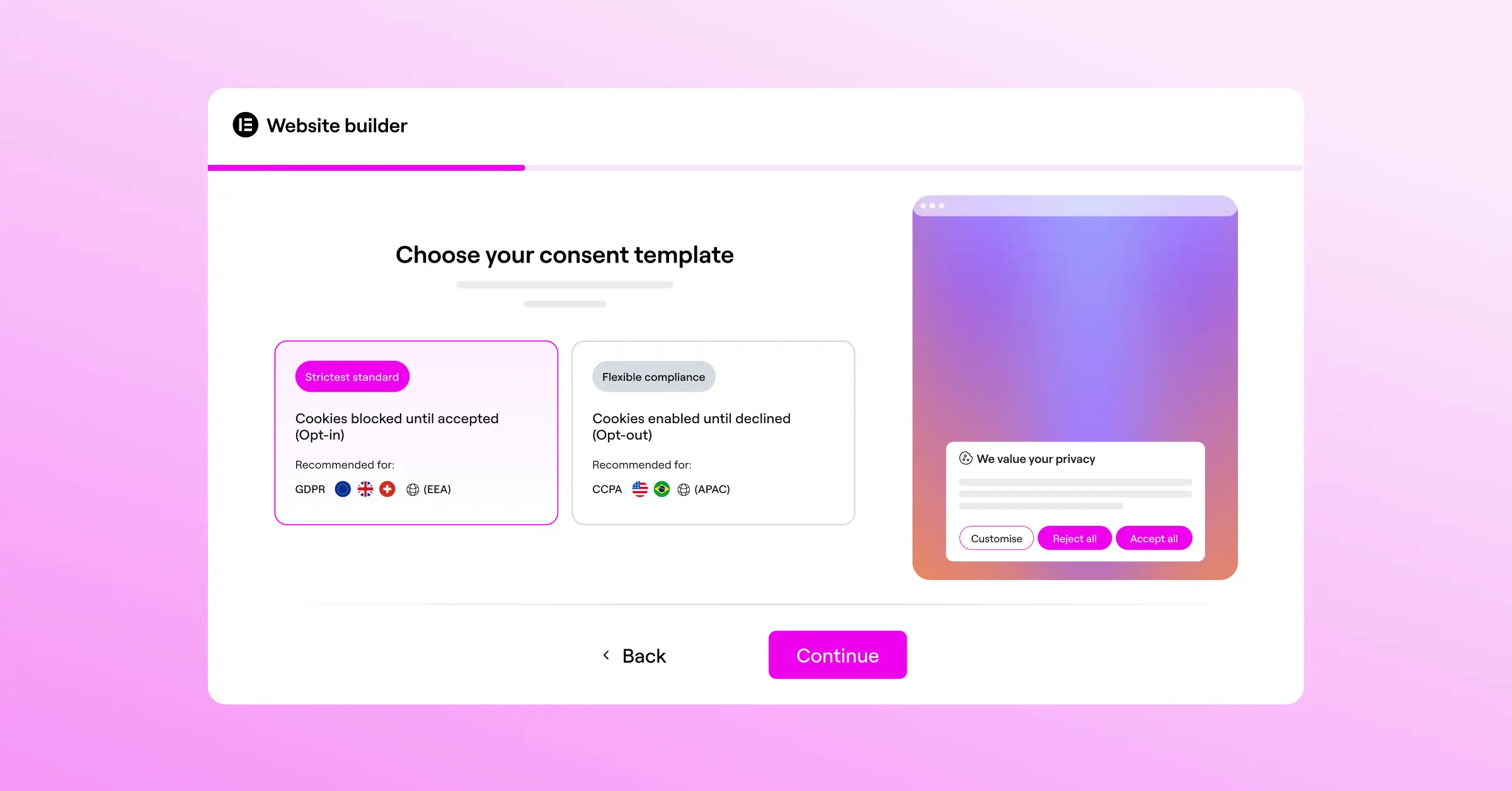
- Maintains clear consent logs to help you keep compliance records for audit readiness.
- Applies geo-targeting to show banners only to visitors in regions with strict legal protections.
- Generates basic privacy policy texts with a built-in assistant to save setup time.
Pros & Cons
- Pro: Fully native to WordPress, so there are no external accounts or third-party code slowdowns.
- Pro: Setup takes under five minutes, making it highly efficient for busy agencies.
- Pro: Keeps your design perfectly aligned with your website themes without custom CSS.
- Con: Intended specifically for WordPress environments, so it can’t be used on non-WordPress sites.
- Con: Does not include enterprise cross-app tracking for native iOS or Android apps.
The Verdict
For WordPress site owners and agencies, this native capability offers a great balance of speed, performance, and compliance coverage without enterprise complexity. It’s included in Elementor One, bundled alongside tools like Web Accessibility.
“When sites add third-party compliance scripts, they often sacrifice critical page-load speed. Keeping your compliance tools native to your website builder is a smart way to protect user experience while meeting modern legal standards.”
– Itamar Haim, Web Compliance Specialist
2. OneTrust
OneTrust is an established enterprise platform for deep compliance management. It’s built for companies that need to manage vendor risks, environmental goals, and global consumer privacy requests across thousands of digital properties.

- Maps complex data flows across web domains, mobile apps, and internal company databases.
- Integrates with internal security architectures to verify user identities during data requests.
- Provides detailed legal updates that automatically adjust banners based on regional changes.
- Automates vendor assessment workflows to track how third parties use your data.
- Maintains audit-ready records across global regions for strict regulatory agencies.
Pros & Cons
- Pro: Thorough compliance suite that covers a wide range of global privacy laws.
- Pro: Well-suited for multinational organizations with thousands of digital touchpoints.
- Con: Complex dashboard that typically requires dedicated training or a system administrator.
- Con: Implementation can take weeks or months to finalize with your legal team.
The Verdict
OneTrust suits large enterprises that need complete compliance monitoring. It’s generally too complex for typical small businesses or independent publishers.
3. Cookiebot
Cookiebot sits between mid-market businesses and growing enterprises. It operates through an external cloud dashboard with an automated scanner to find and block tracking cookies.

- Scans your entire site automatically every month to detect new tracking scripts.
- Generates a detailed cookie declaration list that updates on your privacy page.
- Controls cookie blocking before the user provides consent to keep tracking legally compliant.
- Supports multi-language configurations for global audiences.
- Saves encrypted consent choices to secure cloud storage for audit documentation.
Pros & Cons
- Pro: Automated cookie scanning that requires very little manual categorization.
- Pro: Easy to add the main script into almost any content management system.
- Con: Pricing tiers scale by page views, which can increase costs as your traffic grows.
- Con: Styling the banner to match your precise branding can sometimes require writing custom CSS.
The Verdict
Cookiebot is a reliable option for content-heavy sites that want automated scanning and are comfortable managing settings in an external cloud platform.
4. CookieYes
CookieYes is a popular choice for small to medium businesses. Its clean, web-based dashboard lets you manage consent banners, track user choices, and record consent logs without advanced technical knowledge.

- Builds custom consent banners with a visual preview panel.
- Logs user consent actions securely to satisfy GDPR audit trails.
- Detects the visitor’s location to display the correct legal banner variation.
- Blocks third-party scripts automatically until consent is explicitly granted.
- Connects easily with major tag management tools for flexible script deployment.
Pros & Cons
- Pro: User interface is straightforward and approachable for beginners.
- Pro: Includes an entry-level plan that’s useful for small blogs and personal websites.
- Con: Advanced customization options are restricted to higher-tier paid plans.
- Con: Managing settings across several independent client websites can require flipping between multiple dashboards.
The Verdict
CookieYes is a friendly option for web creators who need a simple external service to keep their sites compliant with minimal fuss.
5. Complianz
Complianz is a privacy suite built for WordPress. Its step-by-step wizards guide you through local configuration so you only ask for the consent required by your visitor’s specific location.

- Configures consent parameters using a localized questionnaire style.
- Integrates with popular WordPress translation tools for multilingual setups.
- Blocks tracking cookies from major social media and video platforms natively.
- Generates legal documents that link directly to your main site menu.
- Syncs with native systems to keep data processing fast and lightweight.
Pros & Cons
- Pro: Highly targeted legal logic that adapts precisely to your country of business.
- Pro: Runs directly within WordPress to prevent external dependencies.
- Con: The setup wizard is detailed and can feel slightly lengthy for users who want a quick configuration.
- Con: Visual styling controls are less intuitive compared to modern page builders.
The Verdict
Complianz is a solid choice for European businesses that need document-focused privacy compliance entirely within WordPress.
6. iubenda
iubenda provides auto-updating privacy policies, terms and conditions, and cookie consent management in one place, designed to help small businesses stay compliant across multiple channels.

- Generates legally verified privacy and cookie policy documents in several languages.
- Updates policy text automatically when compliance laws change globally.
- Saves consent preferences with an easy-to-use API for developer integration.
- Optimizes banner appearance to limit impact on your site design.
- Handles complex legal requirements for online shops and mobile applications.
Pros & Cons
- Pro: Provides a complete legal solution that goes beyond basic cookie banners.
- Pro: Written and maintained by a professional team of international lawyers.
- Con: The credit-based pricing model can be confusing to budget for as your needs grow.
- Con: Configuring complex policies can take some time due to the volume of options available.
The Verdict
If you need complete legal documentation alongside your cookie banner, iubenda is a professional choice for building a solid legal foundation.
7. Osano
Osano positions itself as an easy-to-use enterprise compliance platform. Its unique financial pledge against class-action lawsuits gives compliance managers and legal teams added confidence.
- Monitors and rates the data practices of thousands of popular software vendors.
- Blocks unknown trackers automatically to keep unauthorized scripts from loading.
- Simplifies data subject access requests through a secure customer portal.
- Translates your consent banners into dozens of languages based on browser settings.
- Restricts data transfers to high-risk vendors based on security assessments.
Pros & Cons
- Pro: Script-blocking technology that stops unapproved tracking from loading.
- Pro: Compliance guarantee provides strong reassurance for large corporate legal teams.
- Con: Enterprise plans require a significant budget commitment.
- Con: Styling options are functional but can feel a bit rigid for creative websites.
The Verdict
Osano suits corporations that want a secure, verified compliance partner and have the budget for premium enterprise licensing.
8. Termly
Termly is a cost-effective compliance suite for small businesses, startups, and solo creators that helps you quickly create policies and display consent banners without any legal training.
- Builds custom privacy policies, terms of service, and disclaimer pages.
- Scans your site to identify tracking cookies and compile them into organized tables.
- Assembles simple consent banners that match basic brand colors.
- Translates basic banners into several European languages.
- Saves simple user selections to help you manage data preferences.
Pros & Cons
- Pro: Very affordable option for small businesses testing their first compliance strategies.
- Pro: Dashboard is highly intuitive and avoids confusing legal jargon.
- Con: Lacks deep geo-targeting options for advanced multi-region configurations.
- Con: Not built to handle highly complex enterprise integrations or custom code environments.
The Verdict
Termly is a great pick for startups and solo operators who want a quick, affordable way to publish terms and basic banners.
9. Ketch
Ketch is a programmatic data management platform for enterprises that want to treat compliance as a data asset, not a checklist. It automates privacy operations across multiple regions and datasets.
- Syncs customer consent choices directly with internal CRM and analytics systems.
- Automates complex data deletion tasks across connected cloud databases.
- Provides a highly customizable compliance engine that adapts to global rules.
- Delivers lightweight tracking scripts to keep pages running fast.
- Evaluates data risk metrics to help legal teams avoid exposure.
Pros & Cons
- Pro: Powerful integration capabilities for modern cloud-based software architectures.
- Pro: Fast script delivery that does not hurt core web performance.
- Con: Requires professional development resources to set up and configure properly.
- Con: Far too advanced for simple websites that only need basic cookie blocking.
The Verdict
Ketch is ideal for tech-forward enterprises and product teams that need to sync compliance preferences deeply across their whole application ecosystem.
10. Usercentrics
Usercentrics is a flexible consent management platform for mid-sized to enterprise organizations, valued for its developer-friendly API and deep integration options for websites and native apps.
- Delivers a fully customizable programmatic API for complete layout control.
- Integrates with leading advertising networks to control data flow at the source.
- Aggregates cross-device consent selections to keep user experiences consistent.
- Supports gaming platforms, smart TVs, and mobile application frameworks.
- Maintains localized setting rules that adjust automatically as laws evolve.
Pros & Cons
- Pro: Highly flexible code structure that developers appreciate for custom application builds.
- Pro: Excellent documentation and developer support.
- Con: Requires some technical familiarity to implement the advanced custom features.
- Con: Visual setup is less intuitive than native site-builder capabilities.
The Verdict
Usercentrics is a strong option for software companies, mobile developers, and mid-market brands building a custom, deep compliance experience.
Choosing Your Best Compliance Fit
Picking the right tool comes down to where your website is hosted and how you manage your design workflow. To help you finalize your decision, here are three common scenarios that illustrate where different solutions genuinely excel.
The Agency and WordPress Creator Scenario
If you run a creative web agency or manage a portfolio of WordPress sites, efficiency is your top priority. You don’t want to manage multiple compliance dashboards or explain complex external systems to clients. The native Elementor Cookie Consent capability fits naturally here. You customize the banner, set up regional targeting, and manage scripts inside your daily editor, saving hours of dev work and keeping sites running fast.
The Corporate Multi-Domain Scenario
If you’re a compliance manager at a company with hundreds of domains, multiple mobile apps, and an in-house legal team, you need global centralization. A platform like OneTrust or Osano fits best. They give your legal team a central hub to manage vendor risk, run data audits, and maintain compliance across departments and countries.
The Custom App and Developer Scenario
If you’re building a custom web application or a mobile app, you need a developer-focused API. Solutions like Usercentrics or Ketch are built for these environments, letting your engineering team connect consent preferences directly into your databases at every level.
The best compliance tool is the one that actually gets implemented and used. Start with your platform, check your resources, and pick the solution that keeps visitors safe without making your daily work harder.
Frequently Asked Questions
Why do I need a cookie consent banner on my website?
Privacy laws like the GDPR in Europe and the CCPA in California require you to inform visitors about how you collect their data. A cookie consent banner lets users decide whether they want to allow tracking cookies before those scripts load on their devices, helping you avoid legal penalties and build trust with your audience.
What is Google Consent Mode v2 and is it required?
Google Consent Mode v2 is a system that communicates your visitors’ consent choices directly to Google ad and analytics tags. If you serve visitors in the European Union and use services like Google Analytics or Google Ads, implementing a tool that supports Consent Mode v2 is necessary to keep your advertising and measurement accurate.
Can I use a free cookie consent tool for my business?
Yes, many high-quality compliance tools offer generous entry-level plans. Elementor’s Cookie Consent capability includes an entry-level tier that’s well-suited for smaller sites. Entry-level plans work well for simple projects, but you may need to upgrade as your traffic grows or if you require advanced features like geo-targeting.
Does a cookie consent banner slow down my website load speed?
It can, if you use heavy, poorly optimized third-party scripts that load slowly. That’s why choosing a native tool is often a better option. Native solutions run directly from your server alongside your site assets, keeping your page speed high and protecting your search engine rankings.
What is geo-targeting in cookie consent?
Geo-targeting detects where a visitor is located and displays a consent banner designed for their local laws. Visitors in regions with strict rules see the required banners, while visitors in other locations get a cleaner site layout without unnecessary pop-ups (it’s simpler than it sounds, and your non-EU visitors will thank you).
How often does my website need to be scanned for cookies?
It’s best practice to scan your website at least once a month, or whenever you install a new marketing tool, tracking pixel, or media asset. Regular scans keep your cookie declaration list accurate and make sure new tracking scripts don’t load without proper user consent.
Is a privacy policy generator included in consent tools?
Many compliance systems include a built-in policy generator to help you create your initial legal documents. While these tools provide a fast starting point for your compliance pages, it’s always a good idea to have your company’s legal counsel review the final text to make sure it matches your specific data practices.






