
If you run a WordPress site, managing cookie regulations can feel like a lot to juggle. Between GDPR, CCPA, and Google Consent Mode v2, there’s genuinely quite a bit to keep track of. But finding the right tool to keep your site compliant without breaking your design or slowing your pages down is easier than it looks. We’ve researched and compared the top consent options on the market, and we’ll walk you through the very best solutions to keep your site safe, build trust with your visitors, and satisfy modern privacy laws without the headache.
Key Takeaways
- Native integration is simpler — tools built directly into WordPress save you from managing separate external SaaS accounts.
- Google Consent Mode v2 is essential — if you use Google Ads or Analytics for European traffic, matching this standard is mandatory.
- Design customization matters — your consent banner should feel like an organic part of your brand, not an ugly afterthought.
- Log retention protects you — keeping clear audit logs of user consent is vital for regulatory peace of mind.
Why Privacy Compliance and Cookie Banners Matter
Privacy regulations are no longer just for massive corporations. Even if you run a small blog or a modest online shop, you’re likely collecting user data through tools like Google Analytics, Facebook pixels, or simple contact forms. Because of this, privacy laws around the world require you to obtain explicit consent before dropping tracking cookies on a visitor’s device. (Yes, even those basic tracking cookies count.)
The privacy landscape has changed rapidly over the last couple of years. Regulatory bodies have issued significant fines to sites that ignore these rules or use confusing cookie banners. At the same time, major search engines and advertising platforms have updated their requirements. If you target users in the European Union or California, you need to make sure your cookie banner handles these modern rules correctly. Setting up a reliable system protects your business from legal risk and shows visitors that you genuinely respect their personal data.
The shift toward a cookieless future has also changed how tools track users. With browsers phasing out third-party cookies, first-party data and direct consent tracking have become essential. A modern consent banner isn’t just a visual notice — it’s a communication tool that passes vital consent state signals to your marketing tags. Choosing the right system keeps your marketing campaigns running smoothly while respecting user preferences.
What to Look For in a WordPress Cookie Consent Tool
Not all consent tools are built the same way. Some are lightweight and simple; others are complex suites that take hours to configure. When you’re looking for the right fit for your site, keeping a few key criteria in mind really helps. Here are the most important elements to consider before making your final choice:
- WordPress-Native Dashboard Management — Many platforms force you to log into an external website just to change a button color or view your consent logs. A native solution keeps everything inside your WordPress admin area, saving you time and keeping your workflow simple.
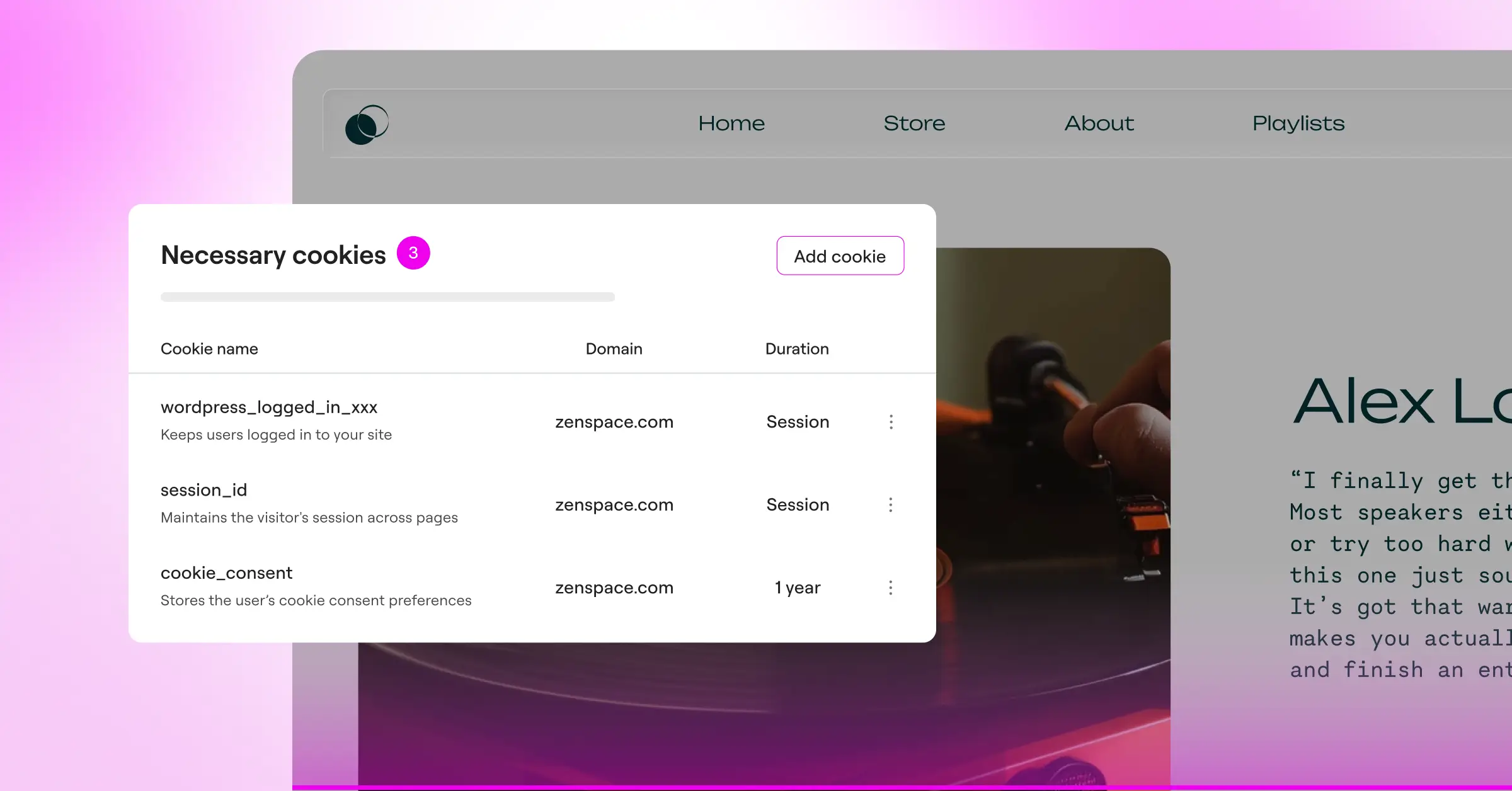
- Automatic Cookie Scanning and Categorization — Your consent tool should be smart enough to scan your website, find active cookies, and group them into logical categories like necessary, analytical, and marketing.
- Google Consent Mode v2 Support — If you use Google services on your site, this is non-negotiable. The consent tool must pass the correct consent signals directly to Google tags to keep your analytics accurate without violating user choices.
- Granular Design Customization — Your site should look polished and professional. The cookie banner needs to match your fonts, colors, and layout so it doesn’t distract from your content.
Selecting a tool that checks all of these boxes will save you from future headaches and technical conflicts. Let’s look at the best options available for WordPress site owners this year.
“To build genuine visitor trust while satisfying modern regulatory frameworks, your cookie consent system must run smoothly behind the scenes without degrading performance. A native approach is often the easiest path to keeping your site audit-ready.”
– Itamar Haim, Web Compliance Specialist
The Best WordPress Cookie Consent Solutions Reviewed
We’ve put together a detailed review of the leading cookie consent options for WordPress. Our first choice stands out as a native compliance capability designed specifically for modern WordPress creators, followed by the top alternatives in the privacy market.
1. Cookie Consent (by Elementor)
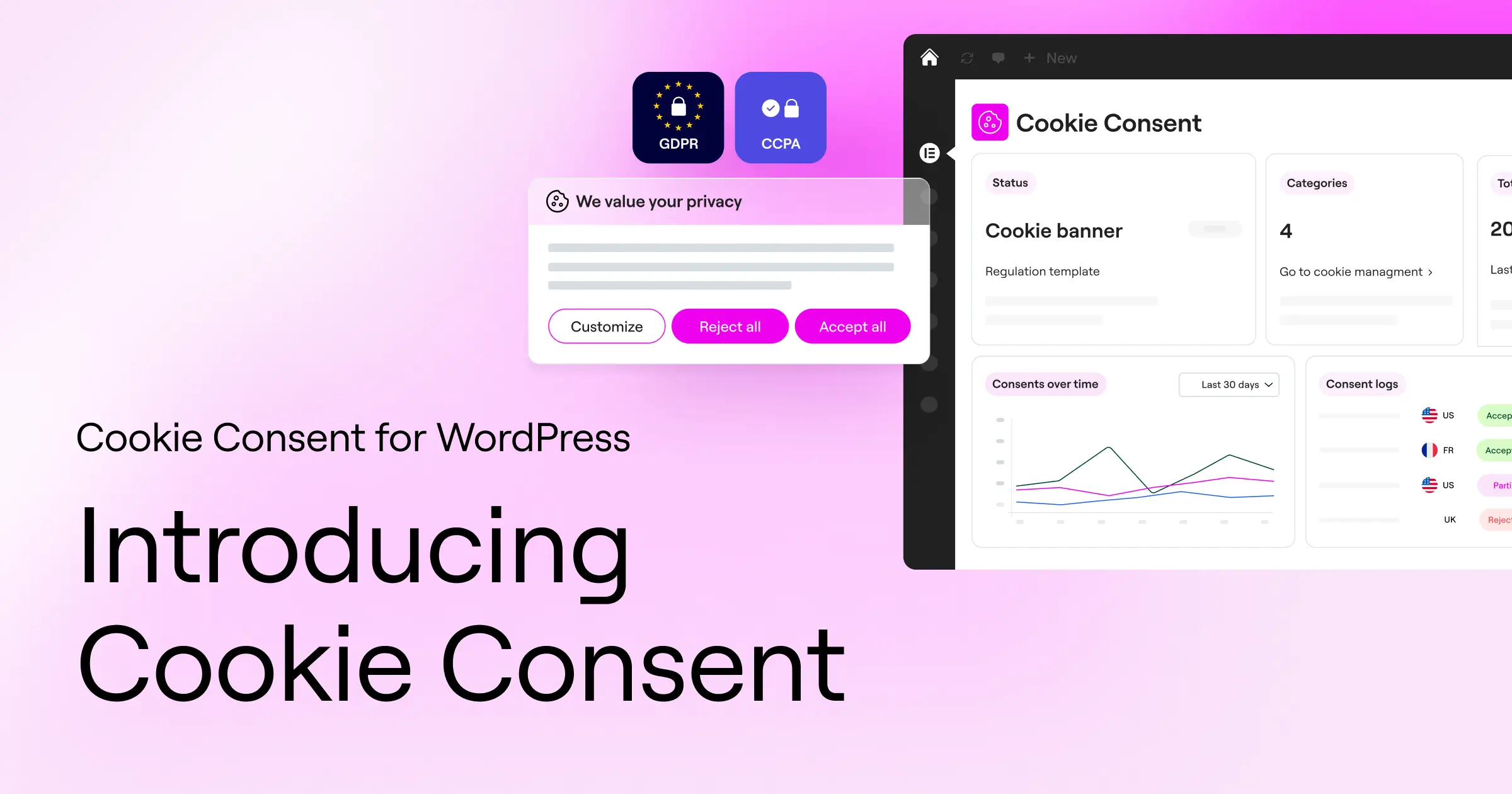
For WordPress creators who want a straightforward, beautifully designed, and completely integrated way to handle privacy compliance, Cookie Consent is a highly effective native choice. This capability is built natively for WordPress, meaning you manage your entire setup directly from your familiar WordPress dashboard. You don’t have to register for external SaaS platforms or deal with complex API integrations (it’s simpler than it sounds).
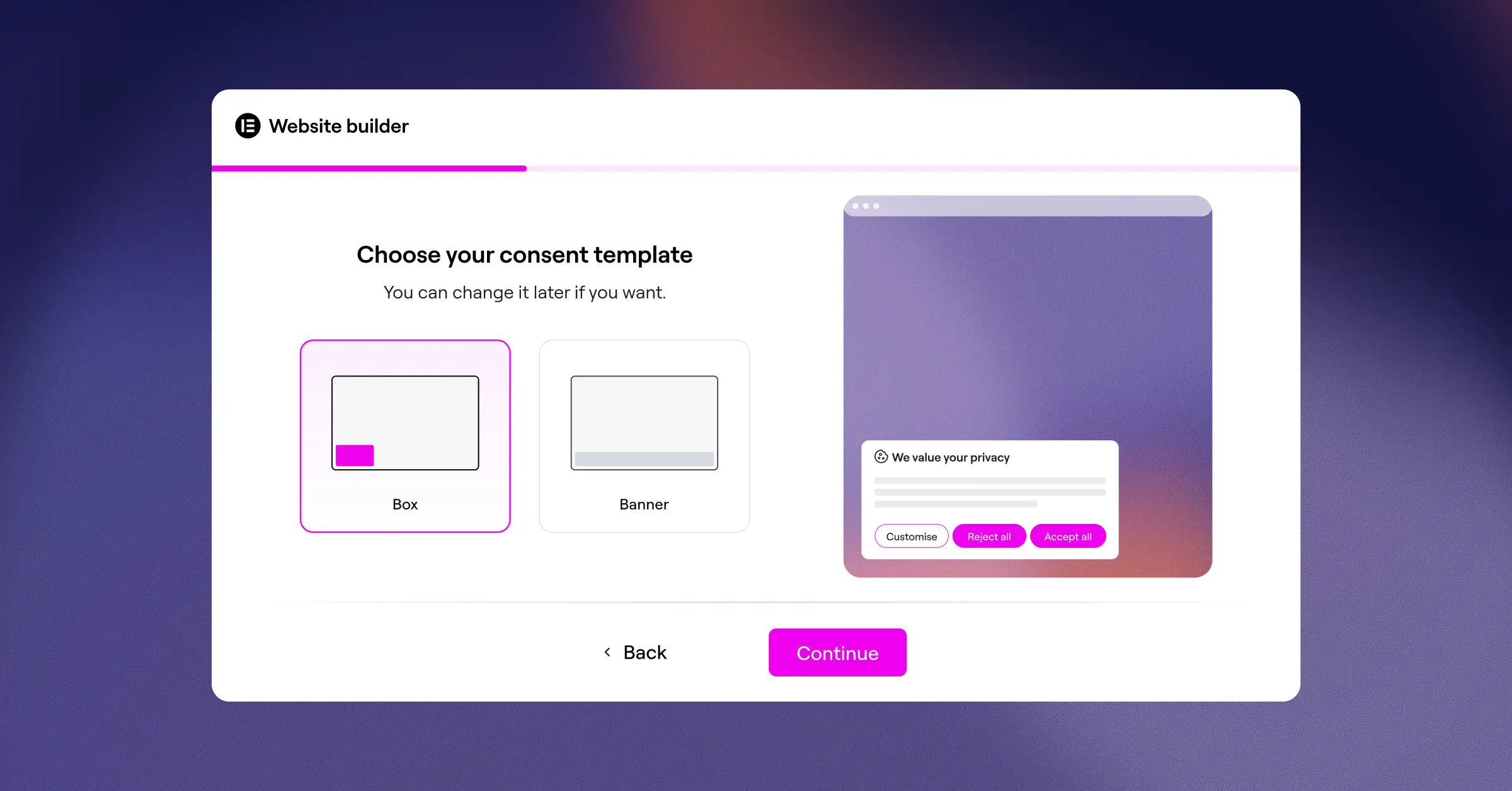
The setup is genuinely quick. You can get a fully compliant cookie banner live on your site in under five minutes using a simple three-step wizard. Because it’s built by the team behind Elementor, the design options are very flexible. You can customize every aspect of the banner’s visual style, ensuring your privacy pop-ups look like a natural extension of your brand rather than a clunky system alert. It also pairs nicely with other compliance capabilities in the Elementor ecosystem, such as Web Accessibility.
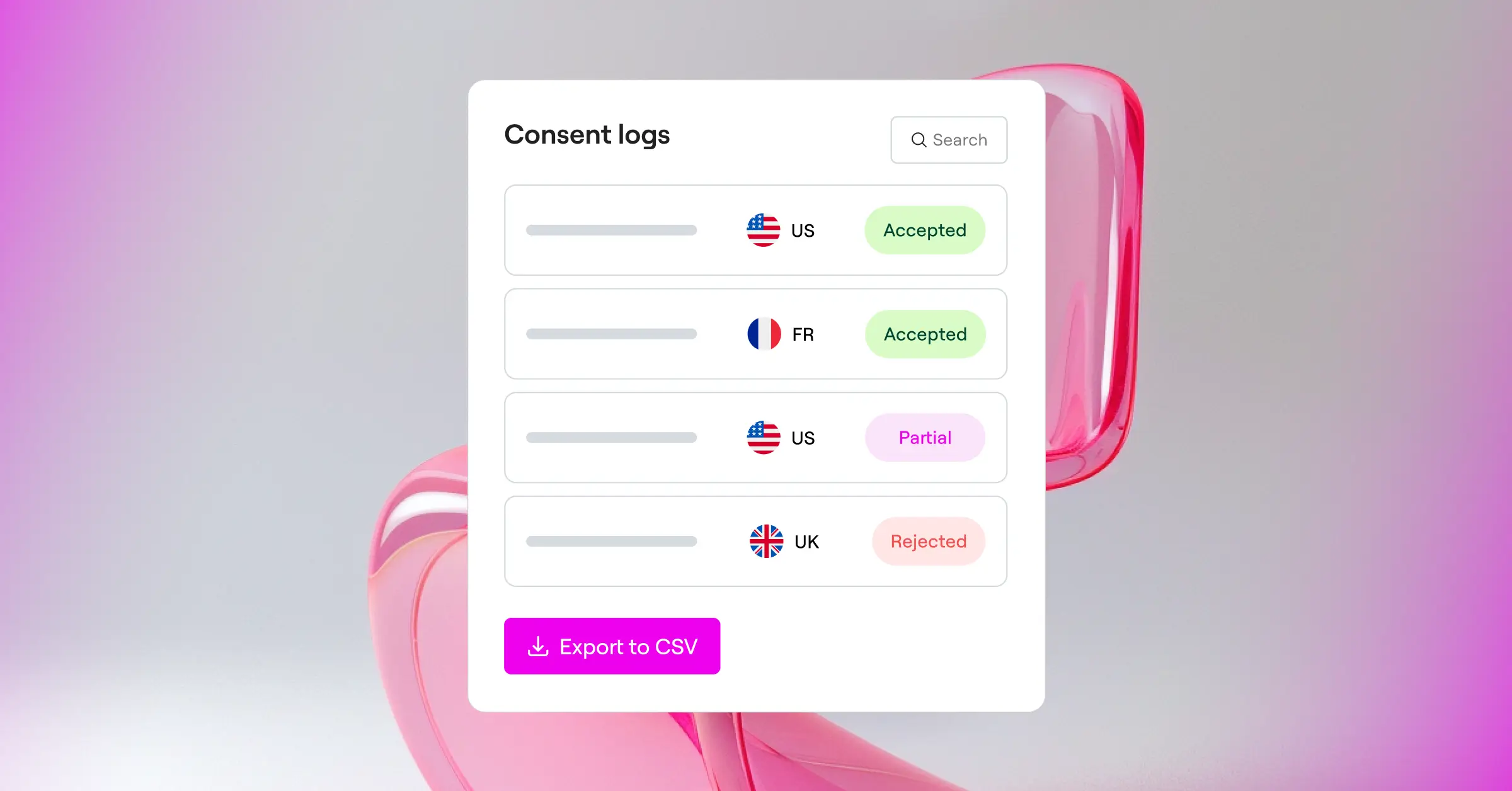
On top of its clean visual presentation, this tool includes all the technical power you need to satisfy global privacy regulators. It supports Google Consent Mode v2 automatically, handles Global Privacy Control signals, and uses geo-targeting to show specific banners only to users in relevant locations like the EU or California. You also get automatic cookie scanning and an organized consent log to keep your audit trails secure.
Core Features:
- Scans and categorizes your cookies automatically to keep your lists accurate.
- Builds completely customizable, branded banners that look clean on mobile and desktop.
- Connects smoothly to Google Consent Mode v2 to maintain your measurement systems.
- Pulls localized geo-targeting settings to display banners only where legally required.
- Logs visitor choices securely to maintain clear and verifiable audit records.
Cookie Consent is part of the Elementor compliance toolkit and is included in Elementor One, with a highly capable entry-level plan available for creators who are just getting started.
Pros:
- Runs completely inside the WordPress dashboard with no external logins required.
- Features a fast setup process that takes under five minutes to complete.
- Includes modern standards like Google Consent Mode v2 and Global Privacy Control.
Cons:
- Works best for sites within the broader ecosystem of modern WordPress design frameworks.
Verdict: Cookie Consent is the ideal choice for WordPress users who want to avoid the clutter of third-party platforms. It keeps your dashboard clean, updates automatically, and delivers professional styling right out of the box.
2. Cookiebot

Cookiebot is an established, cloud-based consent management platform that operates across multiple website environments. Rather than running natively in your WordPress database, it uses an integration approach to link your site to its external cloud dashboard. This makes it a popular option for developers who manage multiple websites across different platforms and want a single external hub to oversee all of them.
The platform is well-regarded for its automated scanning capabilities. It performs automatic monthly scans of your site to discover new scripts and tracking elements, cataloging them in an extensive cloud database. This keeps your cookie policy page accurate over time without requiring manual updates.
Core Features:
- Automates monthly website scans to uncover and catalog hidden tracking technologies.
- Stores consent records securely in the cloud for straightforward corporate access.
- Adapts to visitor locations automatically using IP geolocation.
Pros:
- Features a reliable automated scanning engine.
- Provides a centralized cloud dashboard for multi-platform management.
Cons:
- Can become expensive for larger sites due to page-count pricing.
- Requires leaving your WordPress dashboard to manage settings.
Verdict: Cookiebot is a solid option for corporate sites or developers who prefer managing their privacy settings from a dedicated external cloud dashboard.
3. CookieYes

CookieYes is a cloud-based compliance tool that offers a popular connection for WordPress. It’s designed to act as a bridge between your local site and their web-based app. With millions of active installations globally, it provides a stable compliance experience that covers major regional laws.
The interface is clean and accessible. When you set up CookieYes, you’re guided through a series of configurations to customize the design of your banner. It includes support for Google Consent Mode v2 and gives you direct control over how scripts are blocked before users make their selection.
Core Features:
- Blocks third-party cookies automatically before the visitor clicks accept.
- Supports compliance frameworks for GDPR, CCPA, and other regional regulations.
- Generates customized privacy policy templates to help you get up and running quickly.
Pros:
- Features a modern, user-friendly external configuration interface.
- Supports many international languages automatically.
Cons:
- Limits features on the entry-level plan based on monthly page-view volume.
- Requires managing another third-party user account.
Verdict: CookieYes is a reliable, cloud-connected tool that works well for users who don’t mind managing their cookie settings in an external web account.
4. Complianz

Complianz is a privacy tool built specifically for the WordPress ecosystem. It takes a distinctive approach by walking you through a complete wizard that asks a series of questions about your site’s target audience, integrations, and business model. Based on your answers, it automatically generates a custom policy and configures your banner rules.
Because it’s a native tool, it keeps your compliance settings within your WordPress environment. It integrates with major WordPress tools, form managers, and e-commerce setups, making it functional for complex sites.
Core Features:
- Configures consent behaviors based on a step-by-step interactive questionnaire.
- Integrates with popular contact forms and e-commerce tools on WordPress.
- Blocks social media embeds and maps until the user grants permission.
Pros:
- Keeps all configurations inside the WordPress admin dashboard.
- Generates legal documents dynamically based on your specific answers.
Cons:
- The detailed questionnaire setup can feel a bit overwhelming for beginners.
- Can sometimes conflict with complex caching or optimization tools.
Verdict: Complianz suits WordPress owners who want a local, wizard-driven compliance setup that generates legal texts based on their own answers.
5. iubenda

iubenda is a complete legal compliance platform for websites and mobile applications. It doesn’t stop at cookie banners — it also provides auto-updating privacy policies, terms of service generators, and consent optimization tools, making it an all-in-one legal resource for online businesses.
The WordPress integration operates through a dedicated setup that links your site to the iubenda platform. It allows for a significant amount of legal customization. If you have complex compliance requirements spanning multiple legal jurisdictions, iubenda provides precise settings for that scope.
Core Features:
- Creates legal policies that update automatically when new laws are introduced.
- Synchronizes privacy preferences across websites, mobile apps, and other web assets.
- Registers detailed consent preferences to fulfill strict European documentation rules.
Pros:
- Offers complete, auto-updating legal document generation.
- Highly customizable for complex global regulatory requirements.
Cons:
- The dashboard can feel complex and technical for everyday users.
- The credit-based pricing model can be difficult to predict at scale.
Verdict: iubenda is a good option for growing businesses and agencies that need to manage complete legal documents alongside their cookie banners.
6. OneTrust

OneTrust is an enterprise-level trust intelligence platform used by some of the largest organizations in the world. It’s designed for high-traffic environments, corporate networks, and organizations with dedicated internal legal departments. It offers a level of reporting, customization, and user role management that goes well beyond a typical WordPress setup.
While it has a WordPress integration, the primary workspace is its corporate portal. It’s built to coordinate compliance across hundreds of web domains, mobile apps, and internal company databases at the same time.
Core Features:
- Monitors compliance benchmarks across expansive, multi-domain web environments.
- Visualizes consent statistics and opt-out rates on interactive organizational charts.
- Schedules systematic compliance evaluations to satisfy corporate internal audits.
Pros:
- Extensive compliance depth for large corporate websites.
- Highly customizable user permission settings for enterprise teams.
Cons:
- Far too complex and expensive for basic or mid-sized WordPress sites.
- Requires specialized knowledge to configure and maintain properly.
Verdict: OneTrust is best suited for enterprise organizations that require deep audit trails and have dedicated legal teams to manage their compliance portfolios.
Cookie Consent Solutions Comparison
To help you see how these tools stack up at a glance, here’s a comparison table highlighting the features that matter most to WordPress site owners:
| Tool Name | Native WordPress Dashboard | Google Consent Mode v2 | Geo-Targeting Support | Primary Audience |
|---|---|---|---|---|
| Cookie Consent (by Elementor) | Yes | Yes | Yes | WordPress creators, blogs, and SMBs |
| Cookiebot | No | Yes | Yes | Multi-platform sites and developers |
| CookieYes | No | Yes | Yes | General website owners wanting cloud tools |
| Complianz | Yes | Yes | Yes | WordPress users wanting legal wizards |
| iubenda | No | Yes | Yes | Agencies and sites needing complete legal docs |
| OneTrust | No | Yes | Yes | Large enterprises and corporate websites |
How to Set Up Your WordPress Cookie Consent Tool
Ready to get your compliance system up and running? Let’s walk through how simple this process can be. (Don’t worry, it really does take very little time.) Follow these steps to get your native solution live:
Step 1: Get Your Native Consent Tool Configured
- Head to your WordPress dashboard and open your compliance settings.
- Run the automatic cookie scanner to detect active scripts on your site.
- Verify that your discovered cookies are grouped into the correct categories (Necessary, Analytics, Marketing).
Step 2: Design and Customize the Banner
- Choose a banner layout that complements your overall site structure.
- Match the typography, button colors, and background styling to your brand guidelines.
- Configure your privacy settings to show the banner based on your visitor’s location — for example, displaying strict options only to EU visitors.
Step 3: Test and Verify Compliance
- Open a fresh private or incognito browser window to visit your live site.
- Make sure the banner appears smoothly and prevents non-essential scripts from loading before you click accept.
- Check your WordPress-native consent log to verify that your testing choice was recorded accurately.
Want to go deeper on building a privacy-ready WordPress site? The Elementor blog covers web compliance topics regularly and is worth bookmarking.
Frequently Asked Questions
Is a cookie consent banner required for my WordPress site?
Yes, if your site receives visitors from regions governed by privacy laws like the GDPR in Europe or CCPA in California, you’re legally required to manage user consent. This applies even if your business is based in another country, since these laws protect the users themselves regardless of where your server is located.
What is Google Consent Mode v2 and do I need it?
Google Consent Mode v2 is an updated standard that passes user consent choices directly from your cookie banner to Google services like Google Analytics and Google Ads. If you track conversions or target audiences in Europe using Google tools, supporting this standard is essential to keeping your marketing data accurate.
Will a cookie consent banner slow down my WordPress website?
Some external cloud-based banners can cause minor layout shifts or add slow script-loading times. Choosing a native capability like Cookie Consent keeps execution fast, efficient, and light, so your page speeds stay in good shape.
Can I customize my cookie banner to match my brand’s design?
Absolutely. While some tools limit your styling options, modern systems let you control colors, typography, layout positions, and button styles. This means your banner looks like a professional part of your site design rather than an intrusive distraction.
How does geo-targeting work with cookie consent?
Geo-targeting lets your website detect where visitors are located based on their IP address. This means you can display a strict opt-in banner to visitors from the European Union, a different style to visitors from California, or skip the banner entirely for users in regions with fewer restrictions.
What is the difference between first-party and third-party cookies?
First-party cookies are set directly by your own website to remember things like shopping cart items or login sessions. Third-party cookies are set by external services, such as social media networks or ad platforms, to track user behavior across different sites around the web.
Is there a free plan for Elementor’s Cookie Consent?
Yes, there’s a highly functional entry-level plan for the native cookie consent capability. This makes it easy for small site owners to get compliant right away, with the option to access more advanced settings as their site and business grow. It’s also included in Elementor One.
Does Cookie Consent support multilingual banners?
Yes. Cookie Consent supports multilingual banners, so you can display your consent notices in your visitors’ own language without needing a separate translation tool or additional configuration.






