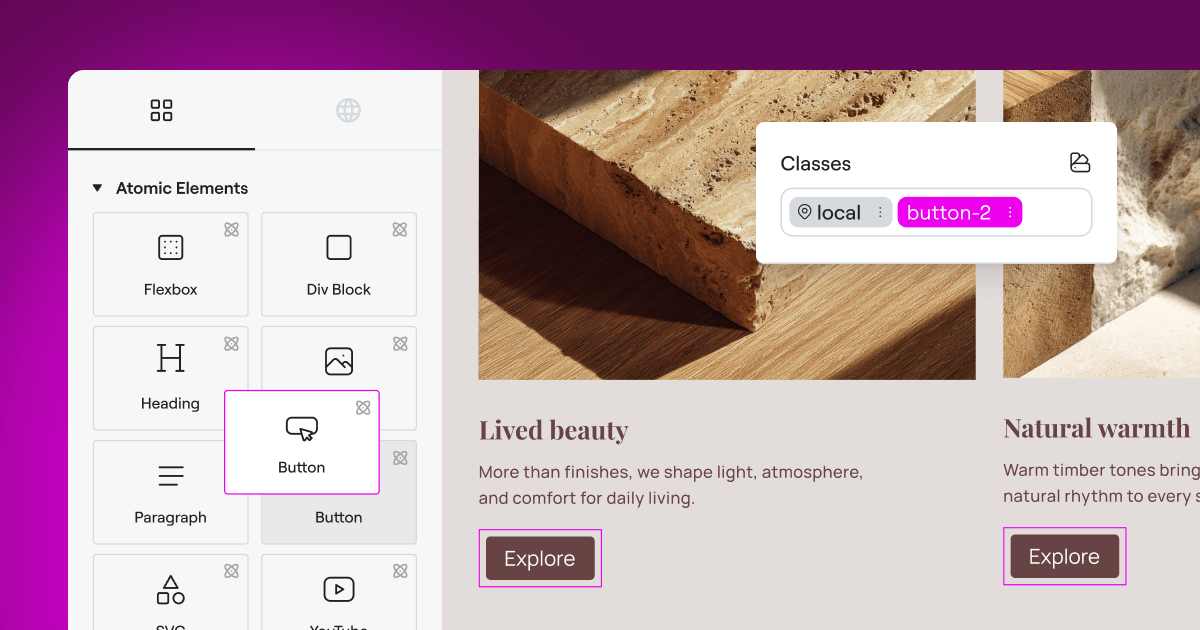
Managing privacy compliance on your website can feel overwhelming at first, but it’s genuinely simpler than most people expect. With privacy regulations tightening across the globe and browsers phasing out third-party cookies, keeping your site compliant while maintaining a smooth user experience has become a real priority for site owners in 2026. The good news: you don’t need to become a privacy law expert to get this right.
If you run a WordPress site, you need a straightforward, reliable way to manage cookies without slowing your pages down or creating friction for your visitors. We’ve pulled together the top privacy compliance tools for 2026, so you can see clearly how they stack up and find the one that fits your setup best.
Whether you’re running a personal blog, an e-commerce store, or managing sites for multiple clients, there’s a solid option here for you.
Key Takeaways
- Native Integration Matters – Tools built directly into WordPress save setup time and prevent external dashboard clutter.
- Google Consent Mode v2 is Crucial – If you use Google ads or analytics in Europe, your consent tool must support this standard.
- Speed and Performance – Avoid heavy external scripts that delay your page loading speeds and hurt your SEO.
- Geotargeting Saves Conversions – Display banners only to visitors in regions that legally require them, keeping the experience clean for everyone else.
- Audit-Ready Logs – Make sure your chosen tool stores secure consent logs so you can prove compliance if you’re ever audited.
The Changing Face of Web Privacy in 2026
The rules of the web have shifted considerably over the last few years. Major privacy regulations like the General Data Protection Regulation (GDPR) in Europe and the California Consumer Privacy Act (CCPA) aren’t new anymore, but their enforcement has grown much stricter. Regulators are actively reviewing websites of all sizes, not just giant corporations, to check that visitors have real, clear choices about how their data is tracked.
At the same time, search engines and browsers are phasing out third-party cookies. This shift means that first-party data, the information you collect directly on your site with user consent, has become incredibly valuable. To collect this data ethically and legally, a reliable consent banner is your first line of defense. It helps you build trust with your audience while keeping your business protected from regulatory penalties.
Another major shift is the widespread requirement for Google Consent Mode v2. If your website serves visitors in the European Economic Area (EEA) and you use Google Analytics or Google Ads, failing to pass consent signals to Google will break your tracking and campaign optimization. Modern consent tools need to work with this technology to keep your marketing efforts running properly.
What is Cookie Consent?
To address these challenges directly on WordPress, the Cookie Consent capability offers a native, simple solution. Built directly into the WordPress dashboard, this feature manages GDPR and CCPA compliance without requiring you to log into any separate third-party platform. You can configure consent banners, scan your website for cookies, manage tracking scripts, and keep accurate consent logs, all from one familiar place.
Because it integrates naturally with Elementor, the cookie consent feature eliminates the visual mismatch that often happens with generic external tools. You don’t need to write complex CSS or bring in a developer to make your banner look like it belongs on your site. You can customize the layout, typography, and colors easily, maintaining your brand’s look and feel while protecting user privacy. (It’s simpler than it sounds, honestly.)
How the WordPress-Native Dashboard Simplifies Your Workflow
Many traditional compliance tools require you to register for an external account, copy a JavaScript code snippet, paste it into your header, and then jump back and forth between two different websites to manage your settings. If something breaks, troubleshooting becomes a frustrating puzzle.
With a WordPress-native setup, everything lives under one roof. You manage your privacy banner in the same place you write blog posts and update pages. This saves time, cuts down on the number of account credentials you need to keep track of, and makes sure your compliance settings don’t conflict with other active tools on your site.
The 3-Step Setup Process
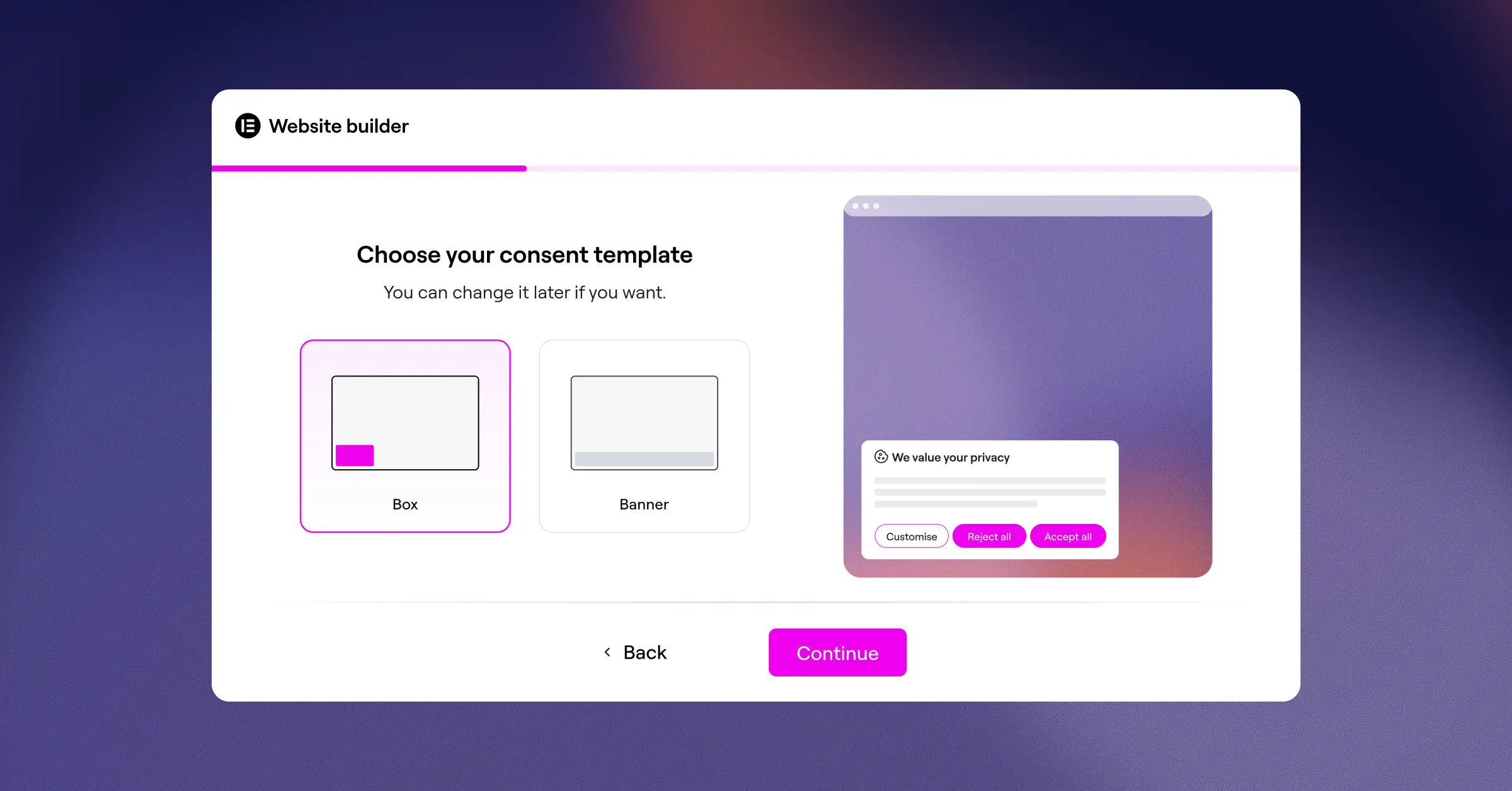
Setting up your privacy banner shouldn’t take all afternoon. The native cookie consent feature uses an intuitive, three-step setup process that takes under five minutes:
- Scan – The tool scans your site to identify all active cookies and scripts.
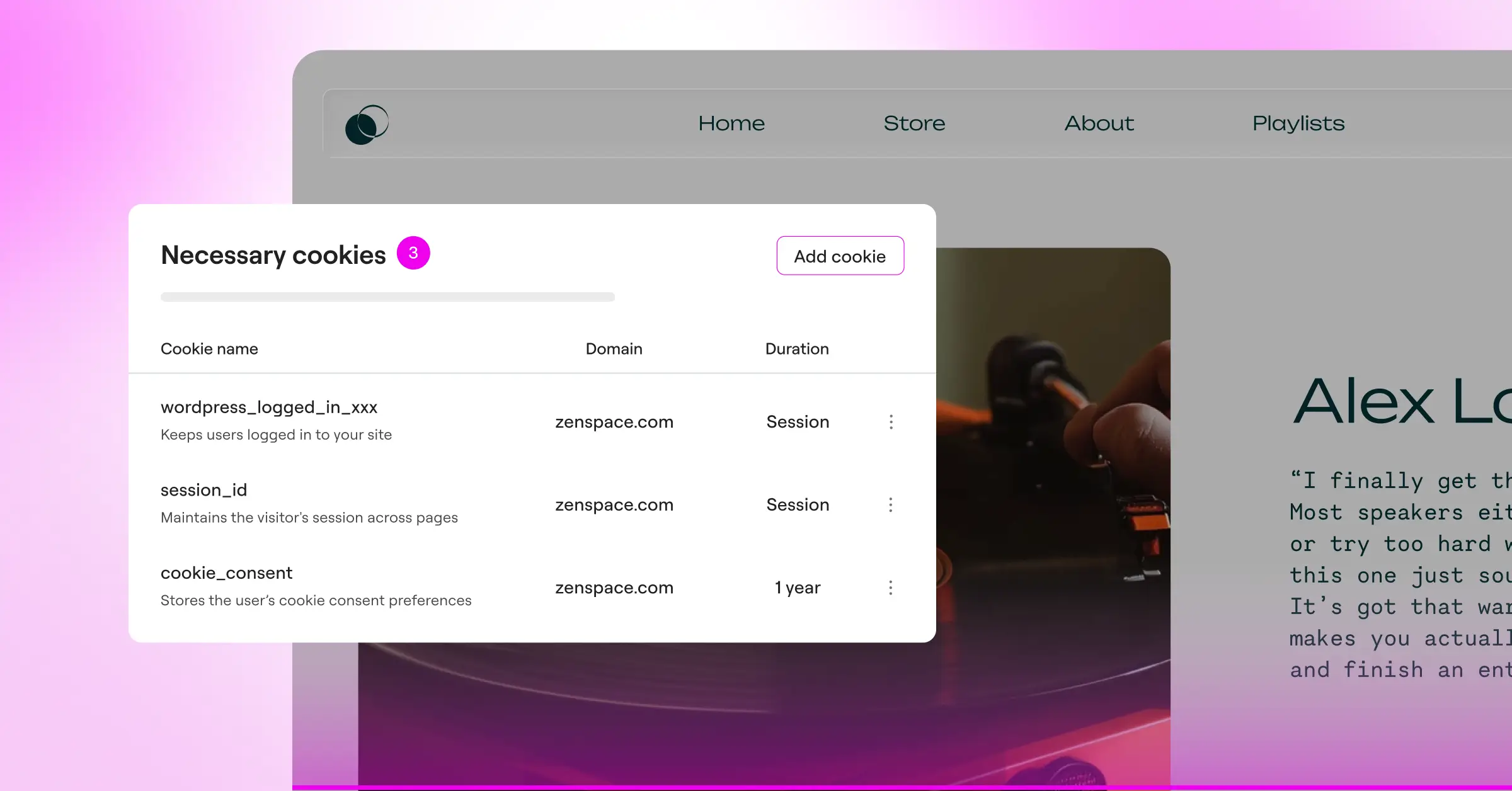
- Categorize – It automatically groups your cookies into clear categories, such as necessary, analytical, and marketing.
- Publish – You customize the design and turn the banner on for your visitors.
The Best Cookie Consent Solutions for 2026
Let’s look at the leading cookie consent options available for WordPress site owners this year. Every tool has its own strengths, so we’ll walk through them factually to help you figure out which is the right fit for your specific setup.
1. Cookie Consent
As Elementor’s native compliance capability, Cookie Consent is built to keep things simple and high-performing. It lives entirely inside your WordPress dashboard, making it a great choice for creators, businesses, and agencies who want to avoid external SaaS subscriptions and complicated integrations.
This tool is designed to provide full compliance while keeping your website lightweight. Because it doesn’t rely on heavy external cloud databases to render the basic banner, your page load speeds stay fast. It’s included in the Elementor One subscription and also offers a helpful entry-level plan for growing websites.
- Scans your website automatically to discover and categorize cookies.
- Builds banners that match your brand identity using native design controls.
- Connects directly with Google Consent Mode v2 to preserve your marketing data.
- Pulls regional visitor data to show the banner only where legally required.
- Stores secure consent logs to protect your business during compliance audits.
- Generates draft privacy policies automatically to save you legal drafting time.
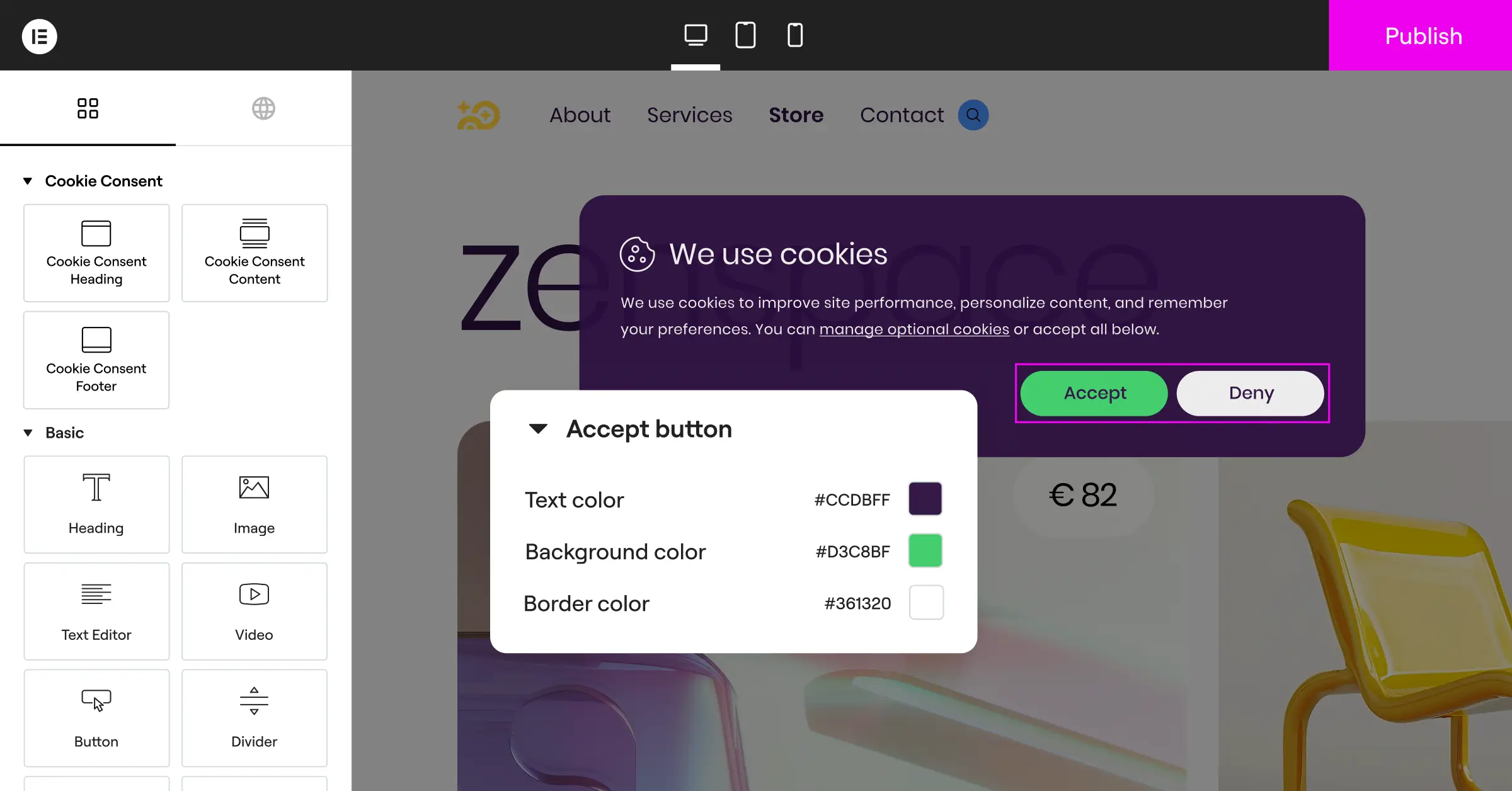
Pros: Fully native to WordPress, matches your site design easily, includes a policy generator, and has no external dashboard clutter.
Cons: Best suited for WordPress sites, so it’s not designed for non-WordPress platforms.
Verdict: An excellent choice for WordPress site owners who want a fast, well-designed, and native way to manage compliance without extra monthly SaaS costs.
2. Cookiebot
Cookiebot is a widely recognized, cloud-based consent management platform. It operates externally, meaning you manage your banners and settings from the Cookiebot website, and the banner is injected into your WordPress site via a script.

- Scans your site monthly to detect trackers and keep your cookie declaration updated.
- Builds standardized cookie banners that adapt to global regulations.
- Connects with Google Tag Manager for script execution control.
- Pulls user consent data into an external cloud repository for reporting.
- Supports multiple languages for global visitors.
- Saves regional consent settings based on the visitor’s location.
Pros: Thorough automated scanning; trusted by many large enterprise organizations.
Cons: Premium tiers can become expensive for larger sites; managing settings requires leaving your WordPress dashboard.
Verdict: A reliable, cloud-based option for multi-platform websites with larger compliance budgets.
3. CookieYes
CookieYes is a popular consent management tool that offers both a cloud app and a dedicated integration for WordPress sites. It’s built to support major privacy regulations like GDPR, CCPA, and LGPD.

- Tracks user consent history to maintain compliance evidence.
- Builds custom layouts with simple styling controls.
- Connects to popular consent frameworks, including IAB TCF v2.2.
- Pulls analytic reports to show how many users accept or reject cookies.
- Supports geo-targeting to show regional banners to specific users.
- Manages custom script blocking before user consent.
Pros: Clean user interface and straightforward script blocking features.
Cons: Entry-level plan limits are easy to exceed on medium-sized sites; requires an external account for advanced analytics.
Verdict: A solid, feature-rich choice if you want detailed analytical charts of your user consent rates.
4. Complianz
Complianz is a privacy suite built specifically for WordPress. Unlike Cookiebot or CookieYes, it runs inside your WordPress dashboard, offering a step-by-step wizard to configure your legal documents and consent banners.

- Guides users through a detailed legal questionnaire to customize policies.
- Builds region-specific consent banners based on your legal answers.
- Connects directly to local WordPress script configurations.
- Pulls cookie data from a built-in community database for classification.
- Blocks third-party frames like YouTube and Google Maps until consent is given.
- Saves configuration settings directly to your WordPress database.
Pros: Deep integration with WordPress; strong legal wizard for document generation.
Cons: The setup wizard can feel lengthy for users who want a quick configuration.
Verdict: A highly detailed compliance tool best suited for site owners who prefer a thorough, step-by-step legal questionnaire approach.
5. iubenda
iubenda provides a full suite of compliance tools, including cookie banners, privacy policy generators, and terms and conditions documents. It’s a professional option designed to handle complex legal requirements across different countries.

- Generates auto-updating privacy and cookie policy documents.
- Builds banners that comply with strict European guidelines.
- Connects cookie settings directly to their hosted legal documents.
- Pulls legally reviewed policy updates automatically when laws change.
- Supports advanced privacy frameworks for ad-heavy websites.
- Manages consent preferences across multiple sites or apps.
Pros: Excellent, legally backed policy generator; covers more than just cookie consent.
Cons: Can feel complex to configure for users who just need a basic banner.
Verdict: A strong option for sites that need auto-updating legal documents alongside their consent banner.
6. OneTrust
OneTrust is a large, enterprise-grade privacy management platform. It’s designed for corporations, financial institutions, and complex organizations that need to manage privacy across many digital properties at once.

- Tracks deep privacy metrics across websites, mobile apps, and internal systems.
- Builds highly customized, region-specific banners for global enterprises.
- Connects with internal data inventory and mapping systems.
- Pulls detailed risk assessment reports for compliance officers.
- Manages vendor risk assessments alongside consent settings.
- Logs millions of consent interactions securely for regulatory audits.
Pros: Powerful enterprise-grade security and reporting capabilities.
Cons: Complex to configure; oriented toward large organizations with dedicated privacy teams.
Verdict: The industry standard for enterprise corporations, but typically more than most WordPress sites need.
Side-by-Side Comparison
To help you see how these tools stack up, here’s a clear comparison table covering key performance and usability factors.
| Solution | Dashboard Location | Setup Difficulty | Google Consent Mode v2 | Best Fit For |
|---|---|---|---|---|
| Cookie Consent | Native WordPress | Very Easy (Under 5 mins) | Supported (Built-In) | WordPress site owners wanting simple, fast compliance |
| Cookiebot | External Cloud App | Moderate | Supported | Multi-platform sites with healthy budgets |
| CookieYes | External Cloud App | Easy | Supported | Users who want detailed consent analytics dashboards |
| Complianz | Native WordPress | Moderate (Long wizard) | Supported | Site owners wanting a detailed legal questionnaire |
| iubenda | External Cloud App | Moderate to High | Supported | Websites needing auto-updating legal documents |
| OneTrust | External Cloud App | High | Supported | Enterprise corporations with dedicated privacy teams |
Key Privacy Features You Need to Look For
When you’re choosing a cookie banner for your website, it’s easy to get pulled toward flashy features you may never use. But to keep your site compliant and fast, there are a few core capabilities that truly matter.
Automatic Scanning and Categorization
A compliance tool is only as good as its scanner. If your tool misses a tracking script, that script will keep dropping cookies onto your visitors’ browsers without their permission. A solid solution should automatically scan your site, detect all active cookies, and place them into their correct categories (necessary, statistics, preferences, or marketing) without requiring you to sort through them manually.
Google Consent Mode v2 Integration
Google Consent Mode v2 is no longer optional for sites that rely on Google traffic and ads in Europe. It acts as a bridge between your cookie banner and Google’s services. When a visitor makes their choice on your banner, Consent Mode v2 passes that choice directly to Google. If the visitor declines cookies, Google’s tags adjust their behavior so they don’t store cookies but still send safe, anonymous signals. This keeps your conversion tracking alive while respecting the user’s choice. (This one trips a lot of people up, but the setup is genuinely straightforward.)
The goal of compliance isn’t to stop tracking completely, but to give your visitors clear, transparent control over their own data. A native, well-designed tool makes this choice easy for the user and simple for the website owner.
– Itamar Haim, Web Compliance Specialist
Geotargeting Banners
Not every visitor to your site needs to see a cookie banner. If you show a popup to a visitor from a region with relaxed privacy laws, you might hurt your conversion rates and create friction for no legal reason. Geotargeting solves this by detecting where your visitor is located and displaying the compliance banner only to visitors from regions like the European Union or California, keeping your experience clean for everyone else.
Consent Logging and Auditing
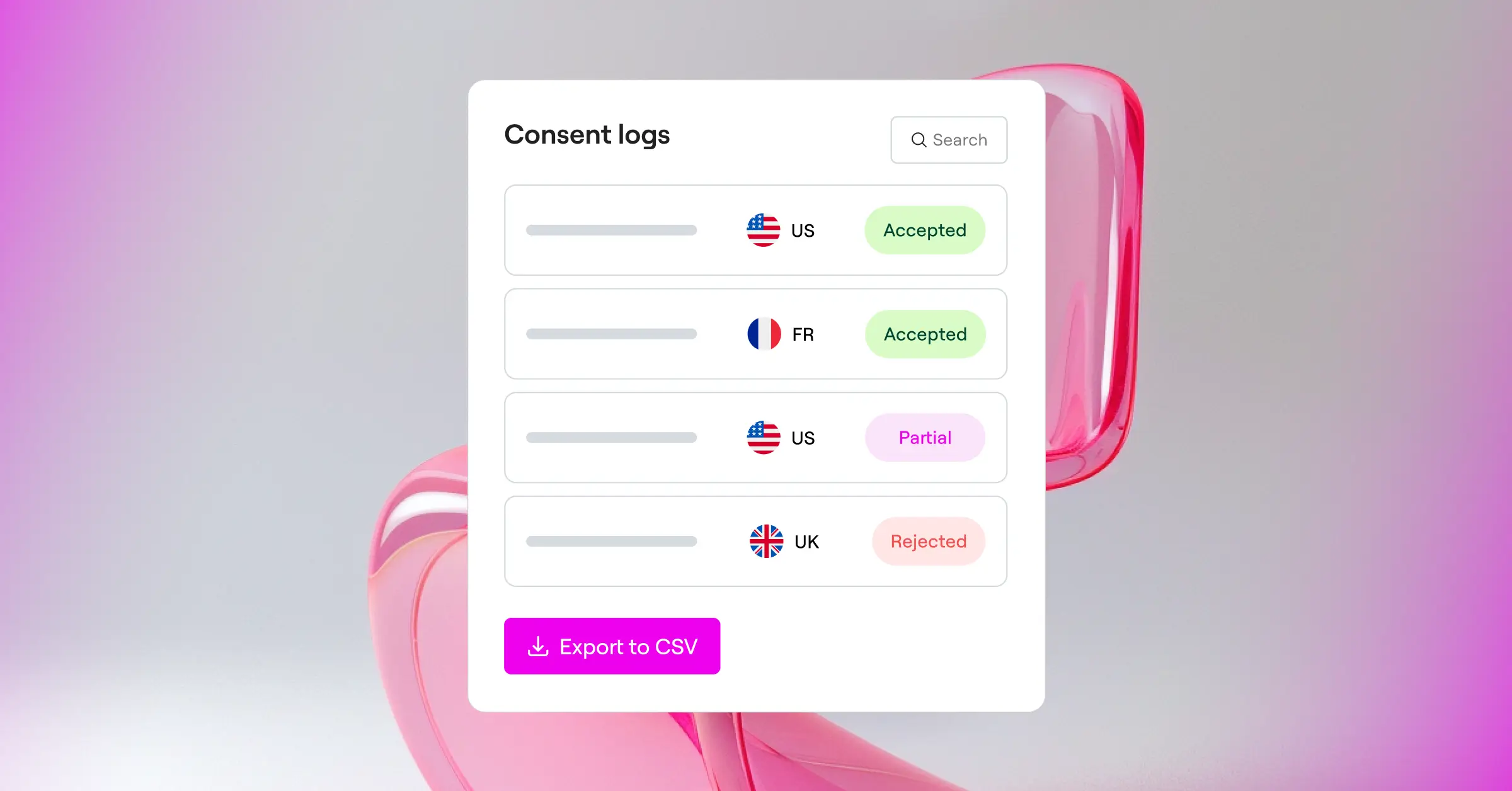
If a regulator ever contacts you about your website’s privacy practices, simply having a banner on your homepage isn’t enough. You need proof. A professional tool keeps secure consent logs that record when consent was given, what settings were chosen, and a randomized ID representing the visitor. Crucially, these logs must be stored safely and shouldn’t collect any personal data themselves, giving you a proper audit trail when you need it.
Step-by-Step Compliance Implementation Guide
Ready to get your WordPress site compliant? Follow this straightforward process to get your banner up and running. We’ll use the native cookie consent feature as our example because it’s the easiest to set up directly from your dashboard.
Step 1: Activate the Cookie Consent Feature
First, access your WordPress admin panel. If you’re using Elementor, make sure your subscription is active. Navigate to your compliance settings dashboard to find the cookie consent area. Click the toggle to turn the feature on. This initializes the native database tables and gets your site ready for scanning.
Step 2: Run Your Automatic Cookie Scan
Next, trigger the automatic scanner. The tool walks through your pages, finding any cookies or active tracking scripts from tools like Google Analytics, Facebook Pixel, or local WordPress utilities. Once the scan finishes, take a look at the list to confirm everything looks right. The tool will automatically categorize the common tracking cookies for you, which saves a fair bit of time.
Step 3: Design Your Banner to Match Your Brand
Now comes the fun part. Open the design settings to style your banner. Instead of settling for a generic gray box that clashes with your layout, use the design controls to select your brand’s colors and fonts. You can also choose where the banner appears on the page:
- Bottom Bar – A clean, full-width banner at the bottom of the screen (works especially well on mobile).
- Floating Box – A small card in the corner of the page that stays out of the way of your content.
- Center Modal – A block that requires action before continuing (best for stricter compliance situations).
Step 4: Configure Your Regional and Google Integration
Turn on Google Consent Mode v2 with a simple toggle to keep your marketing tags aligned with user choices. If you want to keep your user experience as clean as possible, turn on geo-targeting. This keeps the banner hidden for users in countries where cookie warnings aren’t required, protecting your normal conversion rates.
Step 5: Generate and Link Your Privacy Policy
Every cookie banner needs to link to a clear policy page. If you don’t have one yet, use the built-in policy generator to create a professional draft. Once you publish the page, link it directly in your banner’s text. Test the banner on your phone and a desktop computer to make sure it looks great and works smoothly before you consider it done.
Why Native WordPress Tools Save Time and Server Resources
As a website owner, you know that adding more external code to your site can cause real issues. Every external script you load is another potential point of failure. If an external service goes offline or runs slowly, your entire site can hang while trying to load their cookie banner. That frustrates visitors and hurts your Core Web Vitals scores in Google search.
Using a native WordPress compliance tool avoids those problems because it operates directly from your server. It uses optimized local database tables to log consent and loads the banner code alongside your standard theme files. This keeps page load times fast and ensures your layout loads reliably, even on slower mobile connections.
Native tools also don’t send your visitors’ IP addresses or browsing data to third-party tracking systems just to decide whether to display a banner. That local processing keeps your compliance setup inherently more private, which is exactly what privacy regulations are designed to encourage in the first place.
Frequently Asked Questions
Is a cookie consent banner required for my small business website?
Yes, if your website has visitors from the European Union, California, or other regions with active privacy laws, you need to display a consent banner. This applies even if your business is physically located outside those areas. If you use tools like Google Analytics or a Facebook Pixel, you’re collecting user data and must get consent first.
How does Google Consent Mode v2 affect my Google Analytics data?
Google Consent Mode v2 adjusts how Google tags behave based on your visitor’s choices. If a user accepts cookies, tracking works normally. If they decline, Consent Mode v2 blocks cookie storage but still sends anonymous, cookie-free signals to Google. This lets Google use machine learning to model conversions, preventing gaps in your marketing reports.
Can I use a free cookie consent tool on my WordPress site?
Absolutely. There are excellent free options available, including the entry-level plan of the native Cookie Consent capability. For many small businesses and personal blogs, an entry-level plan is more than enough to achieve full legal compliance without adding extra monthly software costs to your budget.
Will a cookie consent banner slow down my website’s loading speed?
Some external cloud-based banners can slow your site down because they force your browser to download third-party files before displaying your page. Using a native WordPress tool keeps things fast, because the code runs directly on your server alongside your existing website files.
What is the difference between GDPR and CCPA regarding cookie consent?
GDPR (Europe) requires “prior consent,” meaning you must block all non-essential cookies before the user clicks “accept.” CCPA (California) uses an “opt-out” model, meaning you can load cookies immediately but must offer a clear way for visitors to opt out, often via a “Do Not Sell My Personal Information” link.
How often should I scan my website for new cookies?
It’s good practice to scan your website at least once a month, or whenever you add a new feature, widget, or tracking script. New tools often introduce new cookies that your banner needs to categorize to keep your compliance current and your visitor records accurate.
What are consent logs, and do I really need them?
Consent logs are secure records showing that a visitor gave permission to be tracked. They contain a randomized user ID, the date and time of consent, and the specific categories they accepted. If a privacy regulator audits your website, these logs serve as your official proof of compliance.
Do I still need a privacy policy page if I have a cookie banner?
Yes, your cookie banner and your privacy policy page work together. The banner acts as the immediate notice and choice selector, while your privacy policy page provides the detailed legal explanation of what data you collect, why you collect it, and how users can request their data be removed.
Choosing the Right Tool for Your Website
The best compliance tool is one you don’t have to worry about. It should sit quietly on your site, look like it belongs there, load instantly, and keep you protected from legal issues. If you’re already running WordPress, choosing a native solution like Cookie Consent is a practical, low-maintenance decision. It keeps your control panel clean, avoids extra subscription costs, and integrates naturally with Elementor design features.
No matter which option you choose from this list, taking action to protect your visitors’ privacy is a meaningful step toward building brand trust and securing your online business for the long term. You’ve genuinely got this, and getting it set up is a real win for your web presence.






