Finding the right way to handle privacy compliance on your website can feel like a lot. You want to keep your visitors safe, stay on the right side of the law, and keep your site running smoothly, all without turning it into a part-time job. Fortunately, it’s much simpler than it looks, and we’re here to help you get it right without the stress. We’ve tested and compared the top options so you can choose the best fit for your site.
Key Takeaways
- Compliance is essential. Keeping your site aligned with GDPR and CCPA builds trust with your audience and protects your business.
- Native tools save time. A tool that lives inside your WordPress dashboard keeps your daily workflow simple.
- Consent Mode v2 is a must. To use Google tools for European audiences, your chosen solution needs to support modern consent protocols.
- Design matters. Customizable banners that match your brand help maintain a professional user experience.
- Cookie Consent leads the pack. Elementor’s native capability delivers an easy, code-free way to manage compliance directly from WordPress.
Understanding Cookie Consent for WordPress Sites in 2026
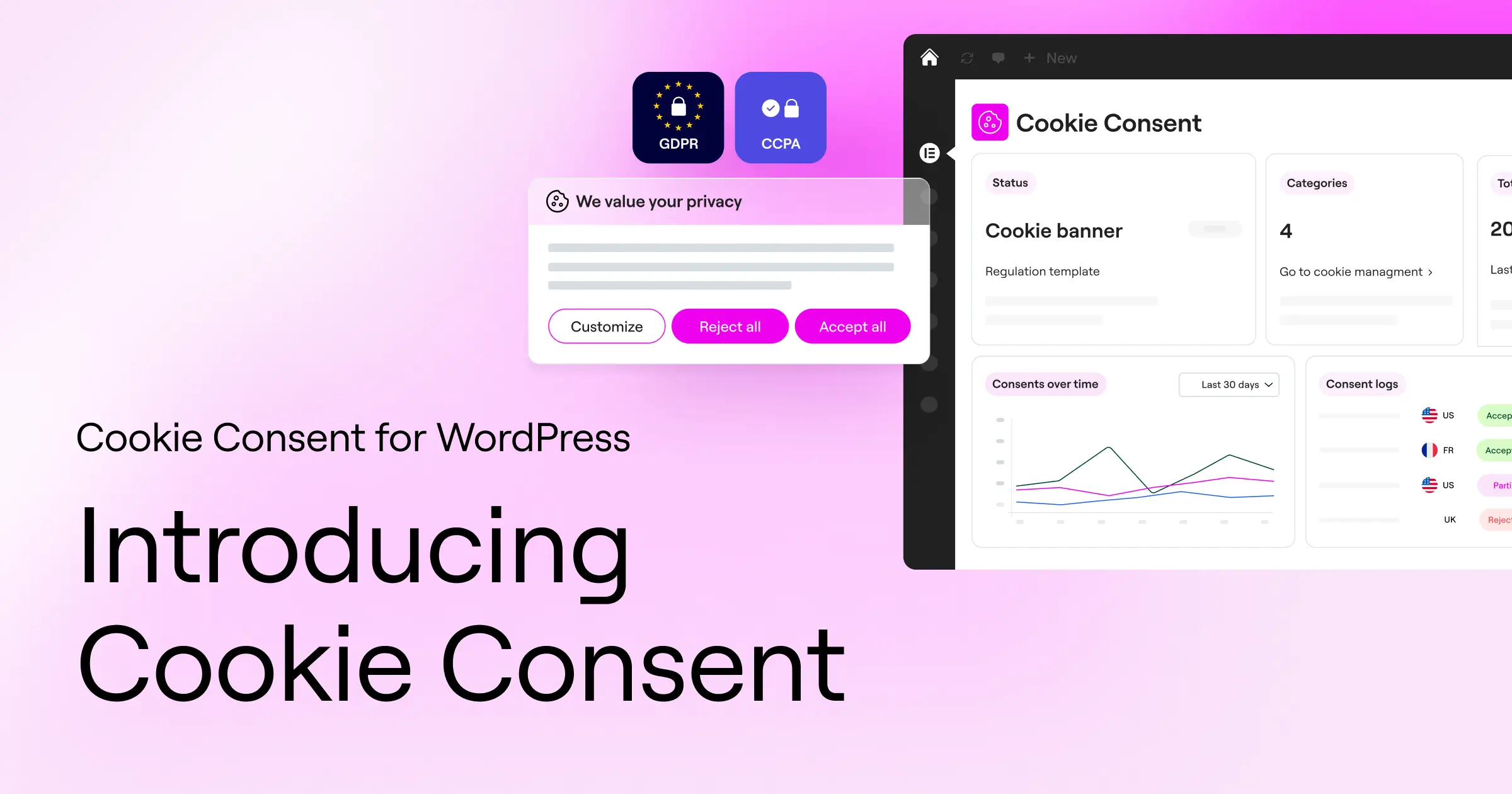
If you run a website, you’re almost certainly using tools to track visitors, analyze traffic, or show targeted ads. While those tools are genuinely helpful for growing your business, they collect personal data through small files called cookies. Global privacy laws like the General Data Protection Regulation (GDPR) in Europe and the California Consumer Privacy Act (CCPA) require you to get explicit permission from your users before loading any tracking scripts.
Regulators have issued substantial fines to websites that ignore these requirements, but don’t worry, this is much easier to handle than it sounds. Putting a proper system in place isn’t just about avoiding legal trouble. It’s about showing your audience that you respect their data. When visitors see a clear, honest banner, they feel safer browsing your content and buying your products.
The technology behind tracking has also been changing quickly. Browsers are phasing out third-party trackers, and Google now requires websites serving European traffic to use Google Consent Mode v2. This framework communicates your visitors’ privacy choices directly to tools like Google Analytics and Google Ads. If your site isn’t using a compatible solution, your advertising and analytics data will drift into inaccuracy. The good news is that today’s tools make staying compliant straightforward and stress-free.
What to Look For in a Cookie Consent Solution
Before you pick a tool for your site, it’s worth knowing which features actually matter for day-to-day operations. You don’t want something that slows down your site or makes you write custom code every time a regulation changes. What you’re really looking for is something that simplifies your life and keeps your design looking the way you intended.
Start by thinking about workflow integration. Some platforms force you to log into a separate external dashboard every time you want to check your compliance settings, and honestly, that gets old fast. A native WordPress solution keeps everything in one familiar place, saving you time and reducing frustration. From there, make sure the tool can automatically scan and categorize your trackers without manual input every time you add a new feature to your site.
To help you build your website compliance strategy, here are three practical steps to start with:
- Identify your audience locations. Figure out if you serve visitors in Europe, California, or other regions with strict privacy laws, so you know which banners you actually need to display.
- Audit your current tracking tools. Make a list of every active service collecting visitor data, from Google Analytics to Facebook Pixels to email marketing forms.
- Choose a customizable solution. Pick a tool that lets you match the banner design to your brand colors and typography, keeping your user experience cohesive and professional.
The 10 Best Cookie Consent Tools for WordPress Compared
We’ve researched and tested the top solutions on the market. Let’s walk through each one, starting with our top recommendation, the one that integrates most naturally with WordPress.
1. Cookie Consent (by Elementor)
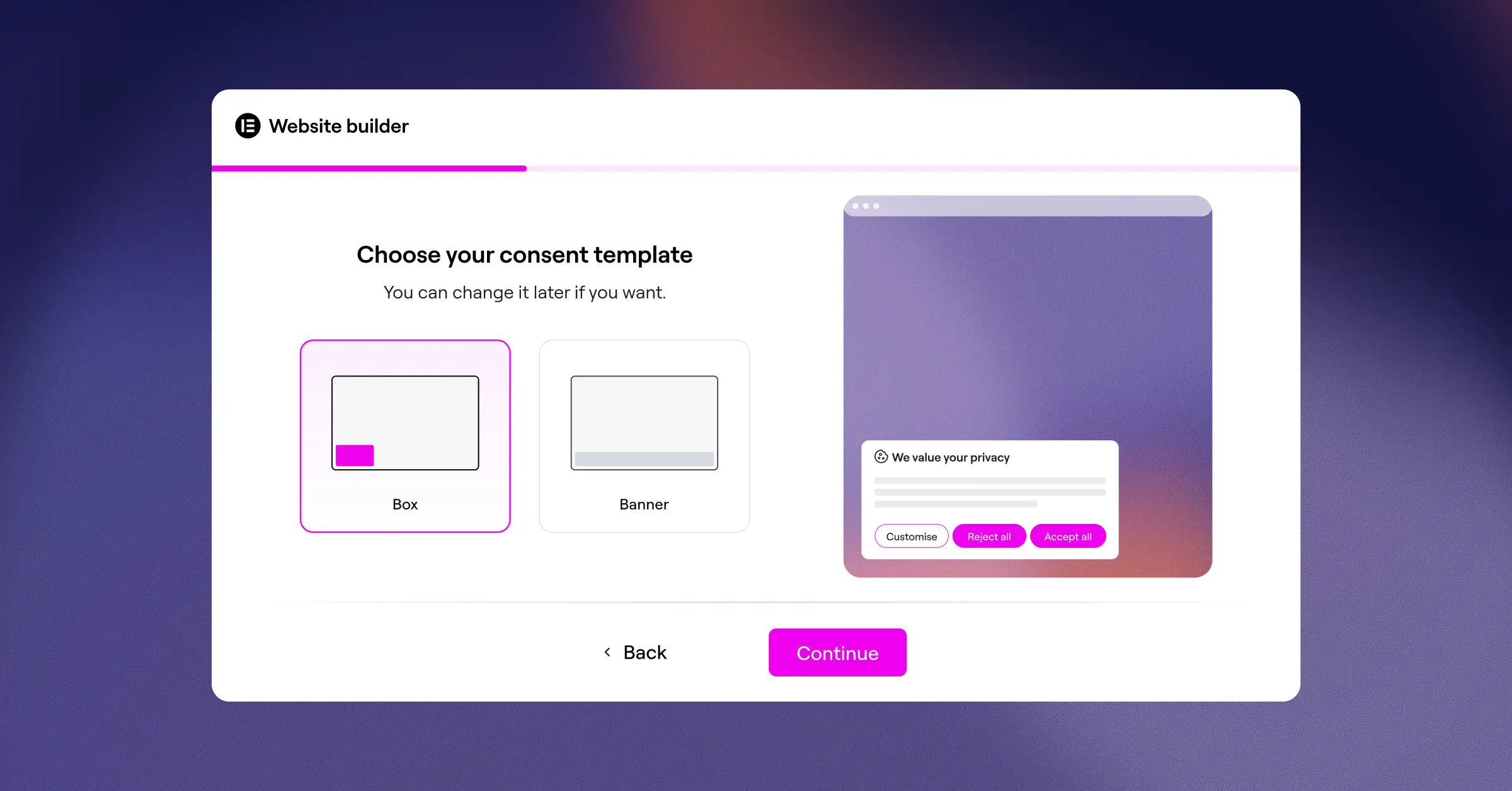
The newly released Cookie Consent capability by Elementor is a WordPress-native solution built directly into your site management flow. Because it lives inside your WordPress dashboard, you don’t need to manage any external accounts or connect third-party scripts. You can get your compliance setup running in under five minutes using cloud-based templates and a simple three-step wizard.
This capability is part of Elementor’s broader commitment to helping site owners stay in control. It works hand-in-hand with Web Accessibility to cover your complete compliance setup from one place. You can use its visual editor to customize every button, color, and font to match your brand, and it includes full support for Google Consent Mode v2, geo-targeting, and automatic script blocking, all with zero coding required.
Here’s what makes this capability stand out:
- Builds beautiful, custom consent banners directly inside your familiar WordPress editor.
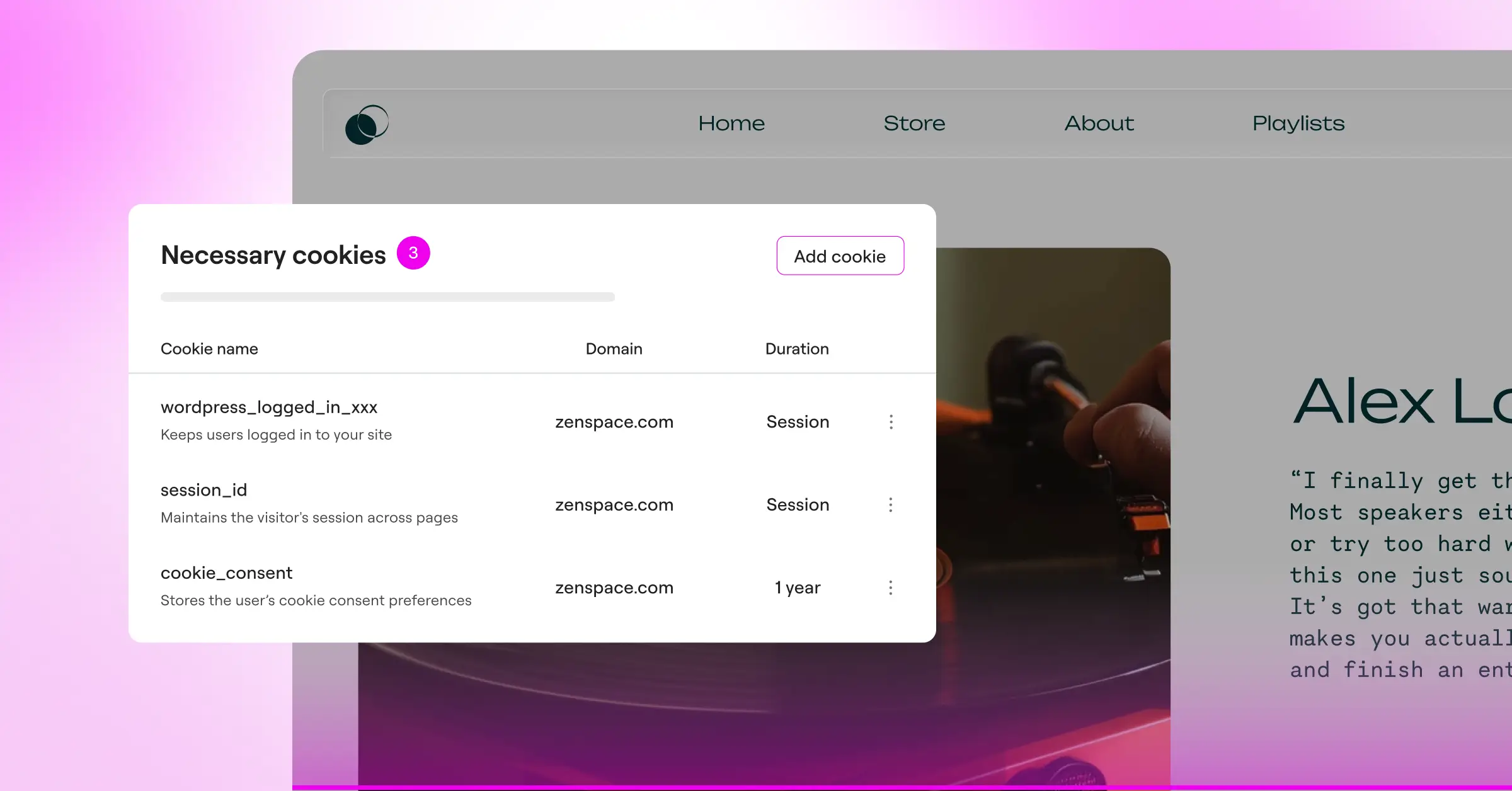
- Tracks user permissions using a local, secure consent log for audit readiness.
- Connects with Google Consent Mode v2 to keep your analytics running without interruption.
- Pulls designer-made cloud templates to match your site’s aesthetic instantly.
- Scans your website to discover and categorize trackers automatically.
- Controls banner visibility based on visitor location with smart geo-targeting.
Pros:
- Requires no external account or third-party dashboard to manage your settings.
- Includes a built-in policy generator to handle your legal text.
- Includes a free tier and comes bundled in the Elementor One suite.
- Supports Global Privacy Control (GPC) signals from modern browsers.
Cons:
- Works best when you’re already using the Elementor ecosystem to build your site.
Verdict: This is the standout choice for WordPress users who want a simple, customizable, and completely dashboard-native compliance experience. It’s quick to set up, friendly to use, and genuinely effective.
“Managing privacy isn’t just about avoiding a legal penalty; it’s about building an honest, transparent relationship with your visitors. The best consent systems are those that stay out of the way of your design while giving users absolute control over their data.”
Itamar Haim, Web Compliance Specialist
2. Cookiebot
Cookiebot is an established cloud-based solution that helps websites achieve compliance through automated processes. It scans your site once a month to locate tracking technologies and update your banner accordingly. It’s an external service, though it offers a dedicated WordPress connector for integration.
This tool is well-suited for larger businesses that want to delegate their scanning to an automated cloud service. Because it runs on an external platform, you’ll manage your settings outside of WordPress, which adds a step to your usual workflow.

- Scans your entire website automatically once a month to catalog active trackers.
- Stores user consent data on secure external cloud servers for historical proof.
- Blocks unrecognized scripts from running until a user explicitly clicks accept.
- Generates an automated, detailed cookie declaration page for your legal team.
Pros:
- Performs thorough, reliable automated domain scans.
- Supports a wide library of global languages for international audiences.
Cons:
- Requires logging into an external website to adjust your visual banners.
- Pricing can increase as your website grows in page count.
Verdict: A solid option for larger enterprise sites that prefer a hands-off, cloud-managed approach and are comfortable with subscription pricing tied to page count.
3. CookieYes
CookieYes is a widely used consent management platform that operates as a hybrid service. It offers a companion WordPress connector while keeping its main configuration settings on an external cloud app. It’s designed to be compatible with GDPR, CCPA, and a range of other privacy frameworks.
With a clean interface and straightforward settings, CookieYes is a popular choice for developers managing multiple websites. It gives good control over custom branding, though you’ll move between your site and their cloud portal to make design adjustments.

- Builds responsive layouts that look great on both mobile and desktop.
- Connects with major privacy frameworks including GDPR, CCPA, and LGPD.
- Logs every user decision in a cloud registry to help with compliance audits.
- Supports automatic language display based on your visitor’s location.
Pros:
- Clean, friendly cloud dashboard that’s easy to navigate.
- Includes a free tier that works for lower-traffic websites.
Cons:
- Requires an API key connection to link your WordPress site to the cloud platform.
- Free-tier limits can cause the banner to stop displaying if traffic spikes unexpectedly.
Verdict: A reliable, standard choice if you want a dedicated external dashboard for managing consent settings across multiple web properties.
4. Complianz
Complianz is a privacy tool designed specifically for the WordPress environment. It walks you through a detailed setup wizard that asks questions about your business practices and configures your banner based on your answers. It’s well-regarded for its privacy-first approach.
Complianz is a strong option for those who want step-by-step guidance on complex legal requirements. That said, the number of configuration screens can feel like a lot if you’re hoping for a quick five-minute setup (this one takes more time than most).

- Generates customized legal documents and policies using a localized setup wizard.
- Detects local cookies and plugins currently active on your WordPress server.
- Configures regional banners that adapt automatically based on your visitor’s IP address.
- Blocks specific integration scripts like YouTube embeds before a user consents.
Pros:
- Keeps all configuration data stored within your local WordPress database.
- Offers deep integrations with common WordPress contact forms and plugins.
Cons:
- The setup questionnaire takes time and can feel repetitive to complete.
- Achieving a highly unique visual style may require custom CSS work.
Verdict: A great fit for users who want wizard-guided help understanding the specific legal rules that apply to their jurisdiction.
5. iubenda
iubenda is a complete legal compliance suite for websites and applications. Rather than focusing only on cookie banners, it covers a full range of privacy policies, terms and conditions documents, and consent management tools. It’s maintained by a team of legal professionals who keep the language current.
Because it’s a professional legal tool, it’s highly detailed, and best suited for websites that need to generate complex terms of service alongside their standard cookie notices. The interface leans toward legal compliance professionals rather than casual site creators.

- Generates professional privacy and cookie policies that update automatically.
- Updates legal texts in real-time as global privacy regulations change.
- Syncs your preferences across multiple platforms through a central dashboard.
- Tracks cookie choices and consent history through a professional dashboard.
Pros:
- High-quality legal documents written and maintained by compliance lawyers.
- Well-suited for complex sites with multiple legal policy requirements.
Cons:
- The setup process involves professional legal terminology and can take time to work through.
Verdict: A solid professional-grade choice for sites that need automated legal document generation alongside a regular consent banner.
6. Termly
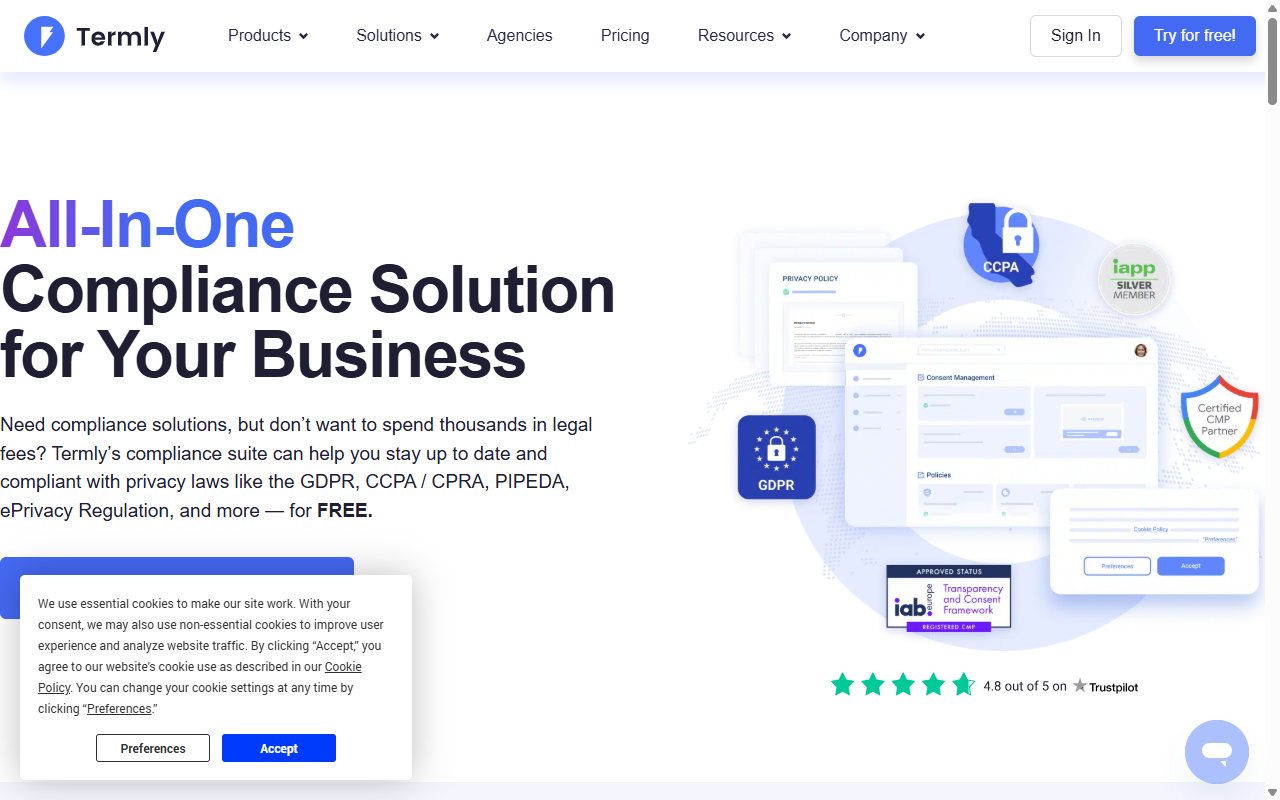
Termly is a compliance platform built for small businesses and content creators who need to stay legally compliant. It offers a suite of policy generators, including privacy policies, terms and conditions, and a cookie consent manager. The interface is clean and accessible, making it easy to get started.
Termly is a cloud service, so you’ll design your banner on their main website and then copy a small code snippet into your WordPress site. It’s straightforward to use, though you won’t get the same native WordPress editing experience.
- Builds professional consent banners using a simple visual configurator.
- Scans your website weekly to categorize newly added tracking pixels.
- Generates legally compliant disclosures that display clearly on your site.
- Logs consent events securely to meet GDPR compliance requirements.
Pros:
- Clean, modern interface that’s easy for beginners to navigate.
- Includes a policy generator built directly into the setup workflow.
Cons:
- Requires placing external JavaScript on your website to load the banner.
- The free tier has strict limits on monthly consent log volume.
Verdict: A polished, beginner-friendly cloud option if you want basic legal policies and a simple cookie banner under one roof.
7. OneTrust
OneTrust is a widely recognized enterprise-level privacy and risk management platform. It’s built for large corporations, financial institutions, and global websites that require deep, complex compliance capabilities. It offers detailed control over data tracking and script execution across large properties.
While OneTrust is feature-rich, it’s generally considered more complex and costly than most standard WordPress blogs, small portfolios, or local business sites need. The setup process typically requires specialized technical training.

- Manages enterprise-wide privacy settings across thousands of web pages.
- Tracks individual user permissions across multiple devices and apps.
- Scans complex, custom-built web applications for hidden trackers.
- Controls user preferences using a highly structured preference center.
Pros:
- Extensive customization and configuration options for large enterprises.
- Trusted by major global brands and legal teams worldwide.
Cons:
- Complex to deploy and maintain without dedicated technical staff.
Verdict: The go-to option for enterprise-level organizations that need advanced data mapping and have the resources to support professional deployment.
8. Osano
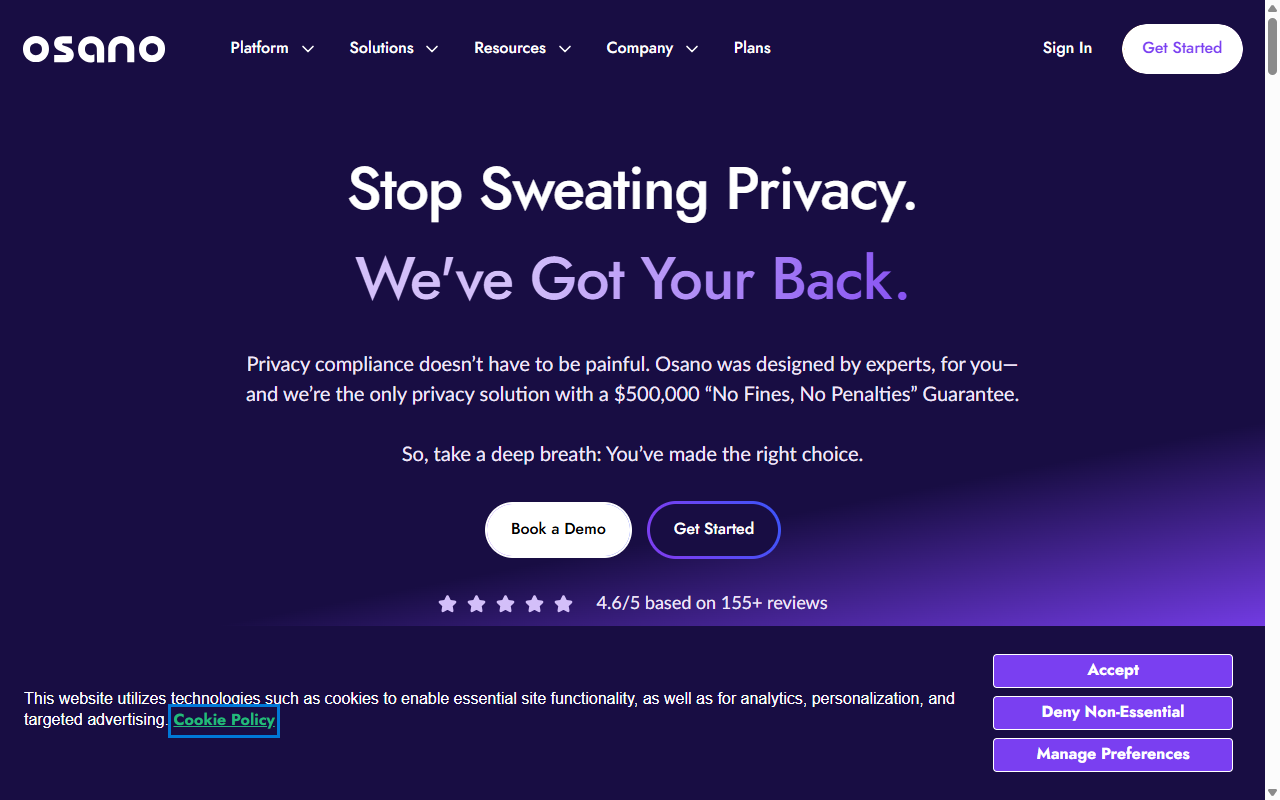
Osano is a privacy platform focused on simplicity, data management, and risk reduction. One of its distinctive features is a vendor monitoring system that alerts you when any of your third-party scripts quietly change their own privacy practices, genuinely useful if you rely on many external services.
Osano operates entirely through a cloud setup and aggressively blocks scripts until consent is given, which keeps you protected but does require some testing to make sure important site features aren’t accidentally blocked.
- Manages global consent rules automatically using pre-vetted legal databases.
- Blocks non-compliant trackers before they can load in user browsers.
- Tracks third-party software vendors to keep your supply chain compliant.
- Displays localized banners based on your visitor’s current location.
Pros:
- Includes a legal compliance guarantee for site owner peace of mind.
- Effective at blocking rogue third-party tracking scripts automatically.
Cons:
- Entry-level plans can be on the expensive side for independent creators and bloggers.
- No native WordPress integration : everything is managed through their external cloud.
Verdict: A worthwhile premium option for businesses that prioritize thorough security and want automated vendor monitoring built in.
9. GDPR Cookie Consent (by WebToffee)
This is a popular, dedicated WordPress plugin that’s been around for many years. It focuses squarely on helping you create a cookie notice bar on your site. It’s simple, reliable, and keeps all its settings within your WordPress dashboard, a real plus for anyone who doesn’t want to deal with external services.
It works well for basic sites, though it lacks the design polish of more modern visual builders. It’s functional, but you may want custom CSS if you’re after a highly styled banner.
- Builds simple, customizable cookie notice bars at the top or bottom of your page.
- Categorizes your site’s cookies manually or through their online lookup service.
- Controls which scripts run based on the categories a visitor selects.
- Exports visitor consent histories into CSV files for legal documentation.
Pros:
- Keeps configuration local, with no external cloud login needed.
- Compatible with standard translation plugins like WPML.
Cons:
- The free tier requires manually entering and categorizing all your cookies.
- Visual styling options feel rigid compared to modern layout builders.
Verdict: A dependable, traditional WordPress option for a basic banner without any external subscription costs.
10. WP GDPR Compliance
WP GDPR Compliance is a lightweight, open-source tool built to help WordPress owners add consent checkboxes to their existing forms. It’s not a banner builder, it’s a focused, functional tool for securing your contact forms, comment sections, and WooCommerce checkout pages.
If you already have a cookie banner but need a simple way to add legal checkboxes to your built-in WordPress interaction points, this is a natural companion for that job.
- Integrates directly with standard WordPress contact forms, comment fields, and forums.
- Tracks user requests for data access or account deletion.
- Blocks native WordPress scripts from running before a user agrees to your terms.
- Keeps compliance settings organized within a single, minimal admin page.
Pros:
- Completely free and open-source, with no hidden fees or limitations.
- Lightweight enough that it won’t affect your page loading times.
Cons:
- Doesn’t include a visual cookie banner builder.
- Requires manual configuration for non-standard contact plugins.
Verdict: A lightweight helper for form-level compliance, you’ll likely want to pair it with a dedicated banner solution for complete cookie coverage.
Side-by-Side Comparison of the Best Cookie Consent Tools
To help you see how these tools match up at a glance, here’s a comparison table covering their key strengths and core focus areas.
| Tool Name | WordPress Native | Consent Mode v2 Support | Geo-Targeting | Core Focus |
|---|---|---|---|---|
| Cookie Consent (by Elementor) | Yes | Yes | Yes | Modern design, fast dashboard integration, and ease of use. |
| Cookiebot | No | Yes | Yes | Automated monthly cloud scanning for enterprise domains. |
| CookieYes | No | Yes | Yes | Multi-site cloud management for agencies and developers. |
| Complianz | Yes | Yes | Yes | Wizard-guided questionnaires and local configuration. |
| iubenda | No | Yes | Yes | Professional legal document generation and dynamic policies. |
| Termly | No | Yes | Yes | Simple visual design and quick basic policy generation. |
| OneTrust | No | Yes | Yes | Deep corporate data mapping for large enterprise sites. |
| Osano | No | Yes | Yes | Automated script blocking and vendor risk monitoring. |
| GDPR Cookie Consent | Yes | Yes | No | Straightforward, traditional consent notice bars. |
| WP GDPR Compliance | Yes | No | No | Form-based checkboxes and local data privacy requests. |
How to Configure Cookie Consent on Your Site
Setting up your privacy banner takes just a few minutes, no coding knowledge needed. Here’s a straightforward step-by-step process to get your site protected and your visitors informed.
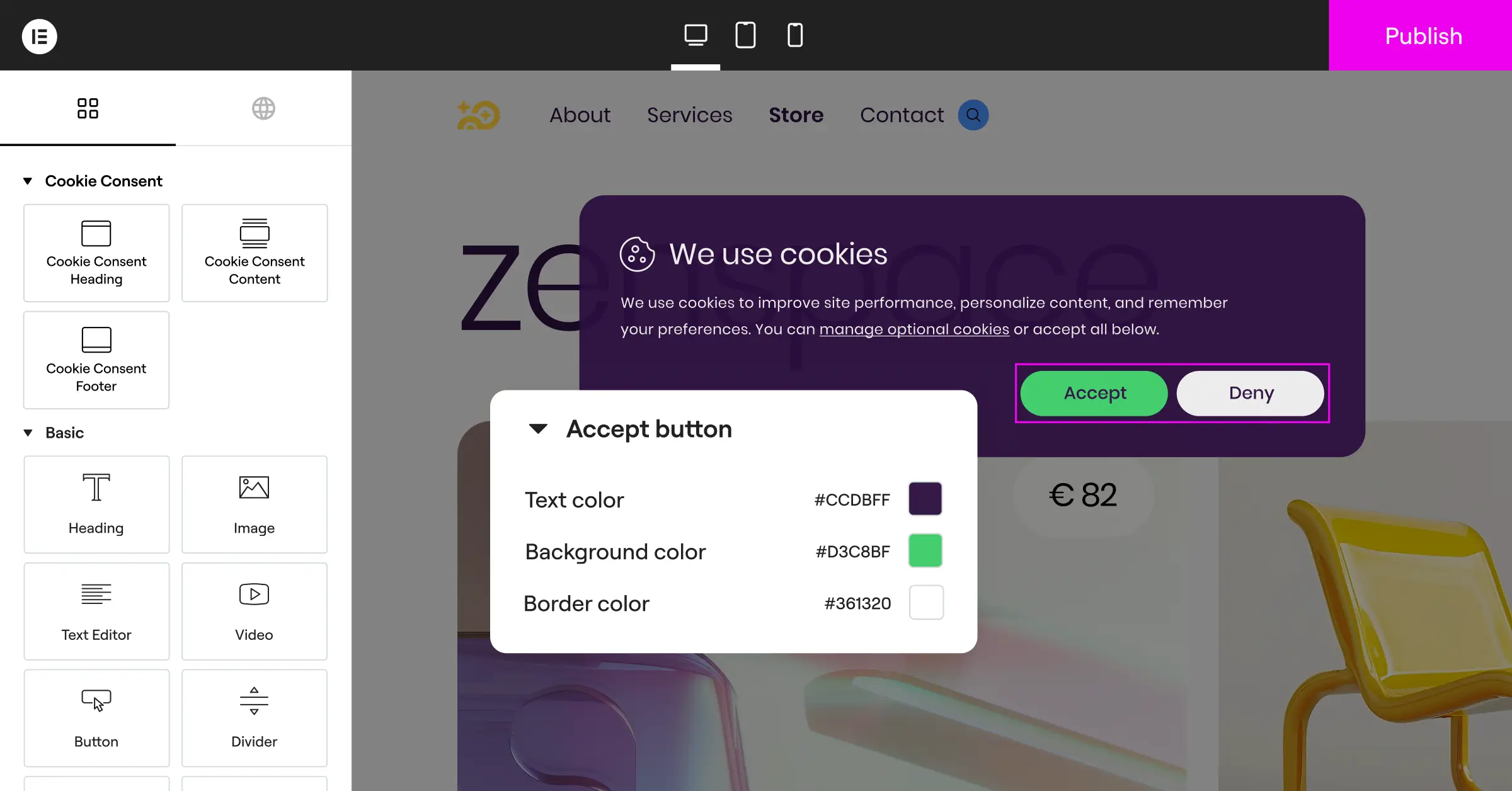
Follow these steps to activate your setup:
- Run an automatic scan. Let your chosen tool crawl your WordPress site to identify active tracking scripts and categorize them into groups like analytics, marketing, and essential functions.
- Design your visual banner. Customize the color scheme, button shapes, and typography to match your theme. Keep the layout clean and easy to read so visitors immediately understand their options.
- Turn on Google Consent Mode v2. Head to your tool’s settings and toggle Consent Mode v2 on. This keeps your Google tags behaving correctly, preserving clean analytics data while respecting user privacy choices.
Best Practices for Maintaining Privacy Compliance
Compliance isn’t a one-time project. As you add new features, switch out marketing tools, or launch new content, your site’s tracking behavior can quietly shift. Keeping things in order long-term is genuinely simple if you build a few habits around it.
Use this routine to keep your site in good shape:
- Run quarterly script reviews. Every few months, check your WordPress dashboard for deactivated plugins that might still be loading code on your front end, and remove anything you no longer need.
- Review your privacy document. Whenever you start using a new marketing service, update your privacy policy to disclose how you collect and store that new data.
- Verify your consent logs. Take a quick look at your local consent database to confirm that user permissions are being recorded correctly, giving you a reliable audit trail if you’re ever asked for it.
Frequently Asked Questions
Do I really need a cookie consent banner on my small WordPress site?
Yes, you do. Privacy laws like GDPR protect visitors based on where they live, not where your business is based. If a single person from Europe visits your small site, you’re legally required to offer them a choice about their data. And beyond compliance, having a banner builds visitor trust and makes your site look more professional.
What happens if I don’t use Google Consent Mode v2?
If you use Google Analytics or Google Ads and serve visitors in Europe without Consent Mode v2, Google will stop you from measuring user actions or tracking conversions. Your advertising campaigns will start breaking, and your data reports will become unreliable, which makes it a priority to fix rather than something you can put off.
Will a cookie banner slow down my website?
It depends on the tool. Heavy external services can add load time because they fetch scripts from remote servers. A native WordPress capability like Cookie Consent is built to run locally, keeping your pages fast and clean for your visitors (this one’s worth checking when you’re comparing options).
Can I customize the banner to match my theme?
Absolutely. Most quality tools let you adjust the styling. With a native capability like Elementor’s, you can use a visual editor to change fonts, button colors, and layout so the banner looks like a natural, intentional part of your site design.
What’s the difference between essential and non-essential cookies?
Essential cookies are what your site needs to function, things like keeping items in a shopping cart or keeping a user logged in. You don’t need consent for those. Non-essential cookies include tracking pixels, analytics codes, and social media buttons, all of which require explicit visitor consent before they can load.
Is a free cookie consent tier enough for a basic website?
Yes, a free tier is often perfect for blogs, portfolio sites, and small local businesses. As long as your free tool supports automatic script blocking, basic customization, and Google Consent Mode v2, you’ll have what you need to stay fully compliant without spending a penny.
Do I need to keep a record of every visitor’s consent?
Yes. Privacy regulations like the GDPR require you to prove a visitor gave consent if you’re ever audited. A good consent tool will automatically record these choices in a secure, local log, creating an anonymous audit trail that keeps your business protected.






