
Keeping your WordPress site compliant with privacy laws can feel overwhelming at first. Between GDPR, CCPA, Google Consent Mode v2, and a constant stream of regulatory updates, there’s genuinely a lot to track. But here’s the good news: you don’t need a law degree or a team of developers to get this right. With the right tool in place, you can protect your visitors, stay legal, and keep your site running smoothly, all from inside your WordPress dashboard. We’ve pulled together the best options for managing cookie consent this year so you can make a confident, informed choice.
Key Takeaways
- WordPress-native solutions save you time by letting you manage everything directly inside your dashboard.
- Google Consent Mode v2 is now highly important if you use Google services and have visitors from the European Union.
- Customization is vital because your cookie banner needs to match your brand style without looking like an afterthought.
- Geo-targeting features keep your site clean by showing banners only to visitors who legally require them.
- Consent logging provides a clear audit trail to protect your business from regulatory issues.
Why Cookie Consent Matters More Than Ever in 2026
The rules of the web are shifting quickly, and the stakes are real. Regulatory agencies around the world are issuing larger fines for non-compliance, and search engines have introduced tighter tracking standards that directly affect your ad and analytics accounts. A static pop-up banner that just sits there is no longer enough. You need an active system that blocks tracking scripts before your visitors give their permission, not after.
Google Consent Mode v2 is now a strict requirement for websites serving traffic in the European Economic Area. If your site doesn’t support this standard, your Google Ads and Google Analytics accounts can stop tracking conversions properly. That’s not just a legal problem, it’s a marketing problem that shows up in your data. Getting the right consent tool is, practically speaking, as much about protecting your campaigns as it is about following the rules.
Your visitors are more privacy-aware than ever, too. When they land on your page, they want clear, honest choices. A clean, well-designed consent banner signals that you respect their data and take their preferences seriously. That kind of trust keeps people engaged, lowers bounce rates, and builds the sort of relationship that turns visitors into loyal readers or customers. Making compliance approachable is genuinely good for your business.
“Privacy compliance is no longer just a legal checklist; it’s a fundamental part of building trust with your visitors. When you make consent clear and easy, you respect your audience.”
– Itamar Haim, Web Compliance Specialist
The Best WordPress Cookie Consent Tools Compared
Before we get into the details of each tool, here’s a quick side-by-side comparison on the features that matter most. It’ll give you a solid starting point for finding the right fit.
| Tool Name | WordPress Native? | Consent Mode v2? | Entry-Level Plan? | Best Suited For |
|---|---|---|---|---|
| Cookie Consent | Yes (Dashboard Built-In) | Yes | Yes | Site owners wanting a dashboard-native, fast compliance tool |
| Cookiebot | No (External Dashboard) | Yes | Yes | Larger sites needing multi-platform management |
| CookieYes | No (External Dashboard) | Yes | Yes | Users who want simple cloud-based control panels |
| Complianz | Yes | Yes | Yes | Site owners wanting legal document generators |
| iubenda | No (External Dashboard) | Yes | Yes | Sites needing complete legal privacy policies built-in |
| Termly | No (External Dashboard) | Yes | Yes | Small businesses wanting simple, automated legal terms |
| OneTrust | No (External Dashboard) | Yes | No | Large enterprise companies with massive traffic |
| Osano | No (External Dashboard) | Yes | Yes | Teams looking for complete compliance guarantees |
| Usercentrics | No (External Dashboard) | Yes | No | Agencies managing various marketing tracking tools |
| ConsentManager | No (External Dashboard) | Yes | Yes | Publishers who rely heavily on ad networks |
1. Cookie Consent
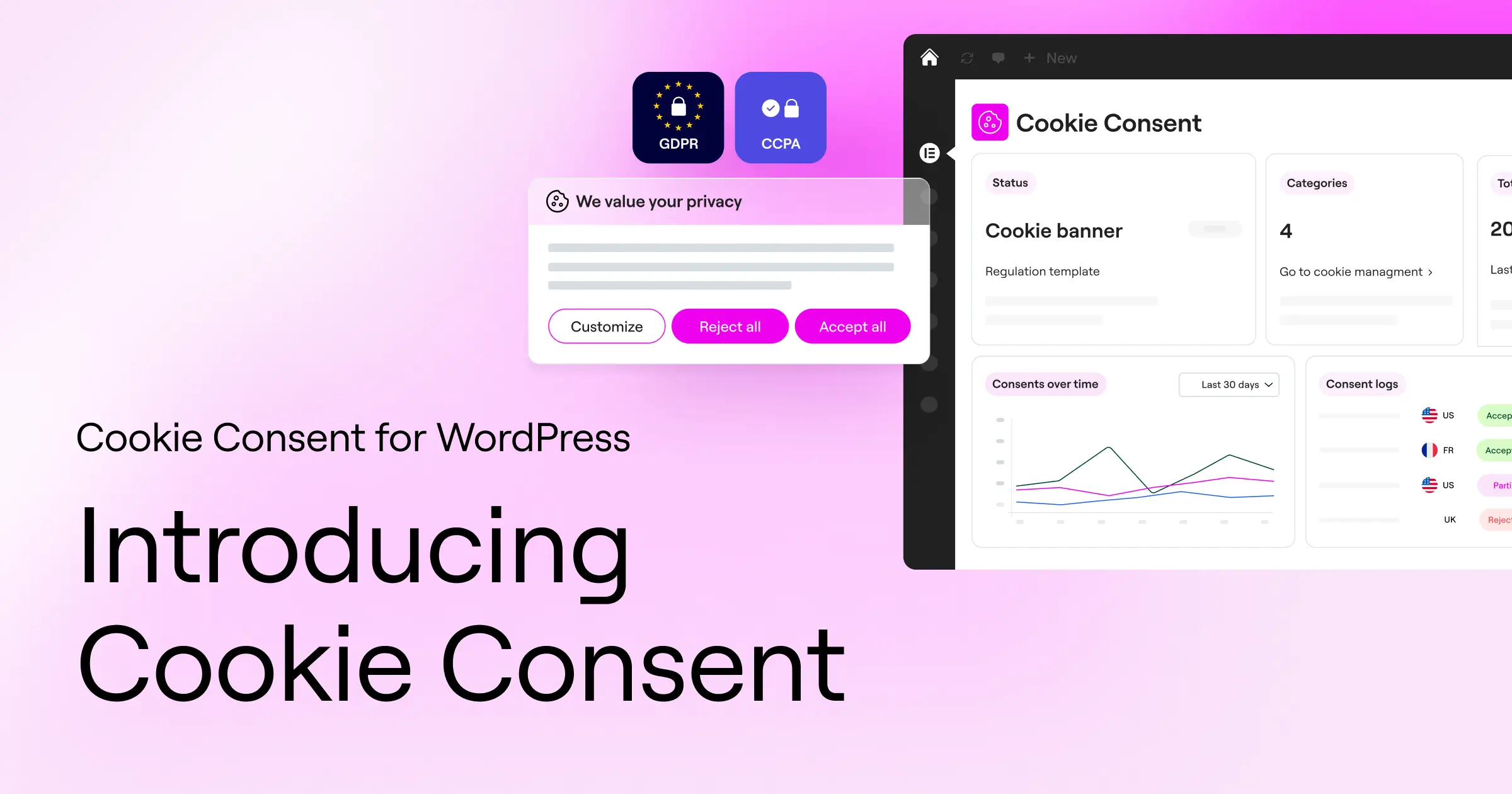
The first solution on our list is Cookie Consent, a capable compliance tool built by the team at Elementor. It’s designed from the ground up for WordPress site owners who want a straightforward way to keep their sites legal, without the hassle of managing yet another external account. Unlike many other tools that require you to log into a separate platform to configure your banners, Cookie Consent runs entirely inside your WordPress dashboard, keeping your workflow clean and unified.
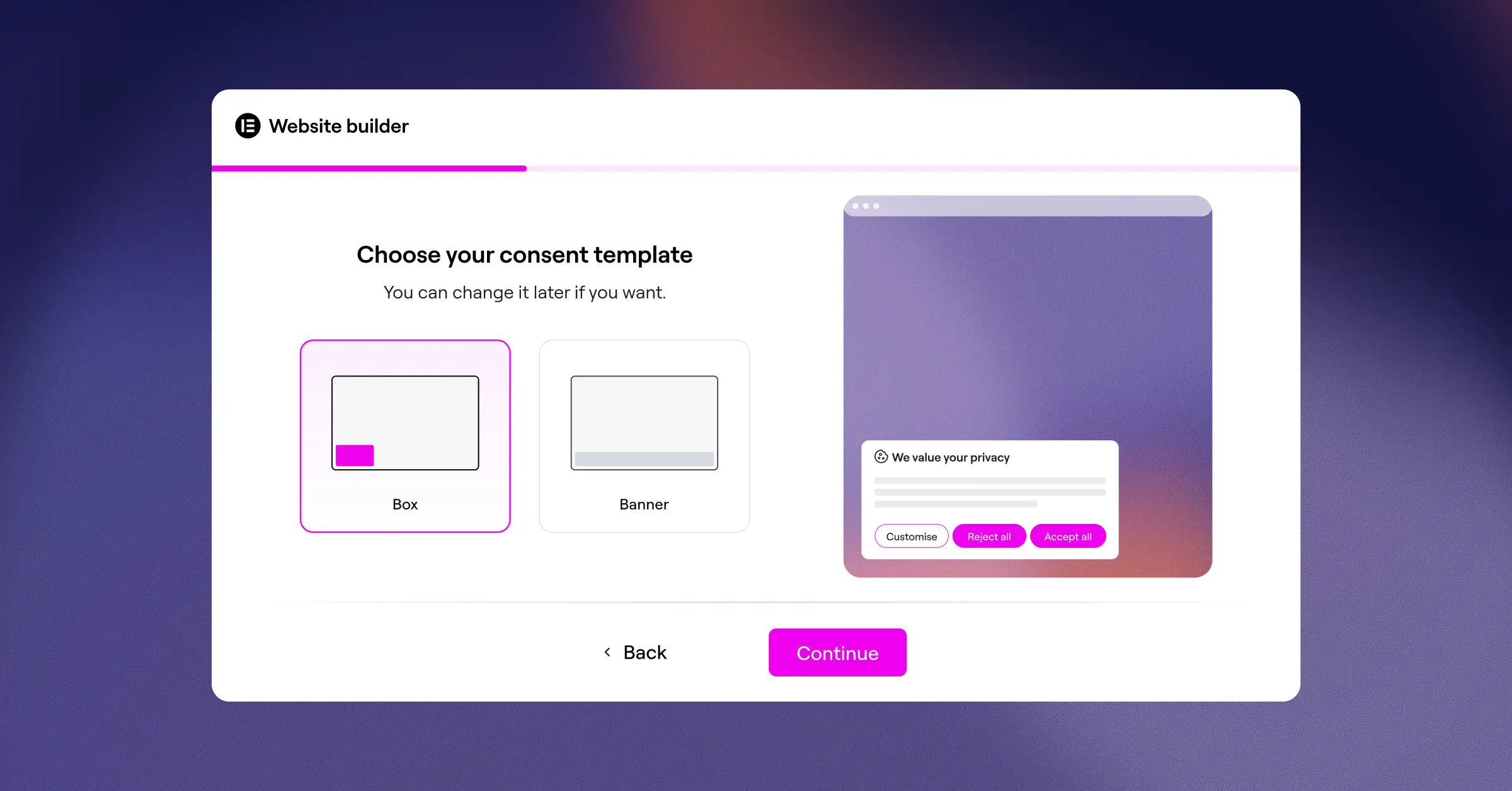
Setting up your banner takes under five minutes (it’s simpler than it sounds), which makes it a great choice if you want compliance without a long, tedious setup process. Because it’s built directly into WordPress, it doesn’t load heavy external scripts that slow down your pages. You can fully customize the look and feel of your banners to match your site design, so everything feels consistent across your Elementor-built pages. It also works well alongside Elementor Web Accessibility, helping you cover multiple compliance bases without juggling separate tools.
This capability is included in the Elementor One package, giving you a complete set of features to secure and design your website. It’s an excellent choice for anyone who wants a clean compliance setup without paying extra for external platform fees.
Key Features
- Scans your site automatically to categorize all cookies and tracking scripts.
- Builds beautiful, fully customized banners that match your brand identity perfectly.
- Saves complete consent logs directly in your WordPress dashboard for audit readiness.
- Connects smoothly with Google Consent Mode v2 and Global Privacy Control out of the box.
- Loads lightweight code that keeps your site speed fast and your visitors happy.
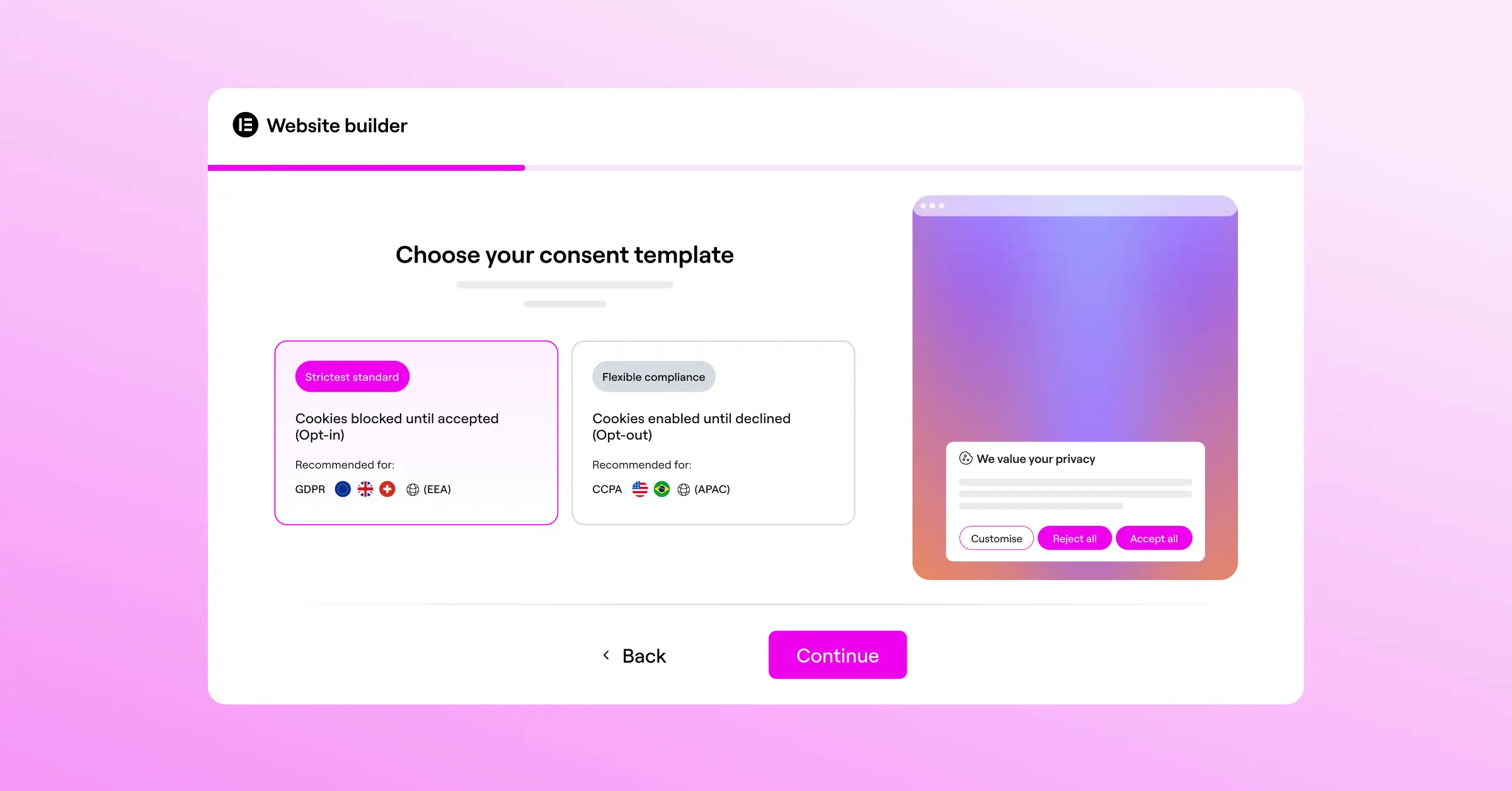
- Adapts banners to visitors based on their location using geo-targeting features.
For advanced features like geo-targeting and the complete template cloud, Cookie Consent is included as part of Elementor One, making it a cost-effective option for developers and agencies.
Pros & Cons
- Pro – Completely native to WordPress with no external accounts needed.
- Pro – Fast, 5-minute setup process that’s perfect for beginners.
- Pro – Fully compatible with Google Consent Mode v2 and Global Privacy Control.
- Con – Focused entirely on WordPress, so it’s not suited for non-WordPress platforms.
Verdict
Cookie Consent is the top pick for WordPress site owners who want a fast, built-in compliance solution. It sidesteps the headache of external dashboard setups while delivering solid compliance coverage and deep design control.
2. Cookiebot

Cookiebot is a widely recognized name in the consent management space. It offers a cloud-based service that handles compliance across several different web platforms. The tool works by scanning your site on a regular schedule to detect any tracking scripts and cookies currently running, then organizing those scripts into clear categories for your visitors to see.
Because Cookiebot operates as an external service, you’ll manage most of your configuration from their main website dashboard. They offer a WordPress connector to link your site to their servers. It’s a reliable option, but it does mean adding another dashboard to your daily workflow.
Key Features
- Scans websites regularly to detect and block trackers automatically.
- Generates cookie declarations that update on your site in real-time.
- Stores consent data in a secure cloud repository.
- Supports multiple languages to accommodate global audiences.
For larger sites, pricing is based on your total page count, which can increase as your content library grows.
Pros & Cons
- Pro – Automatic blocking of known third-party scripts.
- Pro – Regular automated site scans that keep your lists updated.
- Con – Requires an external account and a separate login to manage.
- Con – Can become costly for growing blogs with thousands of posts.
Verdict
Cookiebot is a stable, established choice for websites that are comfortable with a monthly subscription and prefer managing compliance from an external cloud interface.
3. CookieYes

CookieYes is a cloud-based tool that makes consent management fairly straightforward. It features an intuitive control panel where you can design your banners and review your visitor consent history. It works with major content management systems, including WordPress.
The main appeal of CookieYes is its simplicity. The configuration process is quick, and the design tools let you adjust banner colors and layouts with ease. It’s a popular option for small business owners who need a direct path to basic GDPR compliance without a lot of technical complexity.
Key Features
- Manages consent banners through a straightforward cloud dashboard.
- Logs user consent preferences to help you stay compliant.
- Customizes layout and behavior of banners to suit your preferences.
- Blocks third-party scripts automatically until consent is granted.
Paid tiers are structured based on the monthly traffic your site receives, making costs fairly predictable as you grow.
Pros & Cons
- Pro – Clean and easy-to-use cloud dashboard interface.
- Pro – Simple, fast installation process on WordPress sites.
- Con – Entry-level plan limits features like geo-targeting and custom styling.
- Con – High traffic spikes can push you into more expensive paid tiers quickly.
Verdict
CookieYes is a reliable pick for site owners who want an easy setup and don’t mind using an external cloud dashboard to keep track of their consent logs.
4. Complianz

Complianz is a dedicated privacy suite built specifically for the WordPress community. Rather than just displaying a banner, it helps you build the actual legal documents your site needs. The tool uses a guided setup wizard that asks questions about your business and site features, then builds your policies based on your answers.
This tool is notably focused on regional laws. It can adjust your banner behavior depending on whether a visitor is in Europe, the United Kingdom, or North America, which keeps your site compliant without showing banners to visitors who don’t require them.
Key Features
- Configures your setup through a step-by-step wizard system.
- Generates customized legal documents for different regions.
- Integrates with popular contact form tools and social media embeds.
- Supports a wide range of privacy frameworks including GDPR and CCPA.
Premium versions offer advanced regional setups, multilingual capabilities, and automated legal document updates.
Pros & Cons
- Pro – Generates legal policies directly within your site.
- Pro – Strong integration with common WordPress forms and tools.
- Con – The setup wizard is long and can feel involved for less technical users.
- Con – Advanced legal documents require a premium tier purchase.
Verdict
Complianz is a solid choice if you need help generating your actual privacy policies and want a technical, region-aware setup that lives directly inside WordPress.
5. iubenda

iubenda offers a complete legal compliance suite for websites. They go beyond cookies, helping you manage privacy policies, terms of service, and user consent records. It’s a professional option for businesses that want a complete legal compliance package from a single provider.
Because iubenda is backed by legal professionals, their policies are regularly updated to reflect new regulations. The trade-off is that the interface is fairly complex and requires some technical comfort to configure correctly (this one trips a lot of people up at first).
Key Features
- Generates privacy policies and cookie policies automatically.
- Updates legal text automatically when regulations change.
- Integrates cookie banners and consent preferences into your theme.
- Saves consent preferences for various online forms.
They offer a limited entry-level plan, but most businesses will need a paid plan for full functionality.
Pros & Cons
- Pro – Legally backed policies that update automatically in the cloud.
- Pro – Covers a wide variety of legal documents beyond cookie banners.
- Con – The dashboard has a steeper learning curve than simpler alternatives.
Verdict
iubenda is best suited for professional businesses that need a full legal compliance suite and want their terms and privacy policies managed by legal experts.
6. Termly
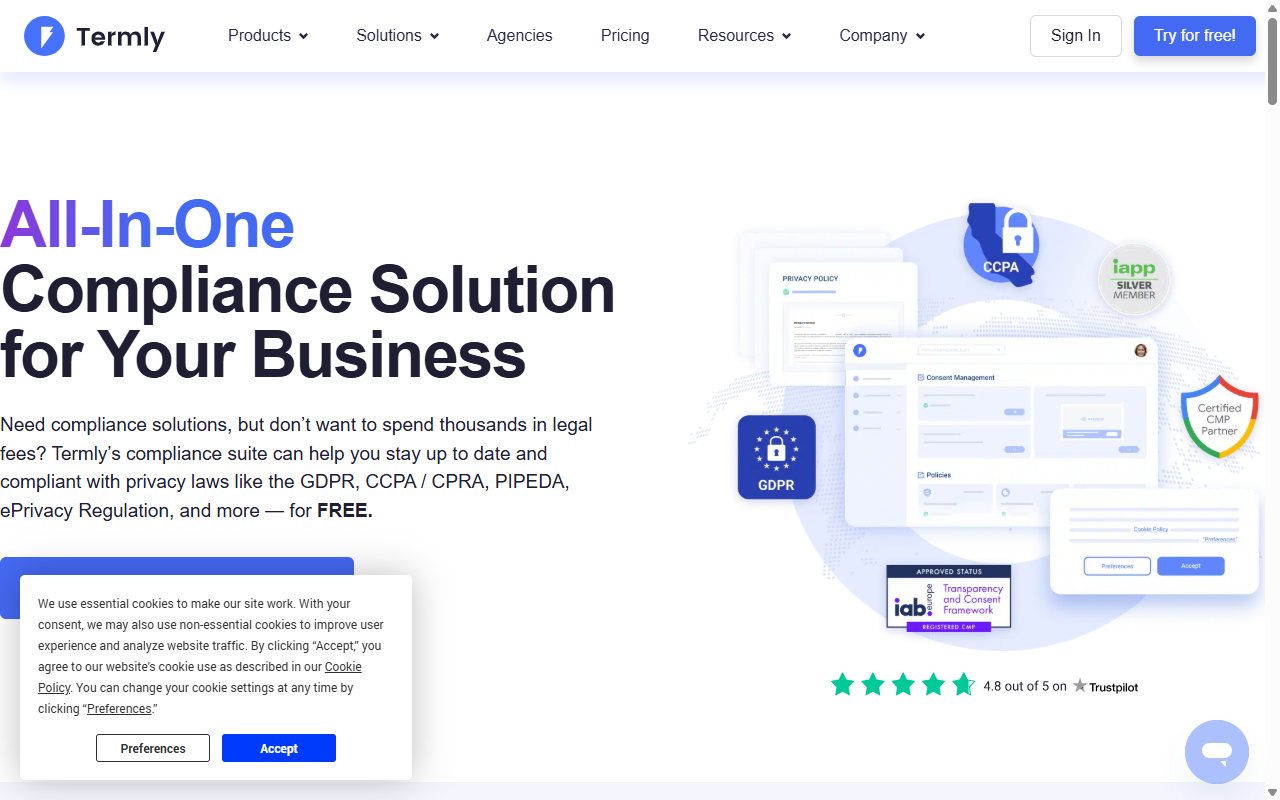
Termly is a compliance platform designed with small businesses in mind. It helps you build cookie banners, terms and conditions, and privacy policies. The service scans your site to locate active cookies and sets up a basic consent banner to keep you compliant.
The system is clean and approachable. It’s built to save you time so you can focus on running your business rather than studying complex legal requirements.
Key Features
- Creates complete privacy agreements and cookie policies.
- Scans your website for active tracking scripts on a regular schedule.
- Displays customizable consent banners to match your design.
- Logs consent responses for reporting and auditing purposes.
Paid plans unlock custom branding and automatic policy updates.
Pros & Cons
- Pro – Simple, easy-to-read interface that’s great for beginners.
- Pro – Quickly generates standard legal policies for your site.
- Con – Entry-level plan includes Termly branding on your banners.
- Con – Less flexible developer options compared to some other tools.
Verdict
Termly is a good fit for small businesses that want a simple compliance package without dealing with advanced custom code or complex settings.
7. OneTrust

OneTrust is a large enterprise-level privacy management platform. It’s built for massive websites and corporate networks that need to manage consent across thousands of pages and multiple global regions, offering deep tracking and reporting capabilities.
While OneTrust is feature-rich, it’s generally too complex and costly for individual WordPress site owners. The setup process is extensive and typically requires a dedicated administrator to manage effectively.
Key Features
- Delivers enterprise-level compliance tracking for complex sites.
- Maps cookies and trackers across large networks of websites.
- Supports deep geolocation targeting to match strict regional requirements.
- Monitors consent analytics to help you optimize opt-in rates.
OneTrust focuses on custom enterprise pricing for organizations with large, complex compliance needs.
Pros & Cons
- Pro – Extensive feature set for global compliance management.
- Pro – Advanced reporting and analytics for corporate teams.
- Con – Complex setup process that takes considerable time and expertise.
- Con – Pricing is geared toward enterprise budgets.
Verdict
OneTrust is the standard choice for enterprise organizations managing compliance at scale, but it’s far too heavy for the typical WordPress site owner or small business.
8. Osano
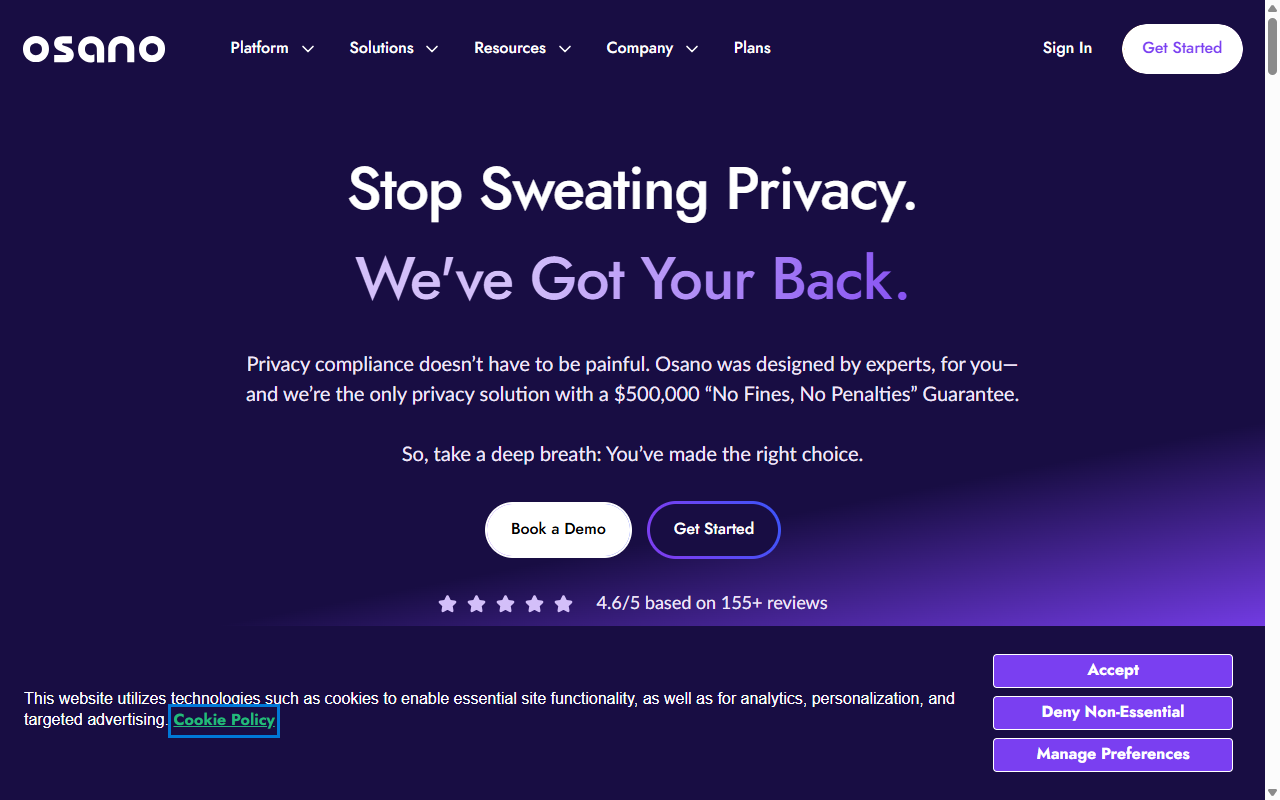
Osano is a well-regarded privacy platform known for its focus on simplicity and legal safety. They’re so confident in their compliance tools that they offer a legal guarantee to help protect your business from compliance fines. It’s a cloud-hosted tool that connects with WordPress through manual integration.
The platform blocks data transfers to non-compliant vendors, helping you keep your site clean and more protected from regulatory exposure.
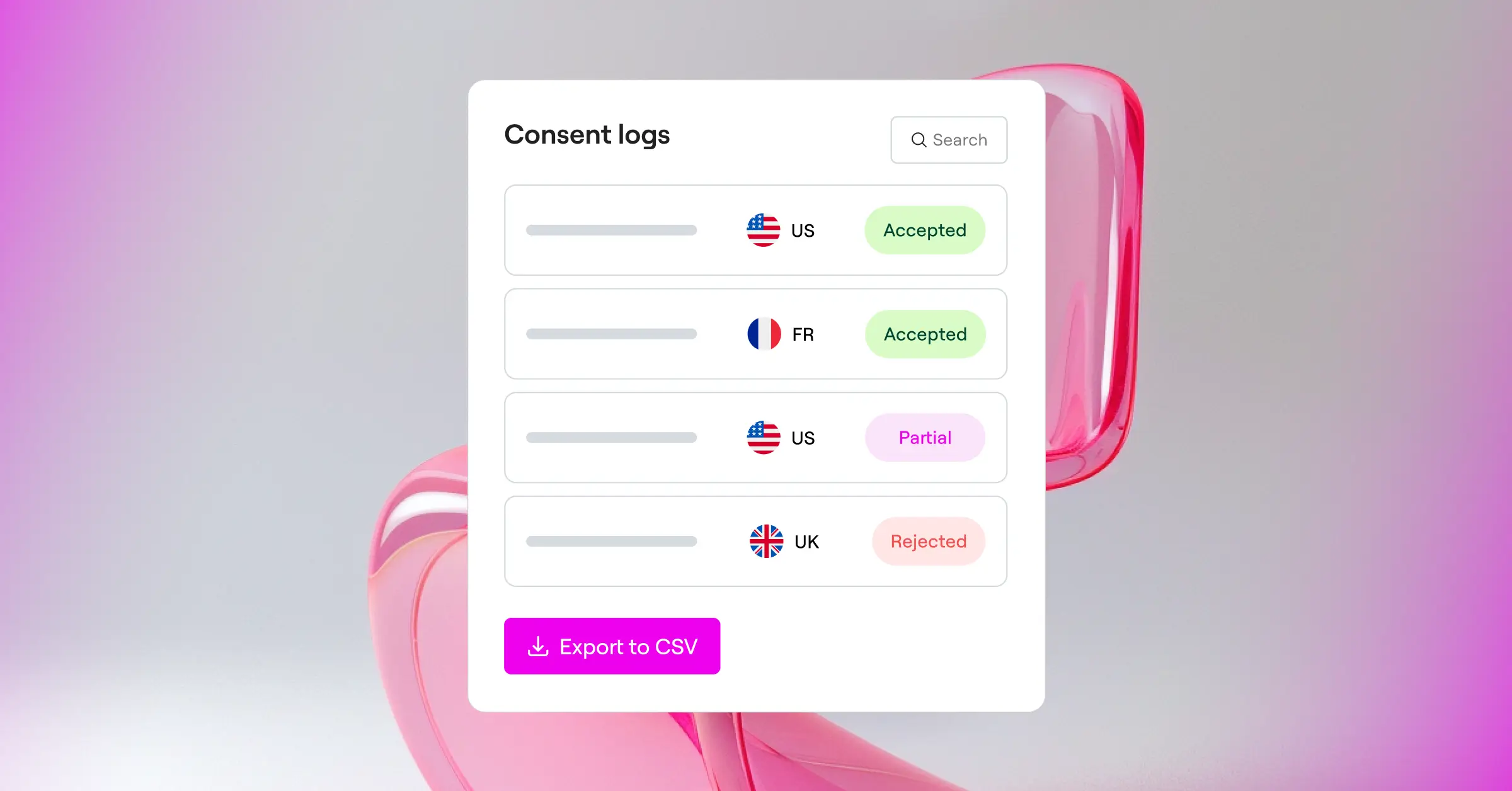
Key Features
- Guarantees compliance through a specialized legal team review process.
- Blocks data transfers to non-compliant vendors automatically.
- Translates consent banners into dozens of languages.
- Displays clean banners that don’t interrupt the content experience.
Paid options are designed for growing businesses and include their legal compliance guarantee.
Pros & Cons
- Pro – Peace of mind from their unique compliance guarantee.
- Pro – Automatic translation of banners for international visitors.
- Con – Premium plans represent a significant monthly investment.
- Con – Managed entirely outside of WordPress.
Verdict
Osano is a premium option worth considering if you have the budget for it and want the added confidence of a compliance guarantee.
9. Usercentrics
Usercentrics is a consent management platform focused on helping developers and marketers work together effectively. It offers deep control over tracking tags and integrates with popular tag management systems like Google Tag Manager.
The tool is highly configurable, letting you create a tailored banner experience. It’s a favorite among agencies that manage marketing tags for multiple clients.
Key Features
- Aggregates consent settings for multiple marketing technologies.
- Implements Google Consent Mode v2 without complex manual coding.
- Customizes look and feel to maintain consistent brand design.
- Maintains a database of thousands of pre-categorized third-party services.
They offer custom quotes for agencies and larger website portfolios.
Pros & Cons
- Pro – Strong developer APIs and detailed tag integration options.
- Pro – Large pre-categorized list of marketing technologies.
- Con – Requires solid technical knowledge to set up correctly.
- Con – No true entry-level plan for standard business website owners.
Verdict
Usercentrics is a strong option for digital agencies and technical marketers who need precise control over tracking technologies on complex sites.
10. ConsentManager
ConsentManager is a specialized tool focused on optimizing banner performance. It includes built-in A/B testing tools that let you test different banner layouts and colors to see which get the highest opt-in rates. That makes it particularly useful for ad-supported publishers.
The dashboard is packed with data, which is great for optimization but can feel a bit dense if you’re just looking for a simple, set-and-forget solution.
Key Features
- Runs extensive reporting and A/B testing tools for banner performance.
- Supports major advertising standards like IAB TCF.
- Blocks scripts before the user makes a choice.
- Integrates with popular tag managers for centralized script control.
Pros & Cons
- Pro – Excellent A/B testing tools to help improve opt-in rates.
- Pro – Deep compliance reporting that’s well-suited to large publishers.
- Con – The dense dashboard layout can be hard to navigate at first.
- Con – Banners can look technical without investing in deeper design customization.
Verdict
ConsentManager is a great fit for media publishers and ad-heavy sites that need to maximize opt-in rates to protect their advertising revenue.
How to Choose the Right Cookie Consent Solution for Your Site
Finding the right tool doesn’t have to be complicated. Working through a few key questions will help you narrow the field quickly.
- Identify your visitors’ geographic locations. If you serve a mostly local audience, a basic global banner might be enough. But if you’ve got visitors from the EU, UK, or California, you’ll need geo-targeting to show the right banner to the right person at the right time.
- Decide where you want to manage your dashboard. If keeping your administrative life simple matters to you, choosing a native option like Cookie Consent means handling everything inside WordPress, without extra logins or external platforms to worry about.
- Check for automatic script blocking. Make sure your chosen tool holds back cookies and tracking scripts until a visitor actually consents. Otherwise, you’re not truly compliant with strict privacy laws, no matter how nice the banner looks.
- Confirm support for Google Consent Mode v2. If you run ads or analyze traffic with Google tools, this feature is essential for keeping your tracking data accurate and functional.
- Look at your design requirements. Choose a tool that lets you customize fonts, colors, and layouts with ease. Your banner is one of the first things new visitors notice, so it should feel like a natural part of your site, not a bolt-on afterthought.
3 Simple Steps to Get Compliant Today
Once you’ve picked your compliance tool, getting set up should be quick. Here’s a simple path to get your site ready.
- Run an initial scan of your site. Let your tool scan for all cookies and tracking scripts currently running. This creates your baseline cookie list and gives you a clear picture of what needs to be managed.
- Set up your consent banner design. Use your tool’s editor to customize the banner style. Make sure the accept and reject options are clear and visually consistent with your site’s look and feel.
- Turn on consent logging and configure geo-targeting. Enable logging to keep records of visitor choices, and set up geo-targeting so the banner only appears where it’s legally required.
Top Mistakes to Avoid with Your Consent Banners
Even well-intentioned setups can have gaps. Avoiding these common mistakes will keep your site compliant and your visitors happy.
- Blocking essential functional cookies. Don’t block cookies that your shopping cart or user login areas depend on to work. These generally don’t require user consent under most privacy laws.
- Using hard-to-read fonts or tiny dismiss buttons. Keep your text legible and your buttons easy to tap on mobile. Designs that make it deliberately difficult to decline cookies can trigger their own compliance violations.
- Forgetting to log visitor consent. Showing a banner isn’t enough on its own. You need to actively save consent records so you have verifiable proof if a regulator ever asks for documentation.
- Overlooking updates to regional privacy regulations. Privacy laws change regularly, and relying on an outdated setup can leave you exposed to both security gaps and legal liability. Keep your compliance tool current.
Frequently Asked Questions
What is the difference between GDPR and CCPA cookie compliance?
GDPR is the European Union standard and uses an opt-in model. That means you must block all non-essential tracking scripts before a visitor clicks “Accept”. CCPA, which protects California residents, is an opt-out model. It allows tracking to run by default, but you must offer a clear “Do Not Sell My Personal Information” link so users can opt out at any time.
Do I really need a cookie consent banner if my site is small?
Yes, you do. Privacy laws don’t generally exempt small websites based on size. If your site gets visitors from the EU or California and uses tracking tools like Google Analytics, you’re legally required to manage user consent, regardless of how many pages you have.
How does Google Consent Mode v2 affect my website analytics?
Google Consent Mode v2 communicates your visitors’ consent choices directly to Google’s services. If a visitor accepts cookies, tracking runs normally. If they decline, Google Analytics drops tracking cookies but uses modeling to estimate conversion data without identifying individual users, so your records stay as complete as possible.
Can I customize my cookie consent banner to match my site colors?
Yes, most quality tools offer solid design controls. Cookie Consent, for example, is built to fit naturally into your WordPress layout, letting you adjust fonts, colors, borders, and button styles so the banner feels like a genuine part of your site rather than something pasted on top.
Why is a WordPress-native dashboard better than an external one?
A native dashboard keeps all your administrative tasks in one place. You don’t need multiple passwords, separate logins to external cloud platforms, or a second set of subscription costs. It simplifies your workflow and keeps everything under one roof.
What happens if I don’t have a cookie consent system on my site?
Operating without a compliance system can lead to regulatory fines and formal warning letters. On top of that, ad networks and Google services can restrict your accounts or stop tracking conversion data accurately if you’re serving regulated traffic without proper consent mechanisms in place.
How often should my website be scanned for new cookies?
Ideally, your site should be scanned whenever you install new features or update your tracking scripts, and at a minimum once a month. That keeps your cookie database current so your banner always shows accurate, up-to-date information to visitors.
Does a cookie consent banner slow down my website load times?
External systems that load scripts from third-party servers can add to your page load times. Native tools like Cookie Consent use lightweight code built directly for WordPress, so they load quickly without affecting your site’s performance or user experience.
What is Global Privacy Control and does my tool need to support it?
Global Privacy Control is a browser-level privacy setting that lets users set their data preferences once and have those preferences automatically respected across sites. Quality compliance tools honor this setting, applying the visitor’s chosen privacy preference when they land on your page without requiring any banner interaction.






