
Managing privacy compliance on your WordPress site can feel like a heavy chore, but it doesn’t have to be. With privacy laws updating constantly around the world, keeping your site compliant is more important than ever. And the good news is you don’t have to tackle it alone. There are excellent tools out there that handle the heavy lifting for you, whether you’re running a simple personal blog or a busy online store.
You’ll find ten of the best free and paid options below, and we’ll walk through each one together so you can make a confident, informed choice for your site. Don’t worry, this is much easier than it looks.
Privacy compliance has a reputation for being complicated, but with the right tool it really does come down to a few key choices. Let’s break it down.
Key Takeaways
- Native tools save resources: WordPress-native options cut out heavy external scripts and separate dashboards, so everything runs from one place.
- Google Consent Mode v2 is essential: If you serve European visitors and use Google services, your tool needs to support this standard.
- Free options work for simple sites: Basic blogs can often get by with entry-level plans, while global businesses need premium geo-targeting features.
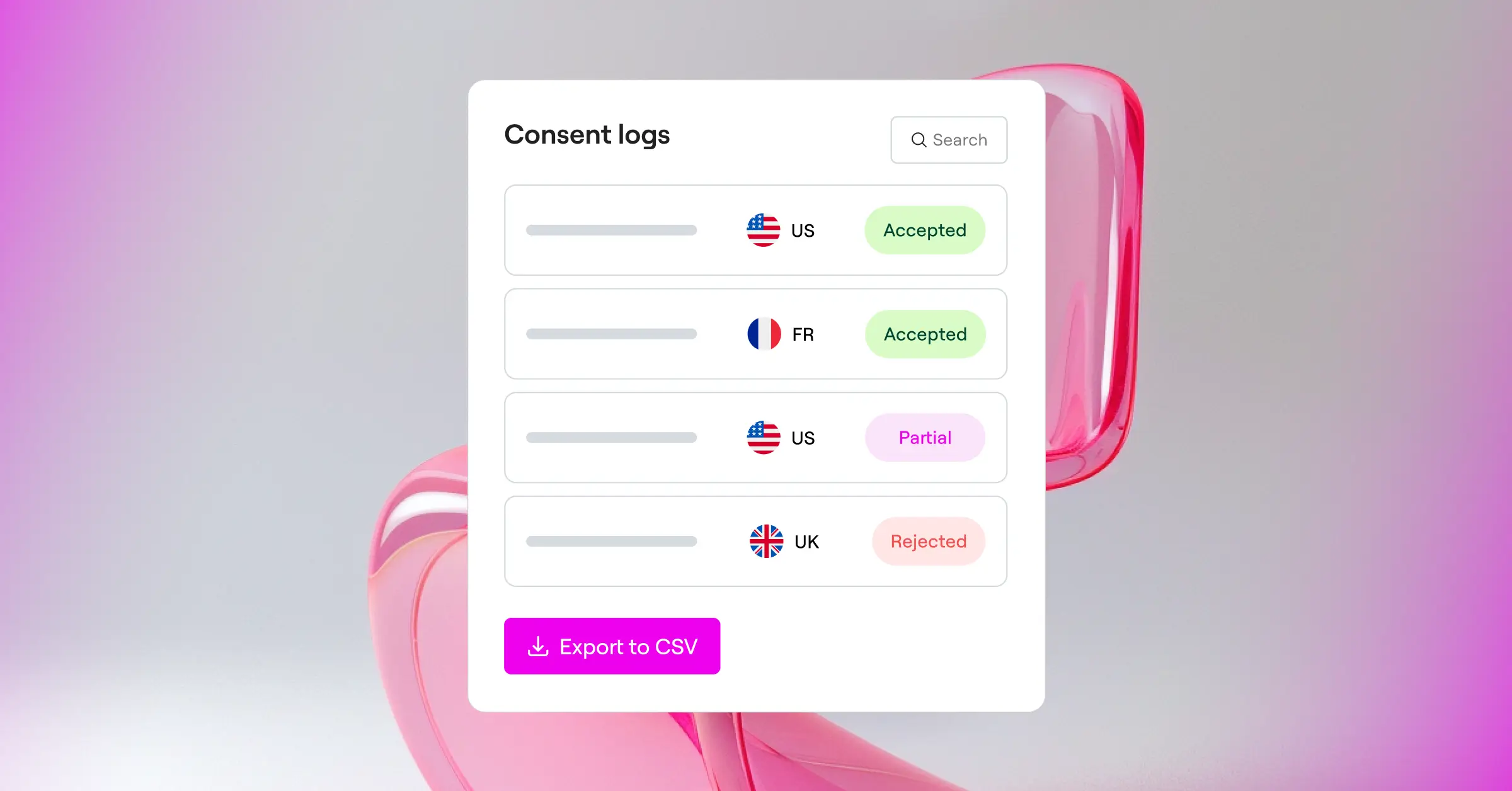
- Consent logs are crucial for audits: Keeping secure records of visitor consent helps protect your business if a regulator ever comes knocking.
What to Look For in a WordPress Cookie Tool
Before getting into the specific tools, it’s worth talking about what actually makes a cookie tool worth your time. The privacy landscape changes quickly, and a tool that worked well a few years ago might not cut it today. You want something that balances solid compliance with a smooth visitor experience.
To help you sort through the options, we’ve broken down the key elements into three main categories. Here’s a quick checklist to keep in mind as you read through the recommendations:
- Dashboard Integration: Managing everything from your WordPress dashboard saves time. External portals can feel disjointed and slow down your workflow.
- Performance Impact: Some tools rely on large external scripts that hurt your page speed scores. Look for lightweight solutions that keep your site fast.
- Consent Records: If a regulator ever asks for proof of consent, you’ll need clean logs that show exactly when and how a visitor opted in.
When comparing free versus paid options, the main difference usually comes down to geo-targeting. Free tools typically show the same banner to everyone, while paid tools let you display different messages based on where your visitor lives, like a stricter GDPR banner for European visitors and a simpler opt-out notice for Californians.
1. Cookie Consent (by Elementor)
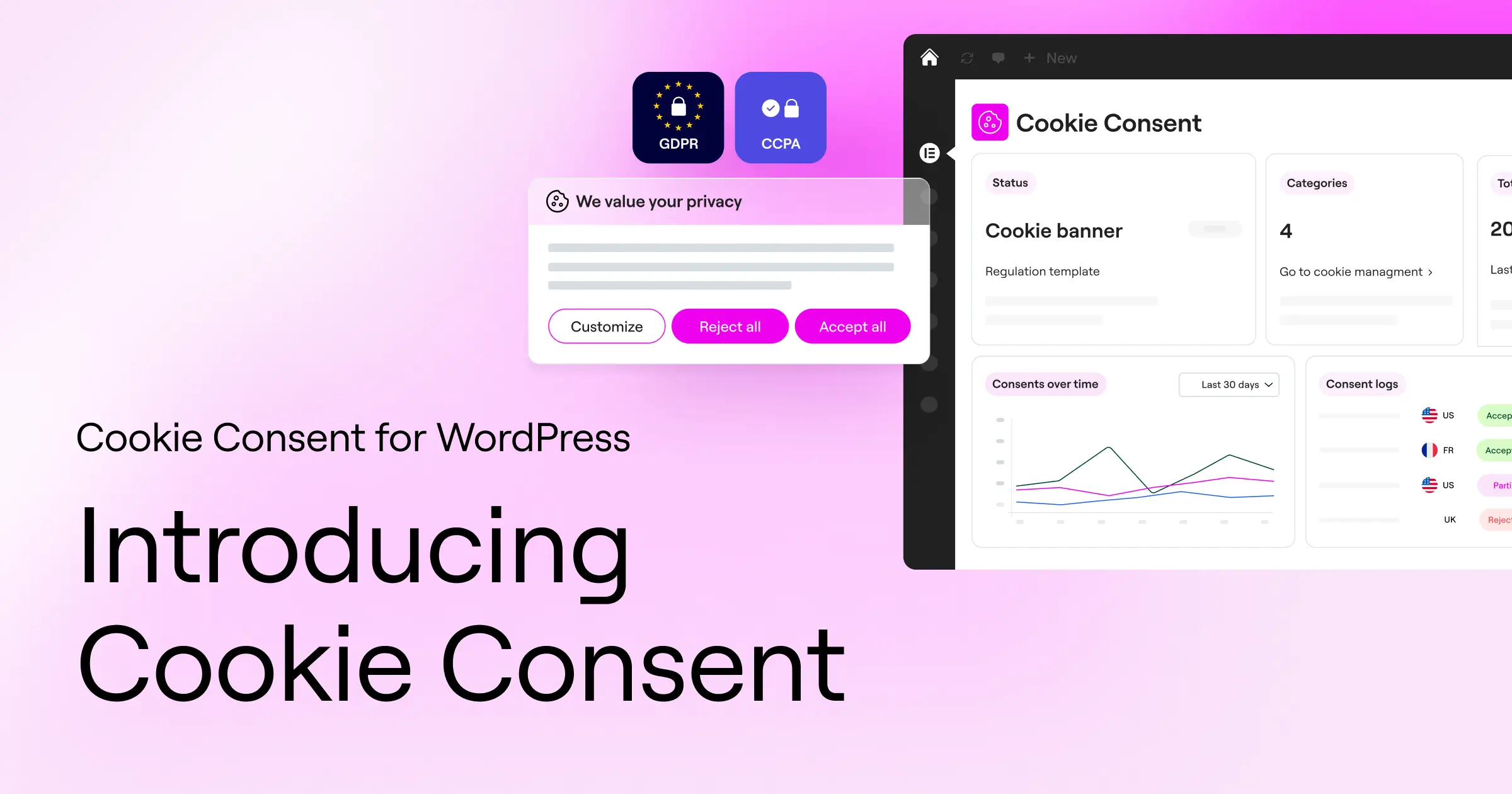
First on the list is Cookie Consent, the native cookie consent capability built directly for Elementor users. If you want a tool that lives entirely inside your WordPress dashboard, without forcing you to log into a separate platform, this is the one to look at. It lets you manage GDPR and CCPA compliance from one centralized place without any juggling.
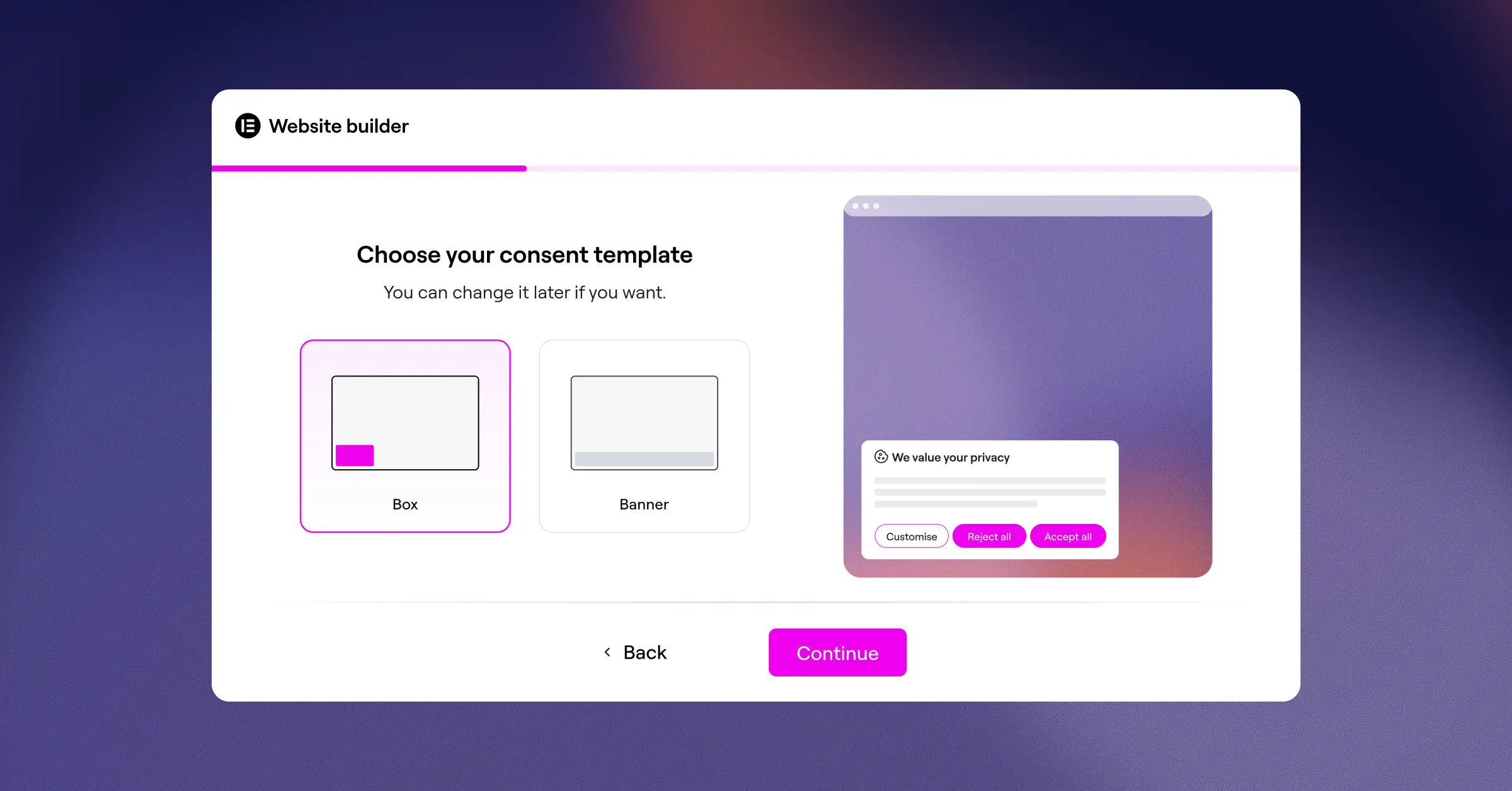
Setting up your banners takes under five minutes, which makes it genuinely beginner-friendly. The design interface is fully customizable, so you can match the banner to your brand colors and typography without touching code. It also handles automatic cookie scanning, consent logs, and multi-language setups right out of the box. And if you’re already using Elementor One, Cookie Consent is included in your subscription alongside other capabilities like Web Accessibility.
Key Features
- Builds beautiful banners using native templates that match your site design.
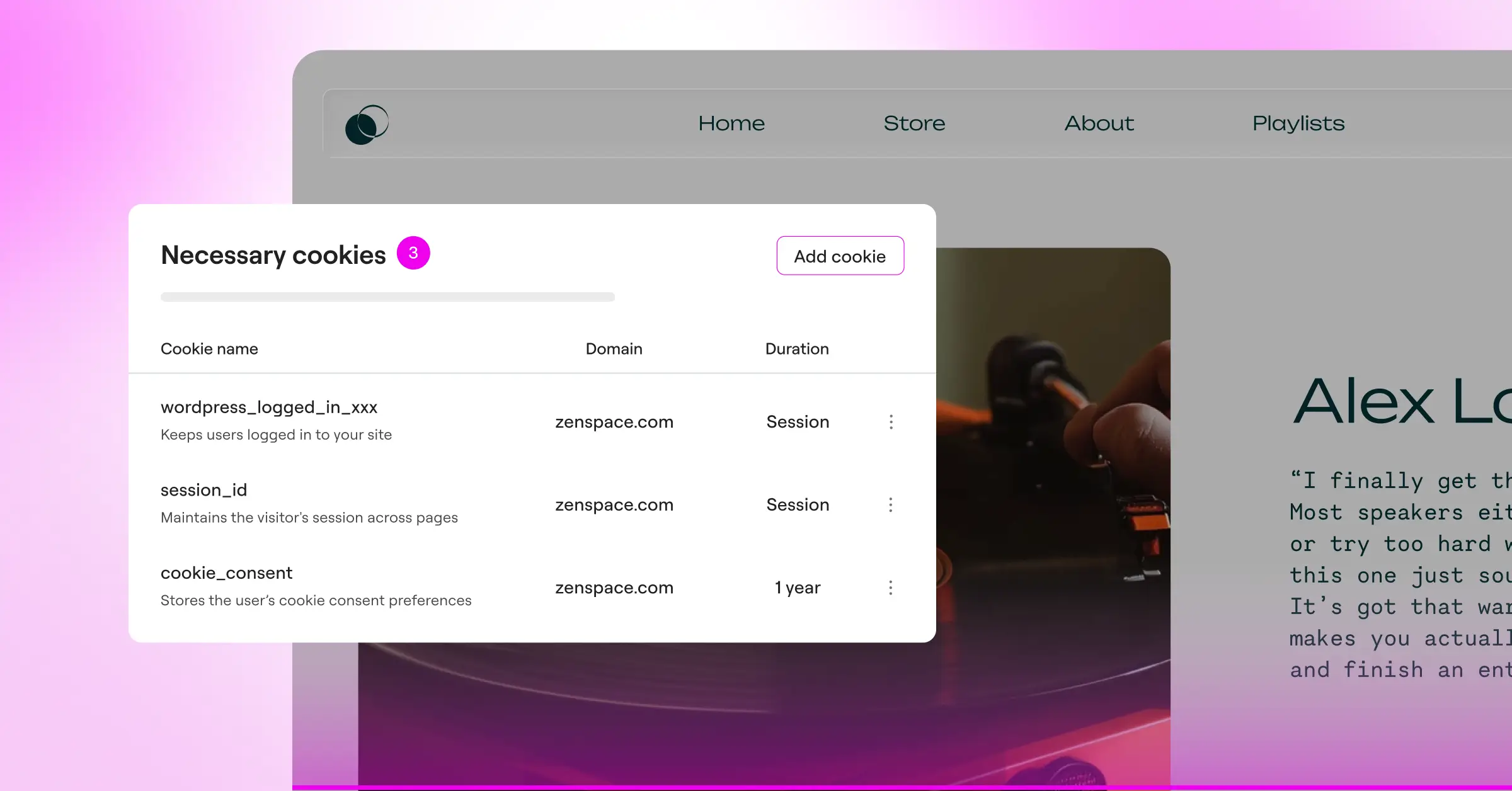
- Scans your website automatically to find and categorize active cookies.
- Keeps detailed, secure consent logs to help you pass compliance audits.
- Connects with Google Consent Mode v2 to keep your analytics running accurately.
- Pulls localized translations to display the right language to each visitor automatically.
- Filters banners by geographic location so visitors only see relevant legal notices.
Pros and Cons
- Pro: Runs entirely inside WordPress with no external dashboards to manage.
- Pro: Fast three-step setup that takes less than five minutes.
- Pro: Excellent white-label options for agencies managing client sites.
- Con: Works best within the broader Elementor ecosystem, so site owners using other builders may need to adjust their workflow.
Our Verdict
For WordPress site owners who value speed, design control, and the convenience of a unified dashboard, this is the top overall choice. It takes the complexity out of compliance while keeping your site looking great.
2. Cookiebot
Cookiebot is a widely recognized name in the privacy compliance space. It runs as an external cloud service that connects to WordPress through a helper script. It’s well regarded for its deep scanning technology and its focus on automated compliance management.
This tool is built for site owners who want a hands-off approach to cookie categorization. It runs monthly scans of your site and automatically updates your cookie policy page with the latest findings. (Worth noting: you’ll configure your settings in the Cookiebot cloud dashboard rather than your WordPress admin area, so expect to spend time in a separate interface.)

Key Features
- Schedules monthly automated scans of your entire website.
- Generates a dynamic cookie declaration page for your visitors.
- Supports legal requirements for both GDPR and CCPA.
- Holds user consent data securely in cloud-based storage.
- Integrates with Google Tag Manager for script blocking.
- Detects the visitor’s location to serve the correct legal framework.
Pros and Cons
- Pro: Thorough automated scanning with a strong track record in the European market.
- Pro: Supports Google Consent Mode v2 out of the box.
- Con: Configuration happens in their external cloud dashboard, outside your WordPress admin.
- Con: Pricing scales with the number of pages on your site, which can add up for larger sites.
Our Verdict
Cookiebot is a reliable, well-established option. It’s a solid choice if your site fits within the free page limit or if you’re comfortable paying a monthly fee that scales with your content volume.
3. CookieYes
CookieYes is another prominent compliance tool that blends cloud management with straightforward WordPress integration. It’s gained popularity thanks to its clean interface and a generous entry-level plan, making it a common pick for smaller business websites.
The service displays clean, modern banners that don’t distract visitors. It also includes a reliable scanning system that identifies tracking scripts. Like Cookiebot, you’ll spend most of your setup time in an external web app, but the WordPress connector itself is lightweight and quick to install.

Key Features
- Categorizes cookies automatically after every scan.
- Customizes banner designs to match your branding.
- Tracks user consent actions through an analytics dashboard.
- Supports over thirty global languages for international audiences.
- Blocks third-party scripts automatically until consent is granted.
- Keeps records of user consents for compliance verification.
Pros and Cons
- Pro: Friendly interface that’s genuinely easy to understand.
- Pro: Entry-level plan is generous enough for personal blogs with moderate traffic.
- Pro: Good selection of pre-designed banner templates.
- Con: Requires an external account setup to work.
- Con: Advanced features like geo-targeting are only available on paid tiers.
Our Verdict
CookieYes is a solid mid-range option. If your site gets moderate traffic and you want a friendly cloud dashboard to manage your banners, it’ll serve you well.
4. Complianz
Complianz is a privacy tool built specifically for the WordPress ecosystem. It’s well known for its step-by-step wizard that walks you through configuring legal documents and banner settings based on a dynamic questionnaire about your site and business.
Rather than relying on a cloud app, Complianz runs directly on your server. It guides you through a detailed setup process to figure out exactly which privacy laws apply to your business, then helps you build a custom policy designed around your specific needs.

Key Features
- Guides users through a detailed legal questionnaire to tailor the setup.
- Generates customized legal documents like cookie policies.
- Integrates with major WordPress forms and other tools.
- Configures different banner styles for GDPR, CCPA, and COPPA.
- Blocks social media embeds until the user accepts tracking.
- Synchronizes with your existing WordPress theme styling.
Pros and Cons
- Pro: Wizard-driven setup is genuinely helpful for beginners.
- Pro: Generates actual legal documents, which can save you money on lawyers.
- Pro: Keeps your data on your own server rather than in an external cloud.
- Con: The sheer number of settings can feel overwhelming, especially at first.
- Con: Styling the banner to look modern may require some CSS knowledge.
Our Verdict
Complianz is a great choice if you want a local WordPress solution and need help generating your actual legal texts. The setup takes some patience, but the end result is highly secure and well-configured.
5. iubenda
iubenda is a complete compliance suite designed for businesses that need to manage privacy policies, terms of service, and cookie consent across multiple platforms. It handles complex legal requirements with a professional, modular approach.
Because iubenda is a broader legal platform, its WordPress cookie feature is just one part of a larger ecosystem. That modularity works in your favor, since you can plug in different compliance features as your business grows into new markets.

Key Features
- Monitors legal changes worldwide to keep your policies updated.
- Generates privacy policies hosted on iubenda’s servers.
- Saves preferences for users across multiple domains.
- Configures detailed cookie banners with advanced options.
- Supports Google Consent Mode v2 and IAB TCF requirements.
- Tracks consent analytics through a cloud control panel.
Pros and Cons
- Pro: Professional legal infrastructure keeps your policies current with global laws.
- Pro: Highly customizable and modular system that grows with your needs.
- Pro: Great for multi-site setups and complex corporate requirements.
- Con: Setup can feel complex and uses a fair amount of legal terminology.
- Con: Pricing is credit-based or subscription-based depending on usage, which can be hard to predict upfront.
Our Verdict
If you’re running a larger business or an e-commerce platform that needs complete legal documents alongside cookie consent, iubenda is a strong contender. It’s professional, well-maintained, and covers a lot of ground.
6. Termly
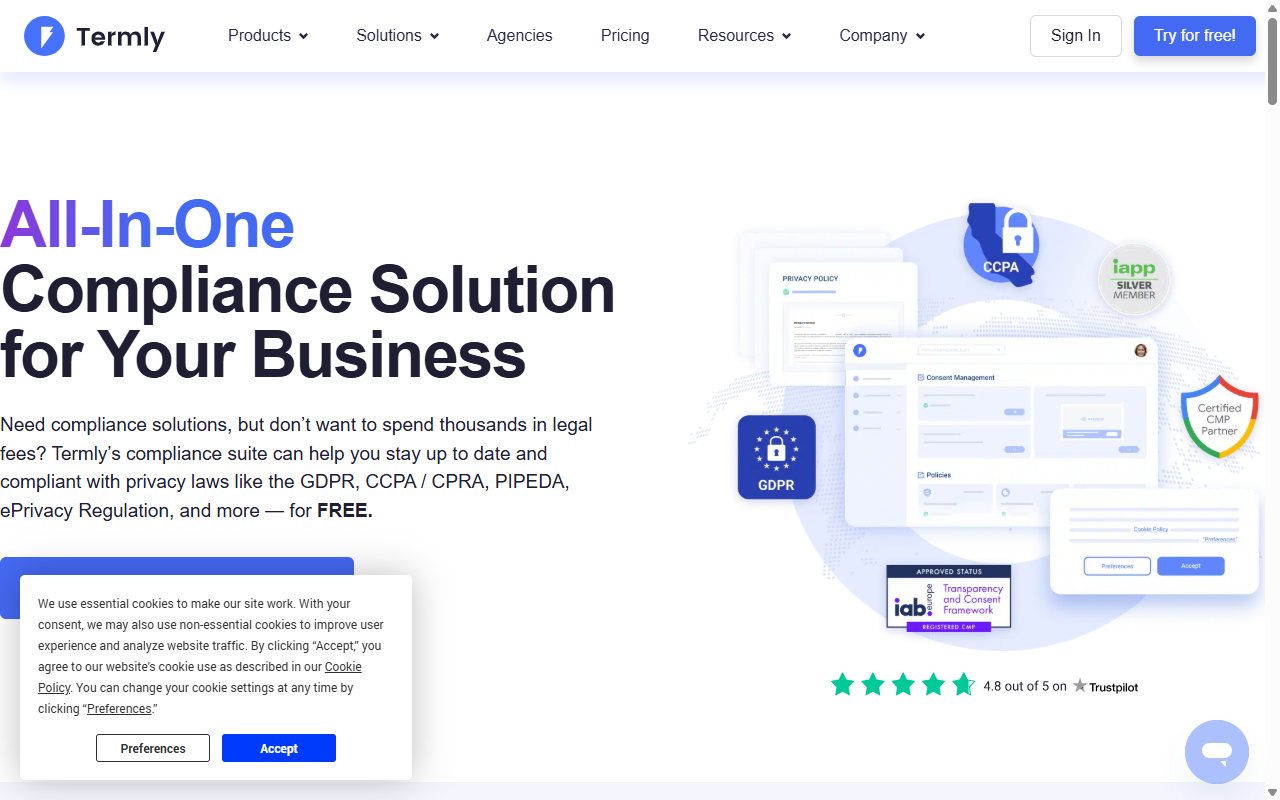
Termly is a compliance platform that focuses on helping small businesses meet legal requirements without spending heavily on legal fees. It covers cookie banners, privacy policy generators, and terms and conditions templates all in one place.
The WordPress integration connects your site to Termly’s cloud platform, where you can design your banner, run scans, and manage your compliance records. It’s a straightforward option for anyone who wants a simple, guided setup.
Key Features
- Scans your site to find tracking scripts and cookies.
- Generates custom privacy policies and terms of service documents.
- Customizes banner layouts to fit your website’s style.
- Auto-categorizes common tracking scripts from Google and Facebook.
- Maintains a consent log for audit readiness.
- Supports GDPR, CCPA, and UK privacy laws.
Pros and Cons
- Pro: Clean, modern cloud dashboard that’s easy to navigate.
- Pro: Good mix of cookie consent and policy generation tools.
- Pro: Simple installation process.
- Con: The entry-level plan displays a Termly logo on your banner.
- Con: The page view limit on the entry-level plan is relatively low for active sites.
Our Verdict
Termly is a great fit for small businesses that want a simple, all-in-one compliance package. The cloud dashboard is intuitive, though most active sites will want to upgrade past the entry-level plan fairly quickly.
7. OneTrust
OneTrust is an enterprise-level privacy management platform built for large corporations, financial institutions, and global brands that need strict data governance across many web properties.
For a standard WordPress site, OneTrust is typically more than you need. But for enterprise environments running WordPress as a headless CMS or corporate portal, it offers detailed security controls, risk assessment tools, and advanced consent management capabilities.

Key Features
- Manages complex global compliance across thousands of domains.
- Provides detailed risk assessments and vendor management tools.
- Offers deep integration with enterprise databases and CRM platforms.
- Supports advanced geo-targeting for every global jurisdiction.
- Logs consent records with enterprise-grade security protocols.
- Delivers detailed analytics on opt-in rates and user behavior.
Pros and Cons
- Pro: A well-established standard for corporate compliance management.
- Pro: Deep feature set with extensive reporting capabilities.
- Pro: Strong security and data privacy governance infrastructure.
- Con: Setup is complex and often requires dedicated IT staff.
- Con: Pricing is aimed at enterprise budgets, making it impractical for small or medium sites.
Our Verdict
OneTrust is designed for enterprise needs. If you manage a high-traffic corporate site with strict security and compliance requirements, it’s a leading platform in this space. Most small to medium businesses will be better served by other options on this list.
8. Osano
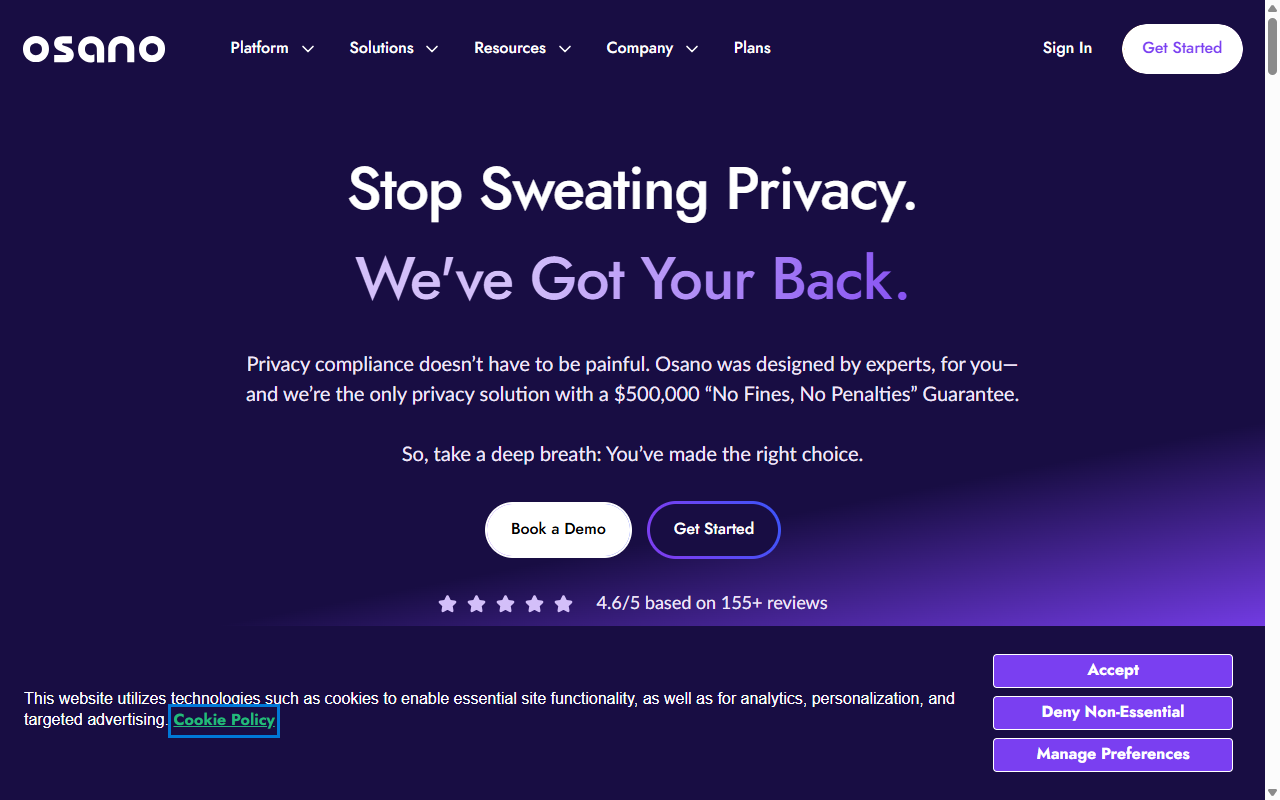
Osano is a B-Corp certified privacy platform that puts data privacy front and center, with a focus on simplicity and reliability. They’re known for offering enterprise customers a “no-fine guarantee,” which provides extra peace of mind for businesses with strict compliance obligations.
Osano connects to WordPress through a simple script insertion. Once it’s running, it manages consent preferences, blocks unauthorized scripts, and monitors your site for vendor compliance changes in the background.
Key Features
- Guarantees compliance with local laws to help prevent regulatory fines.
- Blocks third-party trackers automatically until the visitor consents.
- Translates your banner into dozens of languages automatically.
- Monitors your vendor data practices for potential privacy risks.
- Displays geo-targeted banners based on the visitor’s real-time location.
- Provides a developer API for advanced custom integrations.
Pros and Cons
- Pro: B-Corp certification reflects a strong commitment to ethical data practices.
- Pro: The “no-fine guarantee” provides reassurance for businesses with compliance obligations.
- Pro: Clean, lightweight script that won’t drag down your page speed.
- Con: Premium plans are priced above simpler WordPress-focused options.
- Con: The entry-level plan is quite restrictive on monthly page views.
Our Verdict
Osano is a reputable, professionally run platform for businesses that want an ethically minded privacy partner. The legal guarantee makes it a popular choice among medium to large organizations.
9. Usercentrics
Usercentrics is a consent management platform with a strong foothold in Europe, where it helps businesses of all sizes comply with GDPR, CCPA, and ECJ rulings. It’s built for teams that want detailed control over how their consent experience looks and behaves.
The platform is highly customizable, and developers can build tailored consent flows using its API. For standard WordPress sites, there’s a more straightforward setup path that gets your banner live quickly.
Key Features
- Manages consent across websites, mobile apps, and connected devices.
- Optimizes opt-in rates using built-in A/B testing tools.
- Integrates with major advertising and marketing technology stacks.
- Categorizes tracking technologies using a large database of web scripts.
- Supports Google Consent Mode v2 and IAB framework standards.
- Stores consent data securely with cloud encryption.
Pros and Cons
- Pro: Excellent design flexibility for developer-led teams.
- Pro: A/B testing helps you improve opt-in rates within a compliant framework.
- Pro: Reliable cloud infrastructure with strong uptime.
- Con: Advanced setup requires technical knowledge to configure well.
- Con: Costs can be high for straightforward informational websites.
Our Verdict
Usercentrics is a capable, developer-friendly option that’s well suited to teams who want to run experiments and optimize their consent flows. It scales well as traffic grows.
10. Consent Manager
Consent Manager is a European-focused consent tool with a strong emphasis on data analytics and optimization. It’s designed to help publishers and e-commerce stores keep their ad revenue healthy while staying fully compliant.
The tool includes built-in reporting dashboards that show you how many visitors accept, reject, or customize their consent preferences. That data helps you refine your banner placement and design over time.
Key Features
- Reports opt-in and bounce rates through a detailed analytics dashboard.
- Optimizes banner layouts using machine learning to improve performance.
- Supports Google Consent Mode v2 and industry-standard ad frameworks.
- Detects ad blockers and adjusts display behavior accordingly.
- Scans your site daily to keep your cookie lists current.
- Integrates with major tag managers and analytics platforms.
Pros and Cons
- Pro: Strong analytical depth for data-driven teams who want to understand consent behavior.
- Pro: Machine learning options help surface the best-performing banner design.
- Pro: Deep focus on European compliance and regulatory developments.
- Con: The interface is quite technical, which can feel intimidating for non-technical users.
- Con: The entry-level plan features prominent Consent Manager branding on your banner.
Our Verdict
For publishers, advertisers, and e-commerce stores that want to analyze consent behavior and optimize opt-in rates, Consent Manager is a powerful, data-focused option. It turns compliance into something you can actively measure and improve.
How to Choose the Right Option for Your Site
Now that you’ve seen all ten options, how do you make the final call? It helps to think about your specific needs and how much time you want to spend managing things. (It’s simpler than it sounds, so take a breath.)
Here’s a quick guide based on common website profiles. Find the description that fits your situation and you’ll have a clear direction:
- The Elementor User: If your site runs on Elementor, the native Cookie Consent capability is the obvious choice. It lives inside your dashboard, setup is fast, and you don’t need to pay for or manage an external service.
- The Global Publisher: If you rely on ad revenue and have significant international traffic, Usercentrics or Consent Manager are worth looking at. Their optimization tools help you protect ad performance while staying compliant.
- The Enterprise Store: If you manage a large corporate brand with a legal team and strict requirements, Osano or OneTrust offer the guarantees and advanced risk management your organization needs.
Feature Comparison Table
To help you see how these tools compare side by side, here’s a quick overview of the key compliance features that matter most in 2026:
| Capability / Tool | WordPress Native? | Consent Mode v2? | Entry-Level Plan? | Setup Time |
|---|---|---|---|---|
| Cookie Consent | Yes | Yes | Yes | Under 5 Mins |
| Cookiebot | No (Cloud Integration) | Yes | Yes (Limited) | Moderate |
| CookieYes | No (Cloud Integration) | Yes | Yes | Fast |
| Complianz | Yes | Yes | Yes | Slow (Wizard) |
| iubenda | No (Cloud Integration) | Yes | Yes (Limited) | Moderate |
| Termly | No (Cloud Integration) | Yes | Yes (Limited) | Fast |
| OneTrust | No (Enterprise Cloud) | Yes | No | Complex |
| Osano | No (Cloud Integration) | Yes | Yes (Limited) | Moderate |
| Usercentrics | No (Cloud Integration) | Yes | Yes (Trial) | Moderate |
| Consent Manager | No (Cloud Integration) | Yes | Yes (Limited) | Moderate |
Expert Advice on Cookie Compliance
When setting up cookie consent, it’s worth listening to people who spend their days thinking about compliance and data protection. We spoke with a web compliance specialist to get their take on the most common mistakes site owners make when putting these banners in place.
“Too many website owners treat cookie banners like a decorative design element. In reality, it’s a crucial legal buffer. The most common pitfall is using a system that doesn’t actually block scripts before the user clicks ‘accept.’ If your tracking scripts run anyway before the visitor interacts with your banner, your consent mechanism is completely invalid under modern laws.”
– Itamar Haim, Web Compliance Specialist
To avoid this, always test your site in a clean private browsing window. Open your browser’s developer tools and check that no marketing or analytics cookies are being stored until you actually click accept on the banner. It’s a quick check that gives you a lot of confidence that things are working correctly.
Frequently Asked Questions
Is a free cookie consent tool enough for GDPR compliance?
Yes, a free cookie consent tool can be fully compliant with GDPR as long as it has the core features the law requires. It must block cookies before consent is given, offer a clear “reject” option that’s as easy to find as the “accept” button, and keep records of user choices. Many free options cover these basics, though they may lack automated scanning or geo-targeting features that make long-term compliance easier to manage.
What happens if I don’t use a cookie banner on my WordPress site?
If your site has visitors from regions with strict privacy laws, like the European Union or California, and you don’t have a consent banner in place, you could face regulatory action. Beyond the legal risk, not having a clear banner can also make your brand look unprofessional and erode visitor trust over time.
Do I need Google Consent Mode v2 for my site?
If you use Google services like Google Analytics or Google Ads and you serve visitors within the European Economic Area, yes. Google Consent Mode v2 lets your Google tags adjust their behavior based on each visitor’s consent status. Without it, you’ll lose the ability to measure ad conversions and build remarketing audiences in European regions.
Will using a cookie consent tool slow down my WordPress site?
Some tools can add a slight delay if they rely on external scripts loading from third-party servers. That’s one reason a WordPress-native option like Cookie Consent can be a good choice. It runs directly on your server, which cuts down on external requests and keeps your site loading quickly.
What is the difference between GDPR and CCPA regarding cookie consent?
GDPR (Europe) follows an “opt-in” model: you can’t load tracking cookies until the visitor explicitly agrees. CCPA (California) has historically followed an “opt-out” model, meaning you can load cookies but must give visitors a clear way to stop data sharing, like a “Do Not Sell My Personal Information” link. A good consent tool handles both models based on where your visitor is located.
What are consent logs and why do I need them?
Consent logs are secure records showing when a visitor came to your site, what their consent preferences were, and when they made their choice. Under strict privacy rules, you’re responsible for proving that visitors gave consent. Having clean, timestamped logs means you can quickly demonstrate your site is running legally if a regulator ever reviews your practices.
Do I have to write my own cookie policy?
You don’t have to write one from scratch. Many modern consent tools include built-in policy generators that create customized text based on the tracking scripts found on your site. Once generated, you can paste it into a dedicated page on your WordPress site and update it as your tech stack changes.
Can I customize the look of my consent banner?
Yes, almost all modern tools let you adjust the colors, fonts, and layout of your banner. Styling it to match your brand is a good idea, but make sure the text stays clearly readable and the accept/decline options are equally prominent. Clear, accessible choices are a legal requirement, not just a design preference.
Does my simple blog really need a cookie banner?
If your blog is purely informational and doesn’t use any analytics, contact forms, social media embeds, or ad networks, you might be able to skip it. But most modern blogs use at least some tracking, whether that’s Google Analytics or social sharing buttons. If your site uses any of those, you’ll need a proper way to get visitor consent.






