
If you run a WordPress website, you already know how important it is to stay on top of privacy regulations. You’ve probably heard of Cookiebot, but maybe you’re looking for something that fits your workflow better, especially heading into 2026. The good news? There are some genuinely great options out there, and finding the right one doesn’t have to be stressful. Let’s walk through the best alternatives together and keep things clear and friendly along the way.
Key Takeaways
- Native integration keeps your WordPress dashboard clean and centralized.
- Google Consent Mode v2 support is critical for running modern search ads in Europe.
- Customization tools let you design banners that match your brand perfectly.
- Zero-code setups save hours of developer resources and maintenance costs.
Why You Might Look for a Cookiebot Alternative in 2026
Cookiebot has been a popular choice for managing cookie consent for many years. That said, plenty of website owners are now looking for options that fit more naturally into their specific workflows. One common frustration is the need to jump between your WordPress dashboard and an external platform just to change a simple banner color or check a consent log. When you’re managing multiple client sites, keeping track of several separate external accounts adds up quickly.
Performance is another factor worth thinking about. Loading scripts from third-party servers can sometimes slow your pages down, and since search engines put a strong emphasis on user experience, keeping your scripts local and lightweight really does help. Finding a tool that runs directly on your server can also keep your costs more predictable over time.
And then there’s the compliance angle. Privacy laws keep evolving, and Google Consent Mode v2 (this one trips a lot of people up) is now a requirement for sites serving EU traffic that use Google services. Having a tool that connects natively with your tag manager and analytics, without complex coding, is no longer just a nice-to-have. It’s a practical daily necessity for anyone running online ads.
Key Factors to Consider When Selecting Consent Tools
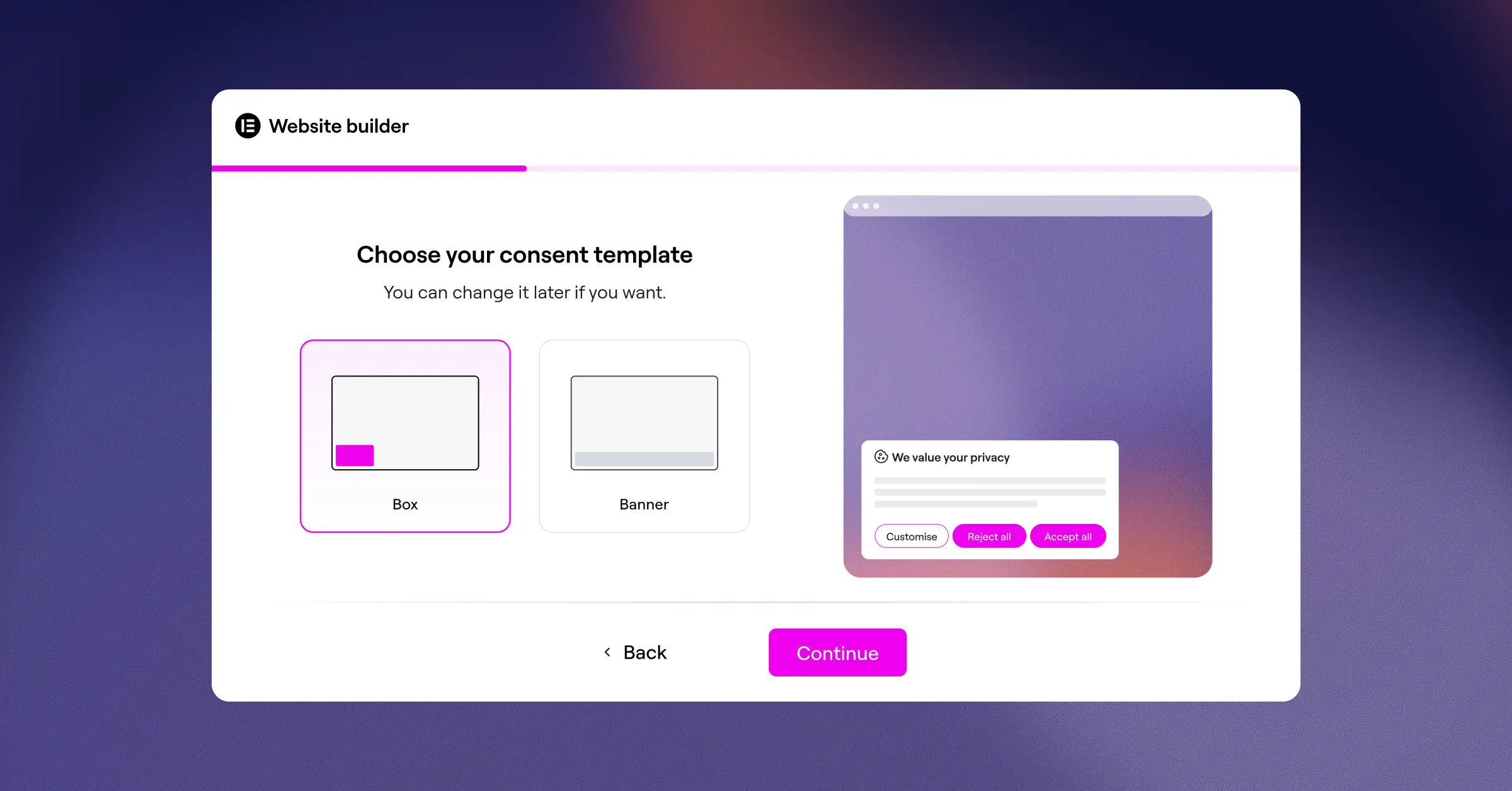
Before you choose a new compliance tool, it helps to understand what makes a solution right for your specific setup. Here are three key factors worth evaluating:
- Dashboard Integration – Decide whether you want a cloud-managed platform or a tool that lives entirely inside your WordPress admin area. Native tools keep your data in one place and let you handle compliance without external logins.
- Compliance Features – Look for automated cookie scanning, geo-targeting, and multilingual support. These keep your site legally compliant across different regions like the EU and California.
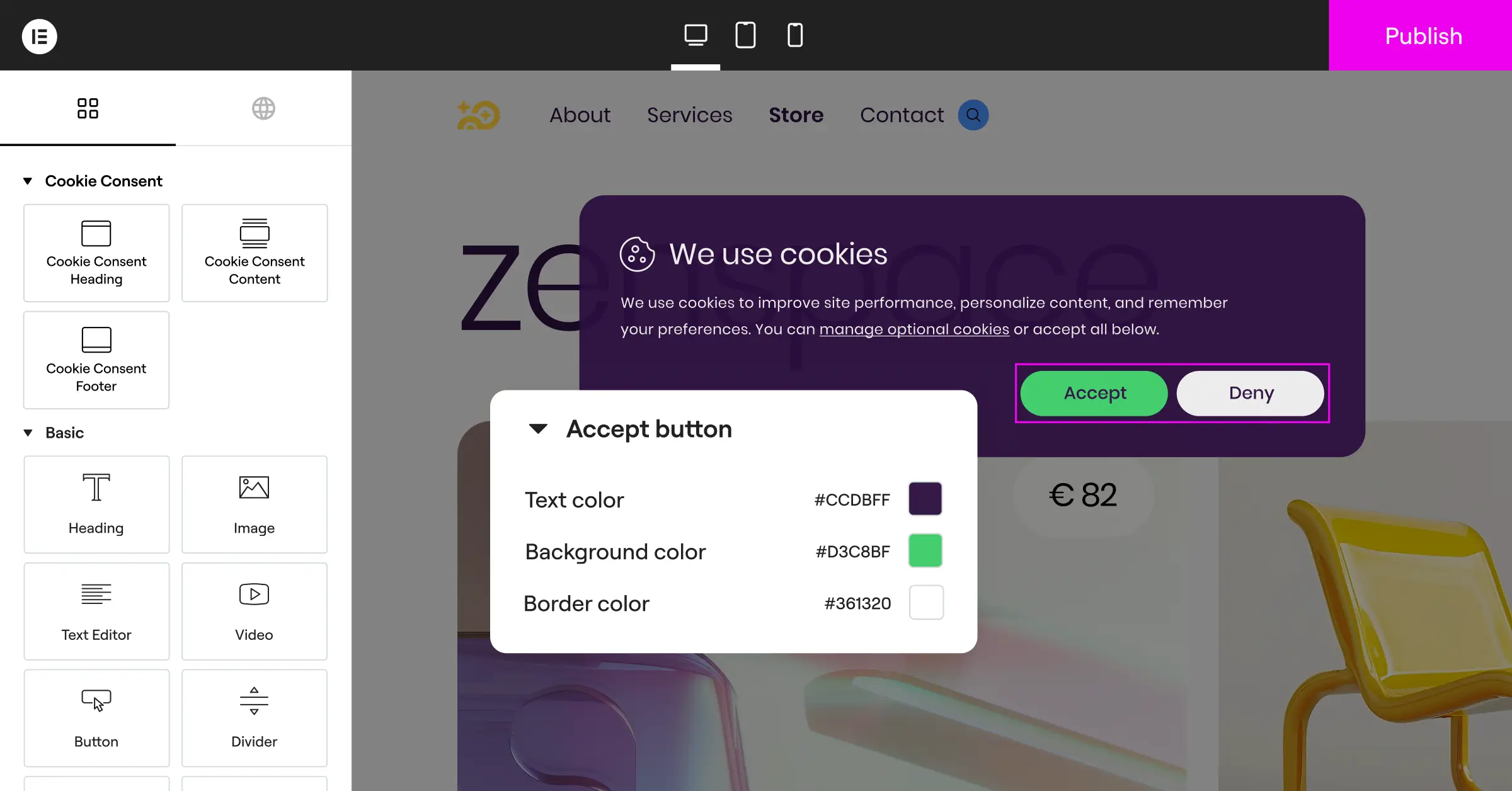
- Design Control – Your consent banner is the first thing new visitors see. Choosing a tool with strong visual design settings lets you style the banner to match your site’s fonts, colors, and layout.
Comparison of the Best Alternatives in 2026
To help you get a quick overview, we’ve organized the top options based on their dashboard location, Google Consent Mode v2 readiness, and whether they offer a free or entry-level plan. Here’s how these solutions compare.
| Tool Name | Native WordPress Dashboard | Google Consent Mode v2 | Entry-Level Plan Available | Key Focus |
|---|---|---|---|---|
| Cookie Consent | Yes | Yes | Yes | Native integration and simple 5-minute setup |
| CookieYes | No (Cloud Managed) | Yes | Yes | Cross-platform cloud consent management |
| Complianz | Yes | Yes | Yes | Wizard-driven privacy settings |
| iubenda | No (Cloud Managed) | Yes | Yes | Complete legal compliance documents |
| Termly | No (Cloud Managed) | Yes | Yes | Small business legal generation |
| OneTrust | No (Cloud Managed) | Yes | No | Enterprise-level privacy coordination |
| Osano | No (Cloud Managed) | Yes | Yes | Data privacy compliance guarantees |
| Usercentrics | No (Cloud Managed) | Yes | No | Custom developer-focused deployments |
| Consentmanager | No (Cloud Managed) | Yes | Yes | Detailed compliance reporting and analytics |
| Securiti | No (Cloud Managed) | Yes | No | AI-driven data discovery and security |
Detailed Reviews of the 10 Best Cookiebot Alternatives in 2026
Every website has unique needs. Below you’ll find detailed, objective reviews of each alternative to help you pick the right match for your workflow.
1. Cookie Consent
Cookie Consent is Elementor‘s cookie consent capability, built natively for WordPress. It manages GDPR and CCPA compliance directly from your WordPress dashboard, so there are no external dashboards and no separate platform accounts to juggle. You can set up consent banners, scan and categorize cookies, manage scripts, and keep consent logs all in one place (it really is simpler than it sounds).
This capability is built for WordPress site owners who want solid compliance without leaving their editor environment. It’s included in Elementor One, and there’s also a free tier for those who want to try it first. It’s part of a broader compliance toolkit that includes Web Accessibility, making it a genuinely useful all-in-one option for keeping your site fast and legally compliant.
Core features include:
- Builds custom cookie banners using cloud-based templates that fit your branding.
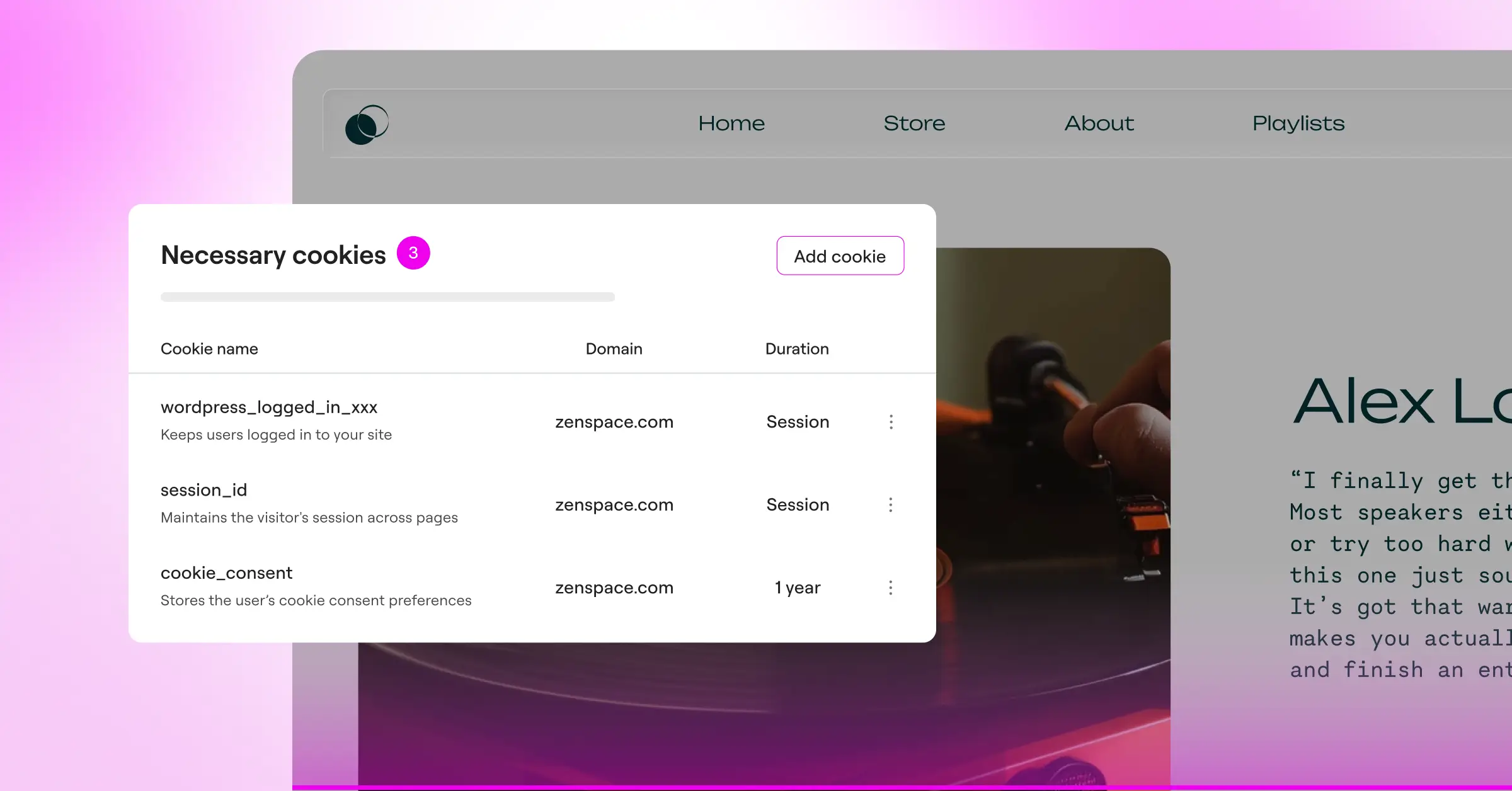
- Scans and categorizes cookies automatically to maintain accurate compliance lists.
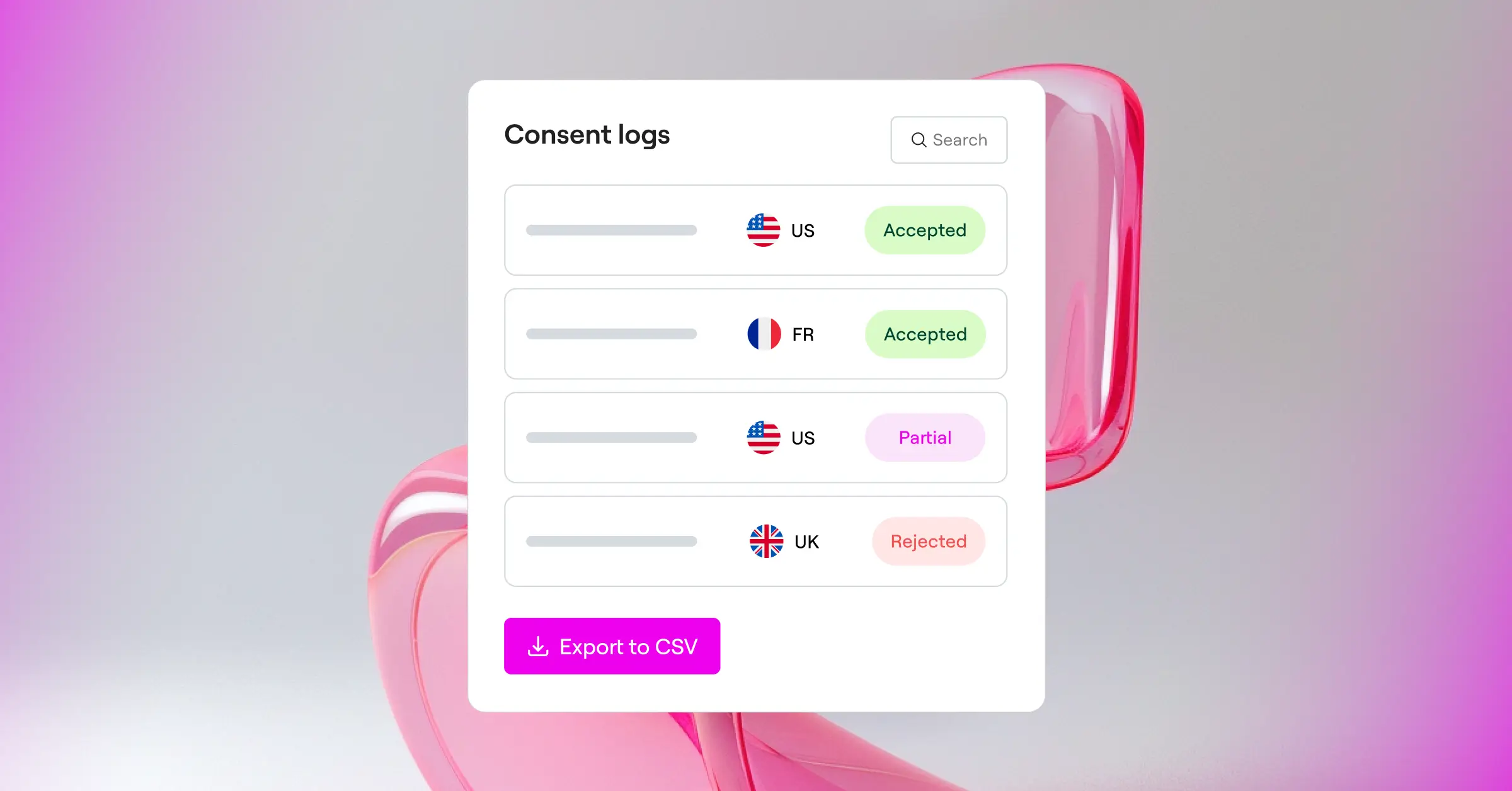
- Tracks consent history securely with built-in, easy-to-read consent logs.
- Connects with Google Consent Mode v2 to support marketing campaigns and tracking.
- Targets users by geographic location to show relevant notices based on local laws.
- Generates privacy policies directly from the WordPress interface to save time.
Pros:
- Runs completely inside WordPress with no external cloud accounts needed.
- Setup takes less than five minutes with a simple three-step process.
- Full design customization is built-in, so banners match your site theme without extra effort.
- Comes with a generous free tier alongside professional plan options.
Cons:
- Built specifically for WordPress, so it’s not designed for non-WordPress platforms.
- Advanced cloud templates require an active license tier.
Pricing: A free tier is available, and full access is included with Elementor One subscriptions.
Verdict: This is the top pick for WordPress users who want to avoid external SaaS dashboards and manage cookie consent directly from where they build their site.
2. Cookiebot

Cookiebot is a well-established cloud-based consent management platform. It scans your website for cookies and trackers, generates a consent banner, and manages consent records through an external dashboard. A WordPress connector is available to simplify the integration process.
Pros:
- Supports a wide range of privacy regulations including GDPR, CCPA, and LGPD.
- Automatic cookie scanning runs on a schedule to catch new trackers as they appear.
- Detailed consent logs and reporting are accessible from the cloud dashboard.
Cons:
- Requires logging into an external cloud dashboard to manage settings and view reports.
- Pricing scales with the number of pages scanned, which can increase costs on larger sites.
Pricing: Plans are tiered by number of pages and domains. A limited free option is available for small sites.
Verdict: A well-known option for sites that need reliable automated scanning and cloud-managed consent records across multiple regulatory frameworks.
3. CookieYes

CookieYes is a cloud-based consent management platform that works across many different website builders, including WordPress. It features a centralized cloud dashboard where you can manage banners, run cookie scans, and review consent statistics. A dedicated WordPress integration makes the initial setup straightforward.
Pros:
- Works across multiple platforms, which is helpful if you manage Shopify or custom sites alongside WordPress.
- The dashboard interface is clean and fairly easy for non-technical users to navigate.
- Includes automatic cookie scanning that categorizes common trackers without extra configuration.
Cons:
- Requires you to log into an external cloud dashboard to change settings or view logs.
- Free plan limits are tied to monthly page views, which can run out quickly on busier sites.
Pricing: Paid subscriptions scale based on page views and the number of domains you manage.
Verdict: A solid cloud-hosted option if you manage a mix of WordPress and non-WordPress websites under one roof.
4. Complianz

Complianz is a privacy suite built specifically for WordPress. It walks you through a step-by-step wizard to configure your site’s consent settings based on the privacy laws that apply to your visitors. Everything runs inside your own site’s database, making it a fully self-hosted solution.
Pros:
- The wizard-based setup makes it straightforward to work through compliance configuration step by step.
- Integrates well with popular WordPress translation tools.
- Includes automatic blocking for popular social media scripts before consent is given.
Cons:
- The interface can feel fairly involved because of the many configuration questions during setup.
- Styling banners sometimes requires custom CSS if the default templates don’t match your theme.
Pricing: A free version is available on WordPress.org. Premium plans are sold as yearly subscriptions per site.
Verdict: A strong self-hosted alternative if you prefer step-by-step configuration wizards and want your consent data stored locally.
5. Termly
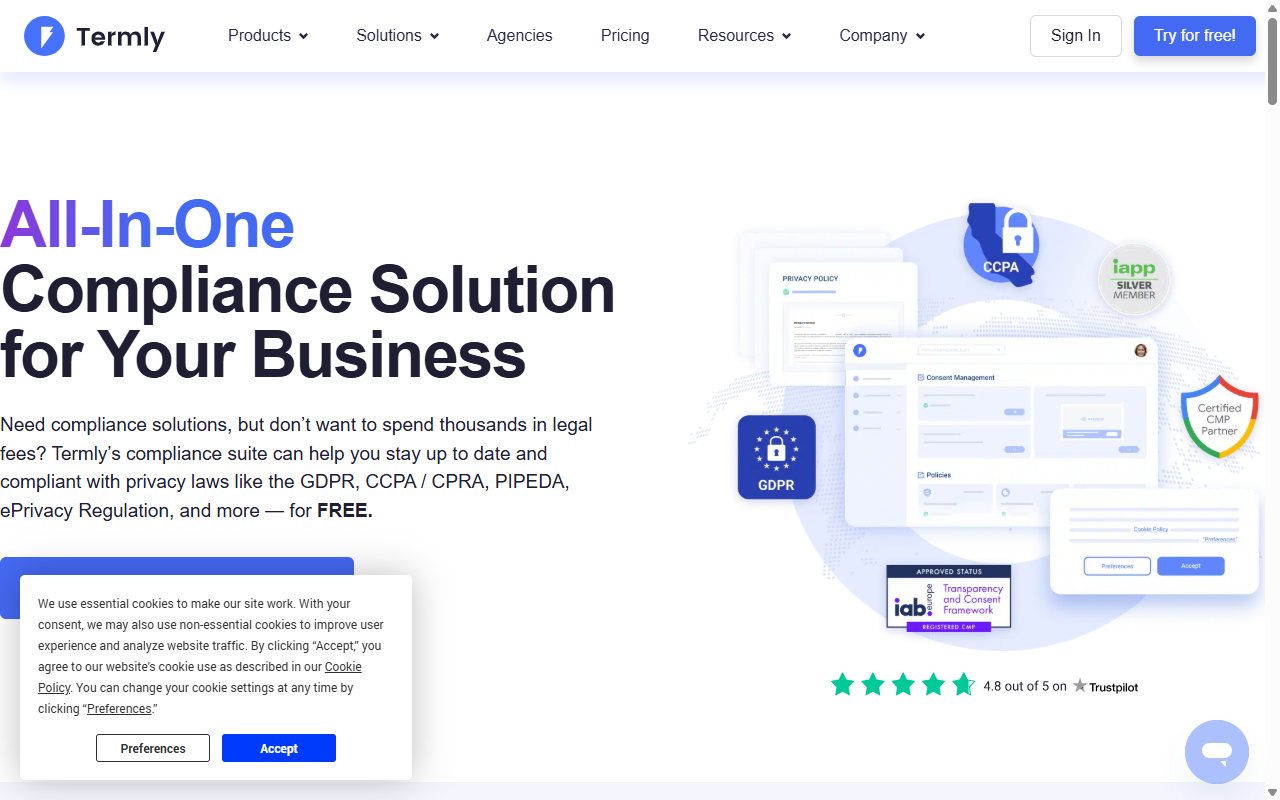
Termly is aimed at small businesses that need a straightforward way to stay compliant with evolving privacy laws. It provides policy generators, terms of service builders, and a cookie consent manager, all managed through an external cloud dashboard.
Pros:
- Very user-friendly dashboard designed with small businesses in mind.
- Includes a compliance checker that scans your site for potential legal issues.
- Generates multiple policy types beyond just cookie consent banners.
Cons:
- The free plan is limited to a single domain and a capped number of monthly page views.
- Fewer advanced developer customization settings compared to enterprise-level platforms.
Pricing: Pro plans are billed monthly or annually per site.
Verdict: A practical option for small businesses that want a simple compliance bundle including policy generation alongside their consent banner.
6. OneTrust

OneTrust is an enterprise-grade trust intelligence platform built for large organizations that need to manage strict data governance, vendor risk assessments, and international privacy standards across many digital properties at once.
Pros:
- Provides detailed compliance reporting and auditing tools suited for complex organizations.
- Supports cookie compliance configurations across multiple global regions.
- Integrates with internal company databases and customer relationship management systems.
Cons:
- Setup typically requires dedicated compliance teams or professional developers.
Pricing: Enterprise pricing is available on request.
Verdict: The standard choice for large corporations managing privacy compliance at scale, though the complexity and cost are generally beyond what independent WordPress site owners need.
7. Iubenda

iubenda is a complete compliance platform that helps website owners generate privacy policies, cookie policies, and consent banners. Their services run through a central cloud dashboard, with a helper integration available to connect their scripts to WordPress.
Pros:
- Provides auto-updating privacy and cookie policy documents prepared with legal expertise.
- Supports many languages and a range of global privacy frameworks.
- Can handle complex data mapping and privacy request workflows.
Cons:
- The cloud dashboard has a steeper learning curve compared to simpler consent-only tools.
Pricing: Paid plans are structured around the number of compliance documents and consent levels you configure.
Verdict: A good fit for website owners who need legally backed document generation alongside their cookie consent setup.
8. Osano
Osano is a B-corp platform that focuses on data privacy simplicity and compliance guarantees. They monitor privacy laws globally and update their systems automatically, so you don’t have to track every regulatory shift on your own.
Pros:
- Offers a financial compliance guarantee for added peace of mind.
- Maintains a database of third-party vendors to track and verify their privacy practices.
- Includes a clean, visitor-facing consent interface.
- Supports Google Consent Mode v2 out of the box.
Cons:
- All settings are managed in an external dashboard, which means one more platform to log into regularly.
- The entry-level plan has limited monthly visitor allowances.
Pricing: Developer and Business tiers are billed on a recurring monthly or annual basis.
Verdict: A reliable option for growing companies that want a platform backed by legal protection and built-in vendor tracking.
9. Usercentrics
Usercentrics is a consent management technology built for developers and agencies who want precise control over how data tracking is handled. It offers deep integration options through an advanced API.
Pros:
- Gives you real flexibility in how banners are rendered and how scripts are executed.
- Built to handle high-traffic sites and agency-scale deployments.
- Has a strong focus on European regulatory standards.
Cons:
- Setup can be challenging without web development experience.
- Doesn’t offer a traditional free plan for standard website use.
Pricing: Custom pricing based on monthly active users and features required.
Verdict: A solid developer-first option for agencies building complex custom applications or advanced WordPress setups.
10. Consentmanager
Consentmanager is a European consent tool focused on compliance optimization. It includes detailed analytical reporting to help you understand how different banner designs affect your visitor consent rates.
Pros:
- Built-in A/B testing lets you compare multiple banner layouts to find what performs best.
- Provides highly detailed consent statistics and reports.
- Supports a wide range of languages out of the box.
Cons:
- The administration interface is quite technical and can feel busy for beginners.
- The optimization focus may feel like more than necessary for simple content sites.
Pricing: Premium plans are billed monthly.
Verdict: A useful analytical tool for marketing teams who want to improve consent rates while staying compliant.
What About Securiti?
Securiti is a modern data intelligence platform that covers security, compliance, and privacy together. It scans website assets, databases, and APIs to build a unified map of where user data travels across your organization.
Pros:
- Advanced AI-powered scanning detects hidden cookies and data trackers.
- Well-suited to businesses managing customer logins and complex data structures.
- Takes a high-security approach to consent storage and privacy workflows.
Cons:
- Too feature-heavy for simple content sites or small blogs.
- Requires dedicated admin setup and technical knowledge to run effectively.
Pricing: Enterprise pricing available on request.
Verdict: A strong fit for tech-heavy organizations that need deep security insights alongside their consent management.
“With the introduction of Google Consent Mode v2, setting up a cookie banner is no longer just about showing a notification. It’s about running a clean, accurate connection between your website’s scripts and marketing tags without slowing down performance.”
Itamar Haim, Web Compliance Specialist
Step-by-Step Transition Guide
If you’re ready to make the switch from Cookiebot to a native WordPress tool like Cookie Consent, the transition is refreshingly simple. Just follow these steps and you’ll have your compliance running again without any gaps:
- Back Up Your Current Setup – Export your current Cookiebot configuration settings and make note of any custom cookie categorizations you’ve built up.
- Remove Cookiebot Scripts – Deactivate the Cookiebot helper tool on your WordPress site and remove any manual scripts from your theme files or tag managers.
- Install Cookie Consent – Turn on the Cookie Consent capability inside your WordPress setup. Run the built-in scanner to discover your active cookies, customize your banner design, and you’re good to go.
Compliance Checklist for Website Owners
To stay on top of your privacy requirements, make sure your consent setup covers all of these bases:
- Prior Consent Block – All non-essential cookies and tracking scripts must be blocked before the visitor makes a choice. Under GDPR, this isn’t optional.
- Easy Opt-Out – Keep a visible link (like in your footer) that lets users update their consent preferences at any time.
- Consent Logging – Maintain a secure, accessible history of consent choices so you can demonstrate compliance if you’re ever audited.
Frequently Asked Questions
Why should I consider an alternative to Cookiebot?
Cookiebot is a capable tool, but many users prefer solutions that integrate directly into the WordPress admin panel. That means no external dashboard to manage, no reliance on third-party servers, and more predictable pricing as your site grows.
What is Google Consent Mode v2?
Google Consent Mode v2 is a framework required by Google for sites using services like Google Ads or Google Analytics inside Europe. It communicates your visitors’ consent choices directly to Google’s tags, so you can measure ad performance while respecting user privacy.
Is a native WordPress consent capability better than a cloud-based SaaS tool?
For most WordPress sites, a native tool is much more convenient. It keeps your data on your own server, loads faster, and lets you manage banners without logging into external platforms.
Can I customize the design of my consent banner?
Yes, tools like Cookie Consent give you full control over fonts, colors, layouts, and positioning. So instead of a generic pop-up, you can design a banner that feels like a natural extension of your site.
What happens if a visitor rejects cookies?
When a visitor rejects cookies, your compliance tool must prevent non-essential tracking scripts (like advertising and analytics scripts) from loading in their browser, keeping their session private.
Do I need consent logs to stay compliant?
Yes, regulations like GDPR require you to be able to prove that a visitor gave active consent before their data was processed. A built-in consent log is a crucial part of staying audit-ready.
Is Cookie Consent difficult to set up?
Not at all. The Cookie Consent capability is designed to be up and running in under five minutes, thanks to a simple three-step setup process. It’s built for site owners at every technical skill level, so don’t worry if you’re not a developer.






